










Windows · Product Lifecycle
Like every piece of software, Windows 11 has a lifecycle. “End of life” (EOL) is the point at which Microsoft stops shipping support and security updates for a given version — meaning any vulnerabilities or bugs discovered afterwards will no longer be fixed. Running a version past its EOL date leaves your PC exposed.
Importantly, Windows 11 as a product has no single end-of-life date. Microsoft runs it under the Modern Lifecycle Policy: as long as you keep your PC on a currently supported feature update, you continue to receive security updates. Each annual feature update, however, has its own support window — and that is what this guide tracks.
Support Status Key
| Active | Fully supported by Microsoft and receiving security updates. |
|---|---|
| Phasing Out | Approaching end of life (within ~2 months). Plan your upgrade or migration now. |
| End of Life | No longer supported. No further security updates — upgrade as soon as possible. |
Windows 11 Version Support Dates
The table below lists each Windows 11 release with its support end dates and current status as of June 2026. Consumer (Home/Pro) editions are supported for 24 months; Enterprise and Education editions get 36 months; and Long-Term Servicing (LTSC/IoT) releases are supported for far longer.
| Version | Released | Support Ends | Extended | Status |
|---|---|---|---|---|
| Windows 11 24H2 IoT (LTSC) | Oct 2024 | Oct 2029 | Oct 2034 | Active |
| Windows 11 24H2 Enterprise (LTSC) | Oct 2024 | Oct 2029 | Oct 2029 | Active |
| Windows 11 24H2 Enterprise / Edu | Oct 2024 | Oct 2027 | Oct 2027 | Active |
| Windows 11 24H2 (Home/Pro) | Oct 2024 | Oct 2026 | Oct 2026 | Active |
| Windows 11 23H2 Enterprise / Edu | Oct 2023 | Nov 2026 | Nov 2026 | Active |
| Windows 11 23H2 (Home/Pro) | Oct 2023 | Nov 2025 | Nov 2025 | End of Life |
| Windows 11 22H2 Enterprise / Edu | Sep 2022 | Oct 2025 | Oct 2025 | End of Life |
| Windows 11 22H2 (Home/Pro) | Sep 2022 | Oct 2025 | Oct 2025 | End of Life |
| Windows 11 21H2 (Home/Pro) | Oct 2021 | Oct 2024 | Oct 2023 | End of Life |
Dates are approximate (Microsoft's published EOL falls on the second Tuesday of the listed month). Always confirm against Microsoft's official lifecycle page before making upgrade decisions.
How the Modern Lifecycle Policy Works
Under the Modern Lifecycle Policy, Microsoft keeps Windows 11 serviced continuously as long as you stay on a supported version. In practice, that means installing each annual feature update keeps your security updates flowing without interruption.
Microsoft also commits to giving at least 12 months' notice before retiring a product governed by this policy, so you will always have time to plan. For comparison, all Windows 10 versions reached end of life in October 2025, which is why Microsoft has been steadily moving users to Windows 11.
Annual Version Releases
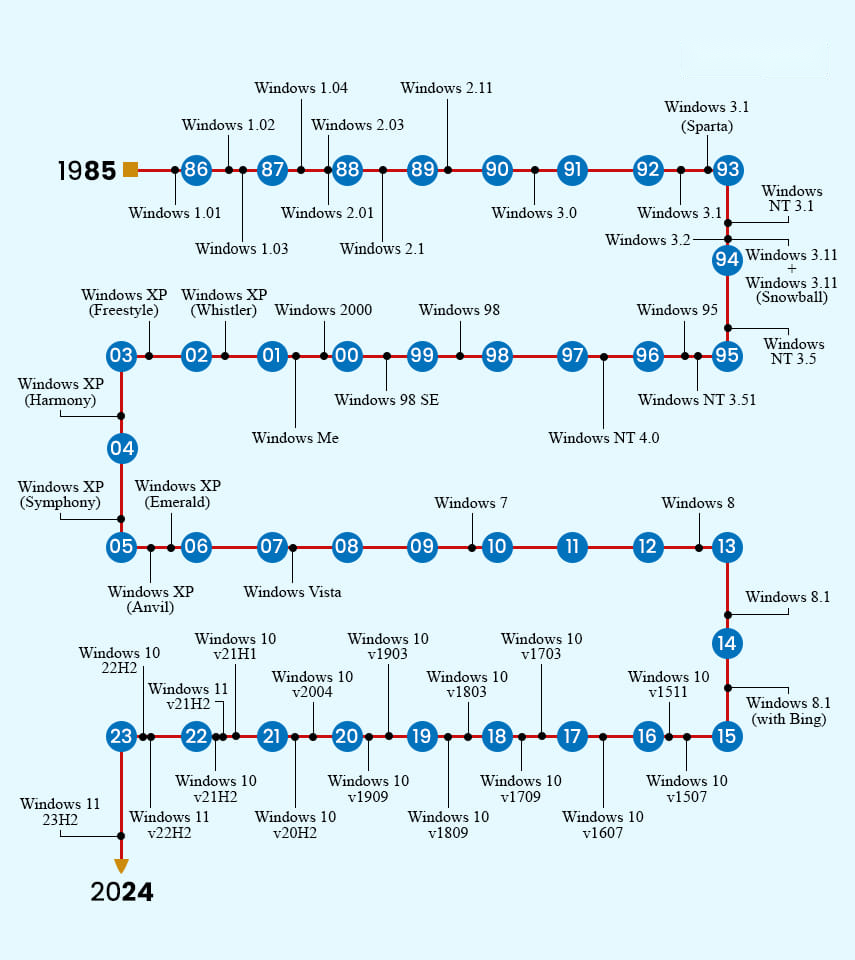
Microsoft ships a new major Windows 11 feature update once a year, typically around October. Consumer editions of each release are supported for 24 months from launch, while Enterprise and Education editions are supported for 36 months — a key reason organizations often standardize on those editions.
Understanding the Types of End-of-Support
Microsoft uses several distinct “end” milestones. Knowing the difference helps you judge how urgent an upgrade really is.
End of mainstream support
After this point, Microsoft stops providing the following, though security updates usually continue for a while:
- Free incident support.
- Warranty claims.
- Design changes and new feature requests.
- Non-security hotfixes.
Mainstream support typically runs for around five years.
End of extended support
This is the hard cut-off. Once extended support ends, you get:
- No more security updates.
- No more paid support.
- No more updated documentation or knowledge-base content.
End of Long-Term Servicing Channel (LTSC) support
LTSC releases are treated as fixed, stand-alone products: their features and functionality never change, and they receive only security updates throughout their life. Microsoft supports LTSC releases for up to 10 years, which is why they are popular for specialized or mission-critical systems. Windows 11 now has LTSC and IoT LTSC releases (introduced with the 24H2 cycle), the longest-supported of which runs to 2034.
What You Should Do
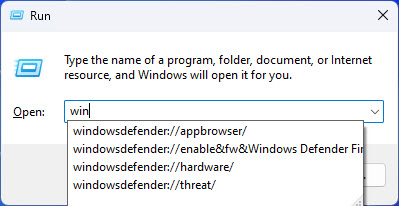
- Check which version you are running: press Windows key + R, type winver, and press Enter.
- Compare it against the table above to see whether it is still supported.
- If it shows End of Life or Phasing Out, update to the latest feature update via Settings > Windows Update.
- For business-critical machines, consider Enterprise/Education or an LTSC release for a longer support window.
Need help checking your Windows version or planning an upgrade across multiple machines? Contact the TechHub support team or visit techhub.com.lk for more guides.