Overview
Windows 11 activate කරන එකෙන් ඔයාගේ copy එක genuine කියලා තහවුරු කරලා personalization සහ full functionality unlock කරනවා. Windows reinstall කරාට පස්සේ නැත්නම් hardware වෙනස් කරාට පස්සේ, ඔයාට ආයෙ activate කරන්න වෙන්න පුළුවන්. මේ guide එකෙන් ඔයාගේ activation status එක බලන්නේ කොහොමද සහ legitimate ක්රම වලින් — product key එකකින් හෝ digital license එකකින් — Windows 11 activate කරන්නේ කොහොමද කියලා පෙන්නනවා.
Windows 11 activate කරන එකෙන් ඔයාගේ copy එක genuine කියලා තහවුරු කරනවා.
Key Takeaways
- Activation වලට character 25 ක product key එකක් හෝ ඔයාගේ hardware/Microsoft account එකට bind වුණ digital license එකක් පාවිච්චි කරනවා.
- ඔයාගේ Microsoft account එක link කරන්න, එතකොට digital license එක reinstall එකක් හෝ hardware වෙනසක් වුණත් survive වෙනවා.
- ඔයාගේ status එක Settings > System > Activation වල බලන්න.
- Windows 11 මිලදී ගන්නේ Microsoft එකෙන් හෝ authorised retailers ලාගෙන් විතරයි.
Check Your Activation Status
1. Windows activate වෙලාද සහ කොහොමද කියලා බලන්න Settings > System > Activation open කරන්න.
2. නැත්නම් Command Prompt open කරලා run කරන්න: slmgr /xpr — activation status එක බලන්න.
3. Full licence detail එකට run කරන්න: slmgr /dlv
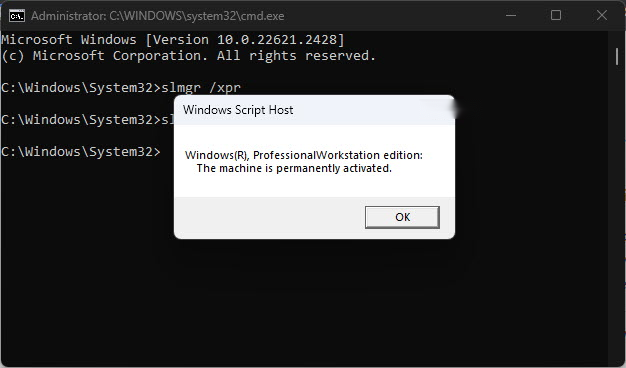
Activation status එක Settings > System > Activation වල පෙන්නනවා.
Find How Your Windows Is Activated
1. Settings > System > Activation open කරන්න.
2. Activation state එක බලන්න: ඒක "Windows is activated with a digital license" නැත්නම් "…with a digital license linked to your Microsoft account" කියලා පෙන්නයි.
3. Linked licences reinstall එකකට පස්සේ එකම account එකෙන් sign in වුණාම automatically reactivate වෙනවා.
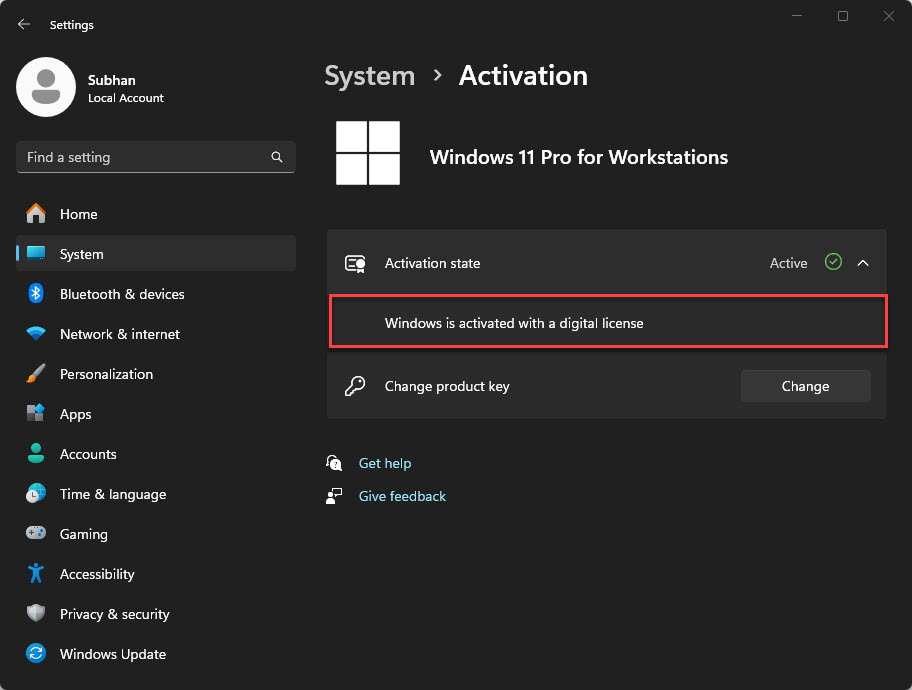
Windows digital licence එකකින්ද product key එකකින්ද activate වෙලා තියෙන්නේ කියලා බලන්න.
Method 1 — Activate During Setup
1. Windows 11 installation එකේදී, prompt වුණාම ඔයාගේ product key එක enter කරන්න.
2. එකම hardware එකේ reinstall කරනවා නම්, ඔයාට "I don’t have a product key" තෝරන්න පුළුවන්, එතකොට ඒක පස්සේ ඔයාගේ digital licence එකෙන් activate වෙනවා.
3. Setup එක complete කරලා ඔයාගේ Microsoft account එකෙන් sign in වෙන්න.
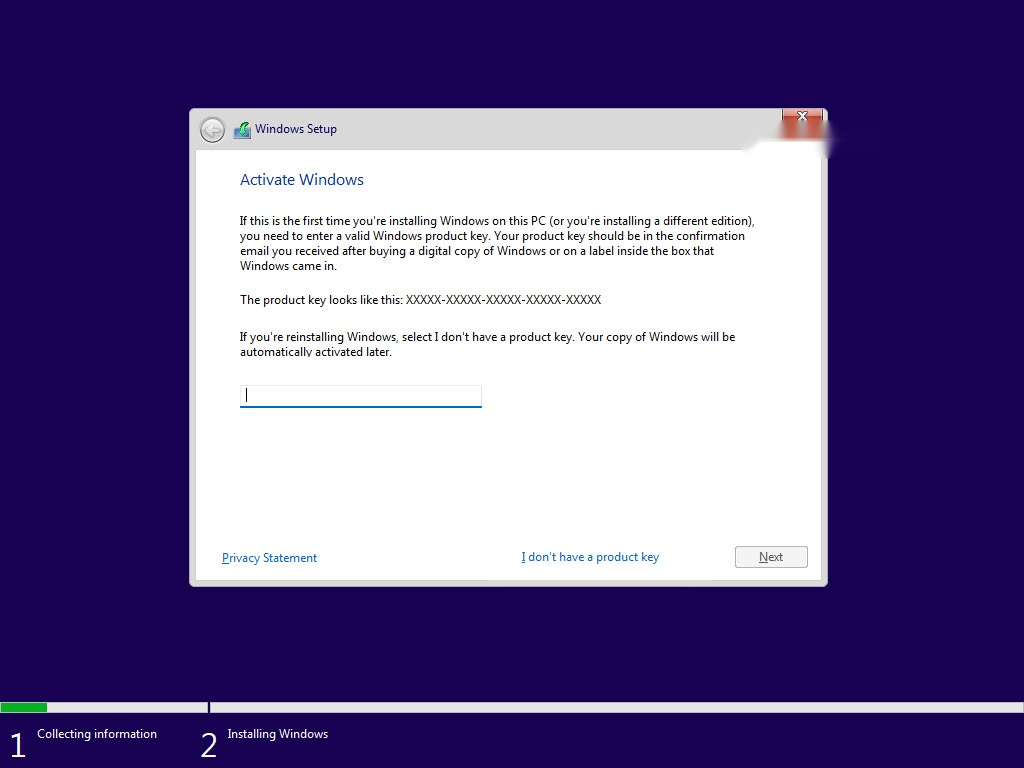
Windows 11 setup එකෙන් product key එකක් ඉල්ලනවා.
Method 2 — Activate With a Product Key
1. Settings > System > Activation open කරන්න.
2. "Change product key" expand කරලා Change click කරන්න.
3. ඔයාගේ character 25 ක product key එක enter කරලා activate කරන්න Next click කරන්න.
Method 3 — Link a Microsoft Account (Digital Licence)
1. Activate වුණාට පස්සේ, Settings > Accounts > Your info open කරලා Microsoft account එකකින් sign in වෙන්න.
2. මේකෙන් ඔයාගේ digital licence එක ඒ account එකට link වෙනවා.
3. Reinstall එකකට හෝ hardware වෙනසකට පස්සේ, එකම account එකෙන් sign in වෙන්න, එතකොට Windows automatically reactivate වෙනවා.
Method 4 — Transfer a Licence to New Hardware
1. ඔයාගේ දැනට තියෙන Windows එක ඔයාගේ Microsoft account එකට link වුණ digital licence එකකින් activate වෙලා තියෙනවද කියලා තහවුරු කරගන්න.
2. Major hardware වෙනස්කම් වලට පස්සේ, Settings > System > Activation open කරලා Activation Troubleshooter එක run කරන්න.
3. "I changed hardware on this device recently" තෝරලා, sign in වෙලා, reactivate කරන්න device එක select කරන්න.
Note: Retail licences සාමාන්යයෙන් new hardware වලට move කරන්න පුළුවන්; OEM licences original PC එකට bind වෙලා තියෙනවා. Windows මිලදී ගන්නේ Microsoft එකෙන් හෝ authorised sellers ලාගෙන් විතරයි.
Troubleshooting
Problem: Hardware වෙනසකට පස්සේ Windows activate වෙලා නැහැ.
Solution: Settings > System > Activation වල Activation Troubleshooter එක run කරලා, ඔයාගේ Microsoft account එකට sign in වෙලා ඉඳගෙන recent-hardware-change option එක තෝරන්න.
Problem: "This product key didn’t work".
Solution: Key එක ඔයාගේ edition එකට (Home vs Pro) ගැළපෙනවද සහ හරියට enter කරලද කියලා තහවුරු කරගන්න. Unofficial sources වලින් ගත්ත keys invalid වෙන්න පුළුවන්.
Problem: Activation servers busy.
Solution: ටිකක් ඉඳලා ආයෙ try කරන්න, නැත්නම් slui 4 පාවිච්චි කරලා phone එකෙන් activate කරන්න. ඔයාගේ internet connection එක වැඩ කරනවද කියලා තහවුරු කරගන්න.
Problem: ඔයාට licence එකක් ඕන.
Solution: Windows 11 එක Microsoft එකෙන් හෝ authorised retailer කෙනෙකුගෙන් මිලදී ගන්න, ඊට පස්සේ key එක Settings > Activation වල enter කරන්න.
Conclusion
Windows 11 activate කරන එක valid product key එකකින් හෝ digital licence එකකින් සරලයි. ඔයාගේ Microsoft account එක link කරන්න, එතකොට reinstalls සහ hardware වෙනස්කම් වලට පස්සේ activation එක automatically carry වෙනවා, සහ හැමවිටම licences මිලදී ගන්නේ official sources වලින් විතරයි.
About TechHub
මේ guide එක TechHub Knowledge Base එකේ කොටසක්. තව step-by-step IT guides සහ support වලට techhub.com.lk එකට යන්න.