Overview
The Ultimate Performance power plan minimizes micro-latencies to squeeze maximum performance from high-end PCs and workstations. It is hidden by default, but a single command reveals it. This guide shows how to enable and select it.
Key Takeaways
- Ultimate Performance reduces power-saving delays for maximum responsiveness.
- It is hidden by default and enabled with a powercfg command.
- It suits desktops and workstations, not battery-focused laptops.
- It uses more power, so it is best on machines that are always plugged in.
Enable the Plan
1. Open Command Prompt or PowerShell as an administrator.
2. Run: powercfg -duplicatescheme e9a42b02-d5df-448d-aa00-03f14749eb61
3. Open Control Panel > Power Options.
4. Select Ultimate Performance from the list of plans.
Confirm and Use It
1. In Power Options, confirm Ultimate Performance is selected.
2. Expand Show additional plans if it is not visible.
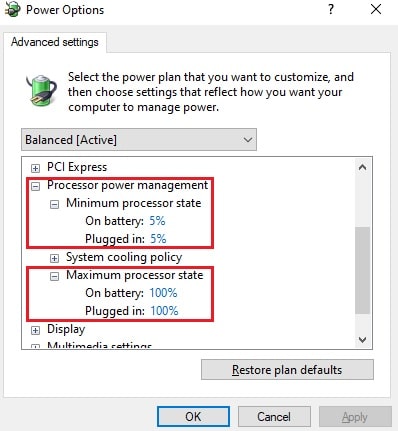
3. Adjust advanced settings if you want to fine-tune it.
4. Keep the PC plugged in to benefit fully from the plan.
Note: On some laptops the plan is hidden to protect battery life; the powercfg command still adds it if your hardware supports it.
Troubleshooting
Problem: The plan does not appear after running the command.
Solution: Click Show additional plans in Power Options, and rerun the command from an elevated prompt.
Problem: The command reports an error.
Solution: Ensure you ran it as administrator and copied the scheme GUID exactly.
Problem: Battery drains fast on a laptop.
Solution: Switch back to Balanced on battery; Ultimate Performance is intended for plugged-in use.
Problem: You want to remove the plan.
Solution: Use powercfg -delete with the plan’s GUID to remove it from the list.
Conclusion
The Ultimate Performance plan is a quick win for workstations that value responsiveness over power savings. Enable it with one command and select it whenever peak performance matters.
About TechHub
This guide is part of the TechHub Knowledge Base. For more step-by-step IT guides and support, visit techhub.com.lk.