Overview
Ultimate Performance power plan එකෙන් micro-latencies අඩු කරලා high-end PCs සහ workstations වලින් උපරිම performance එක ලබාගන්නවා. ඒක default විදිහට hidden වෙලා තියෙනවා, ඒත් එක command එකකින් ඒක reveal වෙනවා. මේ guide එකෙන් ඒක enable කරලා select කරන්නේ කොහොමද කියලා පෙන්නනවා.
Key Takeaways
- Ultimate Performance එකෙන් power-saving delays අඩු කරලා උපරිම responsiveness එකක් දෙනවා.
- ඒක default විදිහට hidden වෙලා තියෙනවා, powercfg command එකකින් enable වෙනවා.
- ඒක desktops සහ workstations වලට හොඳයි, battery-focused laptops වලට නෙවෙයි.
- ඒක වැඩිය power පාවිච්චි කරනවා, ඒ නිසා හැමවෙලේම plug කරලා තියෙන machines වලට හොඳම.
Enable the Plan
1. Command Prompt හෝ PowerShell එක administrator විදිහට open කරන්න.
2. මේක run කරන්න: powercfg -duplicatescheme e9a42b02-d5df-448d-aa00-03f14749eb61
3. Control Panel > Power Options open කරන්න.
4. plans list එකෙන් Ultimate Performance select කරන්න.
Confirm and Use It
1. Power Options එකේ, Ultimate Performance select වෙලා තියෙනවද කියලා confirm කරන්න.
2. ඒක නොපෙනෙනවා නම් Show additional plans expand කරන්න.
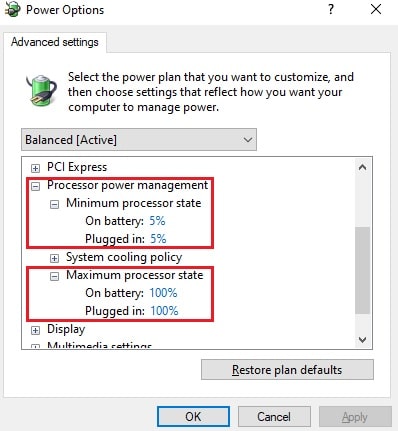
3. ඕන නම් advanced settings adjust කරලා fine-tune කරන්න.
4. Plan එකෙන් සම්පූර්ණ ප්රතිලාභ ගන්න PC එක plug කරලා තියාගන්න.
Note: සමහර laptops වල battery life protect කරන්න මේ plan එක hidden කරලා තියෙනවා; ඔයාගේ hardware එක support කරනවා නම් powercfg command එකෙන් තාමත් ඒක add වෙනවා.
Troubleshooting
Problem: Command එක run කළාට පස්සේ plan එක පෙන්නන්නේ නෑ.
Solution: Power Options එකේ Show additional plans click කරලා, elevated prompt එකකින් command එක නැවත run කරන්න.
Problem: Command එක error එකක් report කරනවා.
Solution: ඔයා ඒක administrator විදිහට run කළාද කියලා සහ scheme GUID එක හරියටම copy කළාද කියලා confirm කරන්න.
Problem: Laptop එකක battery ඉක්මනට අඩු වෙනවා.
Solution: Battery එකේදී Balanced එකට ආපහු switch කරන්න; Ultimate Performance plug කරපු use එකට තමයි.
Problem: ඔයාට plan එක remove කරන්න ඕන.
Solution: List එකෙන් plan එක ඉවත් කරන්න plan එකේ GUID එක්ක powercfg -delete පාවිච්චි කරන්න.
Conclusion
Ultimate Performance plan එක power savings වලට වඩා responsiveness අගය කරන workstations වලට ඉක්මන් වාසියක්. ඒක එක command එකකින් enable කරලා, peak performance එක වැදගත් වෙන හැම වෙලාවකම ඒක select කරන්න.
About TechHub
මේ guide එක TechHub Knowledge Base එකේ කොටසක්. තව step-by-step IT guides සහ support වලට techhub.com.lk එකට යන්න.