Office 2019 Professional Plus is a perpetual (one-time purchase) suite with Word, Excel, PowerPoint, Outlook, Publisher and Access. This guide covers everything: preparation, the ISO download, installation, and both online and phone activation.
Part 1 — Preparation
System requirements
- Windows 10 or 11 (Office 2019 does not support Windows 7/8.1)
- 1.6 GHz dual-core processor · 4 GB RAM (64-bit) · 4 GB free disk space
- 1280×768 display · internet connection for activation
Uninstall any previous Office version
Two Office generations on one PC cause installer and licence conflicts. Remove old versions via Settings → Apps, and clear any leftover product keys first — our guide on removing an Office licence shows the ospp.vbs commands. Restart before continuing.
Part 2 — ISO vs IMG: what's the difference?
Both are disc-image formats and Windows treats them the same way — double-click to mount. ISO is simply the more common standard; if your download is an .img file, every step below still applies.
Part 3 — Download & install Office 2019 Pro Plus (64-bit)
Downloading
- Use the official ISO link in your TechHub delivery email (matched to your key), or find it in the TechHub Download Center.
- The ISO is several GB — use a stable connection and don't rename the file.
Installing
- Right-click the downloaded ISO → Mount. A virtual DVD drive appears in File Explorer.
- Open the drive and run Setup.exe (or Setup64.exe) as administrator.
- Installation runs mostly automatically — wait for the "You're all set! Office is installed now" message, then close the window.
- You can unmount the ISO afterwards (right-click the virtual drive → Eject).
Part 4 — Activate
Online activation (try first)
- Open any Office app — the Activation Wizard appears.
- Enter the 25-character product key from your TechHub delivery email and choose internet activation.
Phone activation — when online says the key was "already used"
Keys that were activated before (e.g. after a reinstall or hardware change) often show this message. It doesn't mean the key is bad — it means you should activate by telephone:
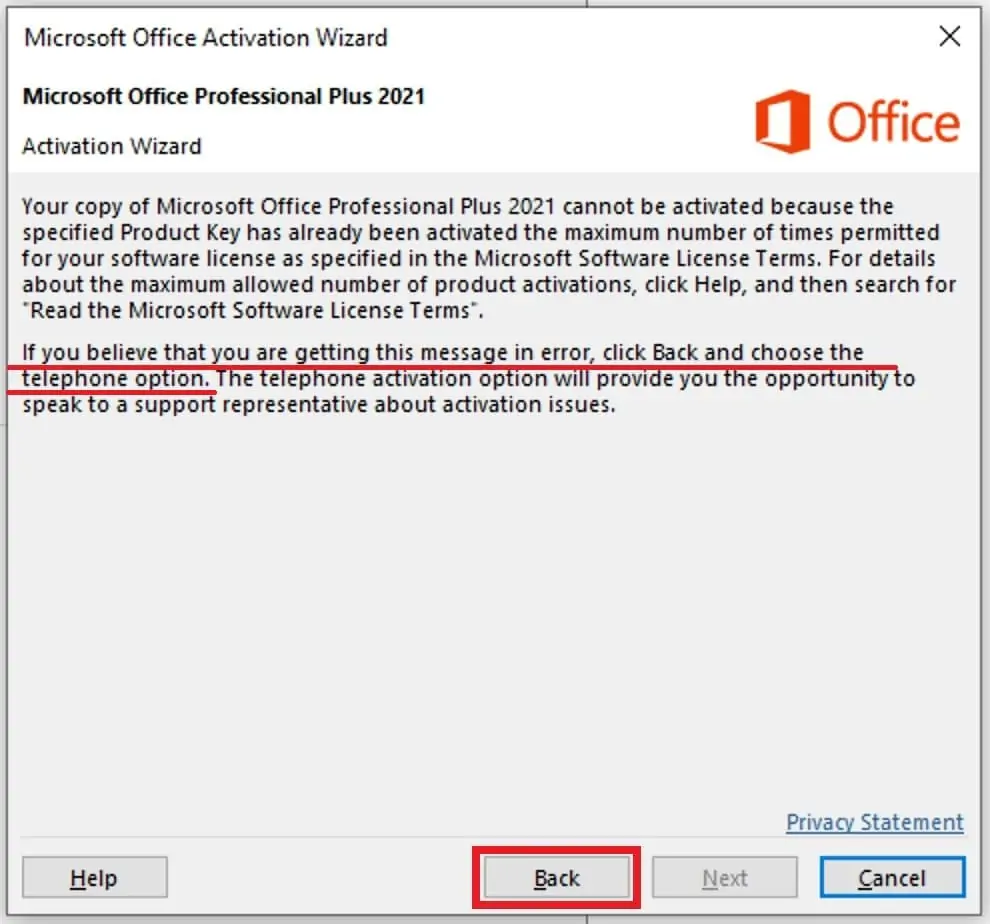
Click Back and choose the telephone option, as the wizard itself suggests. (Screenshots show the 2021 wizard — the 2019 wizard is identical.)
- Select "I want to activate the software by telephone" and click Next:
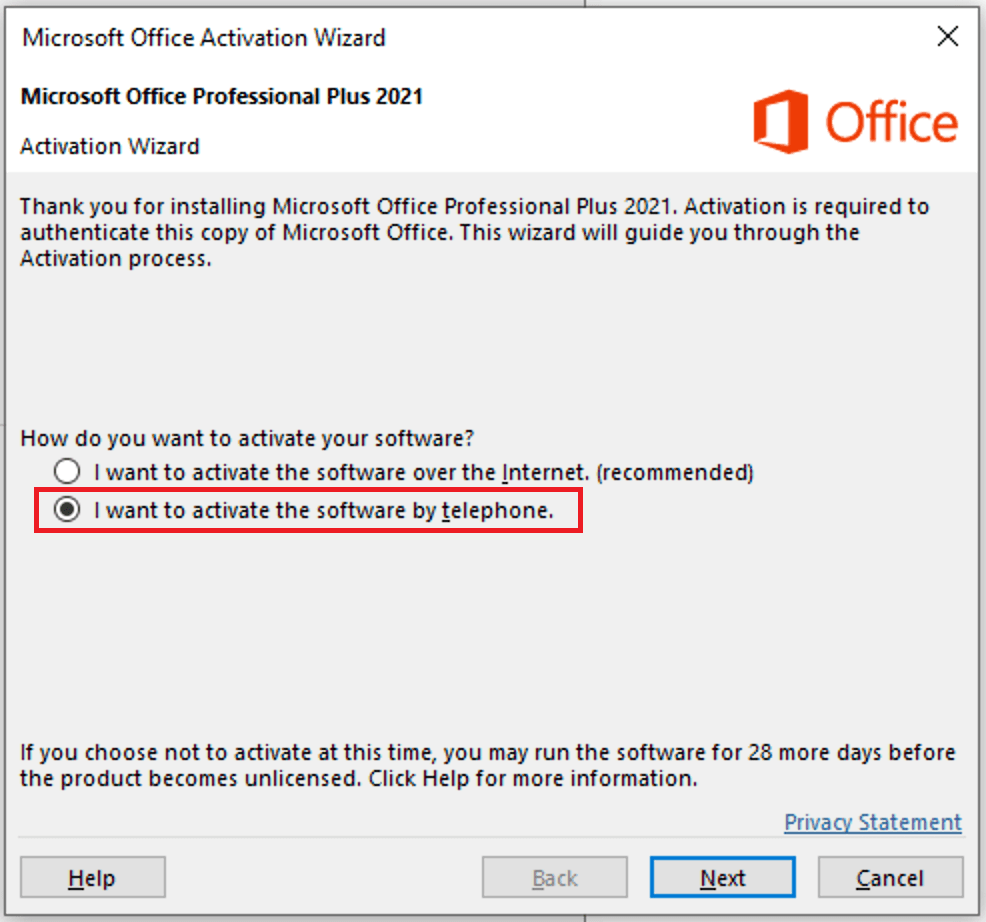
- On the next screen, pick any country and note the Installation ID (the long number in Step 2 of the wizard):
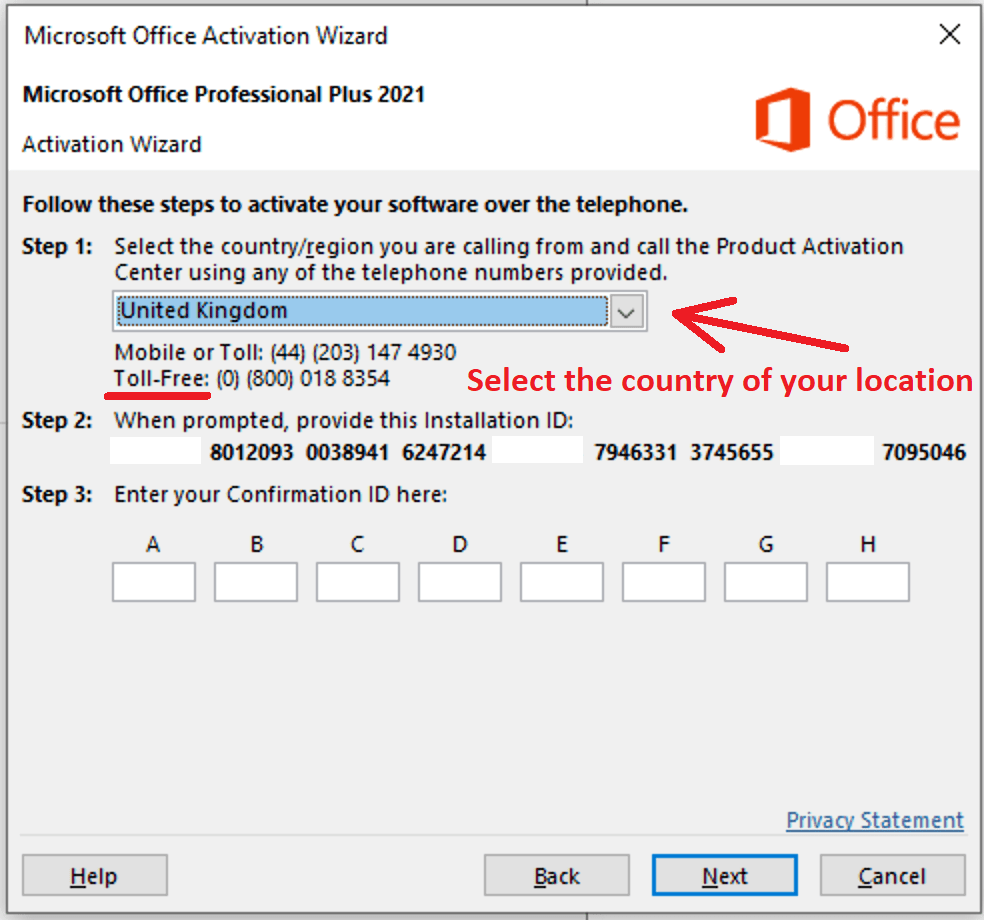
- Instead of calling, open the TechHub Get CID tool, paste your Order ID and the full Installation ID, and get your Confirmation ID in seconds.
- Type the Confirmation ID into boxes A–H and click Next. Done:
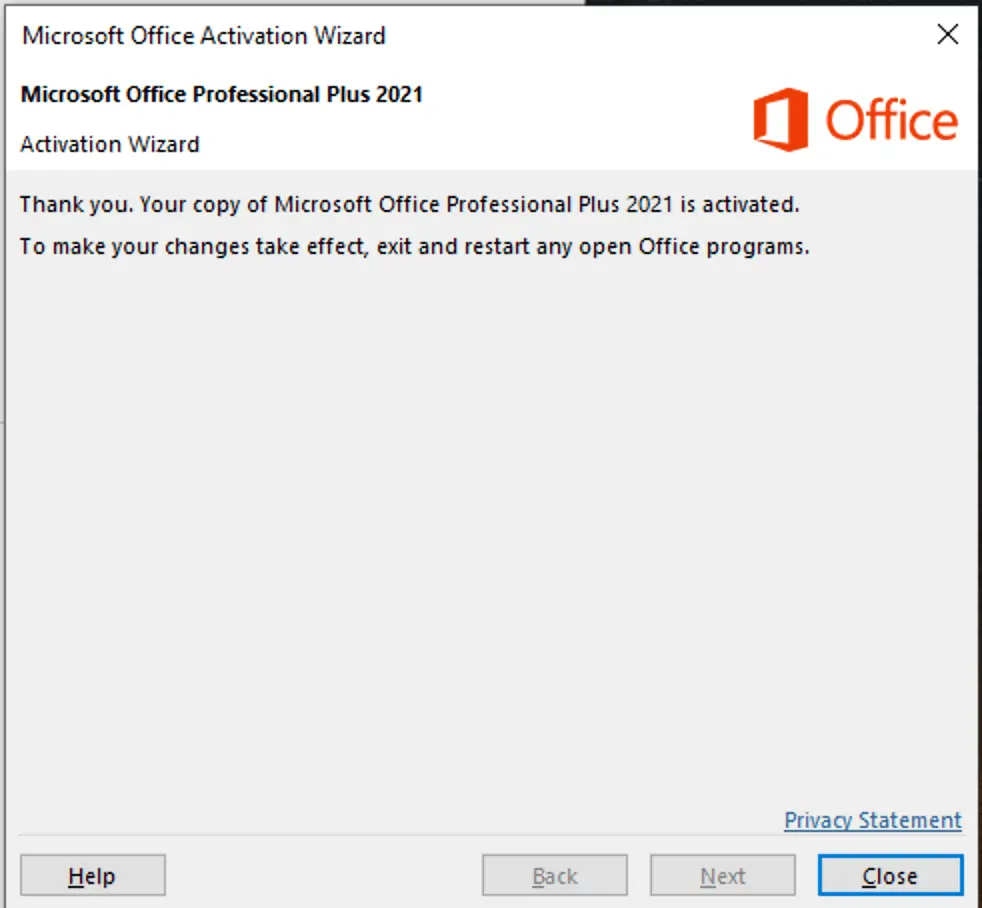
Verify any time at File → Account — it should read Product Activated.
Troubleshooting
- Setup won't start from the ISO — re-download the ISO (a corrupted download is the usual cause) and run Setup as administrator.
- "Another version of Office is installed" — finish Part 1's uninstall steps, restart, retry.
- Key rejected outright — copy-paste it from the delivery email (0/O, 1/I) and confirm it's an Office 2019 Professional Plus key.
- Confirmation ID doesn't work — the Installation ID changes if you close the wizard; always generate the CID from the IID currently on screen. See our full Get CID guide.
Get a genuine key
Office 2019 Professional Plus keys with instant email delivery and free activation support — browse at TechHub.