Windows 10 Home remains a rock-solid choice for home PCs. Here's the official way to download it, three ways to install it, and how to activate your licence.
System requirements
- 1 GHz processor · 2 GB RAM (64-bit) · 32 GB free storage
- DirectX 9 graphics · 800×600 display · internet for activation
Step 1 — Download with the Media Creation Tool
- Go to microsoft.com/software-download/windows10 and download the Media Creation Tool.
- Run it and choose Create installation media.
- Pick language and 64-bit, then write directly to a USB drive (8 GB+) or save an ISO for later.
Step 2 — Install (three paths)
A. Clean installation (recommended for new/blank PCs)
- Boot the PC from the USB drive (choose it in the BIOS/UEFI boot menu).
- Select language → Install now → enter your key (or I don't have a product key).
- Choose Windows 10 Home, accept the terms, pick Custom, select the drive, and let setup finish.
B. In-place upgrade
Running Windows 7/8.1 or repairing an existing Windows 10? Run the Media Creation Tool inside Windows and choose Upgrade this PC now — files and apps are kept.
C. Key entry only
Windows 10 already installed but unactivated? Settings → Update & Security → Activation → Change product key.
Step 3 — Activate
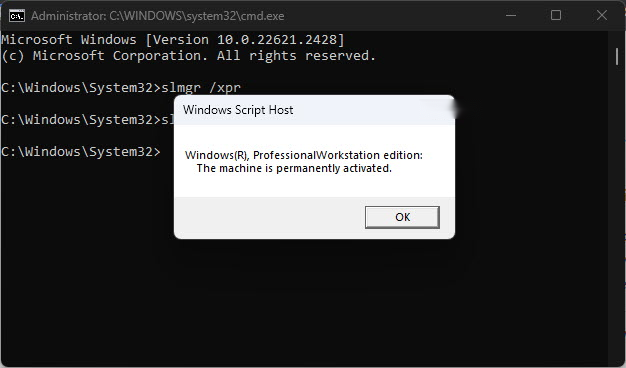
Enter your 25-character key in Settings → Activation (or run slui.exe). Microsoft's servers verify it online within seconds. Tip: sign in with a Microsoft account afterwards — this links a digital licence to your account so Windows re-activates itself after hardware changes.
Common activation errors
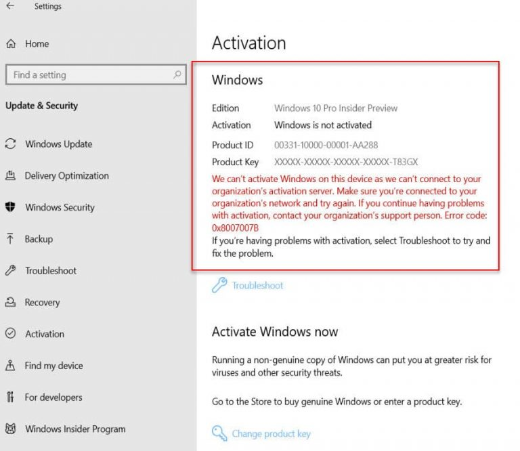
0xC004C060— verification failed; re-enter the key carefully (watch 0/O and 1/I) and try again later.0xC004F050— often after a hardware change; run the Activation troubleshooter (Settings → Activation) and choose "I changed hardware on this device recently", or use phone activation via the TechHub Get CID tool.0xC004E003— activation servers unreachable; check your connection and retry in a few hours.
Need a genuine key?
Genuine Windows 10 and Windows 11 keys with instant email delivery — browse at TechHub. Every order includes free activation support.