What Is DNS-over-HTTPS (DoH) and How to Enable It
Encrypt your DNS lookups for privacy, and turn DoH on in Windows and your browser.
Overview
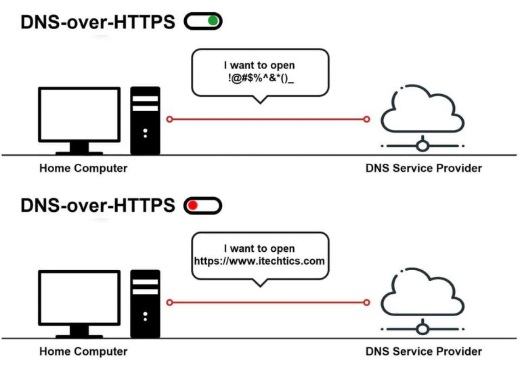
DNS-over-HTTPS (DoH) encrypts your DNS queries so others on the network can’t easily see which sites you look up. This guide explains what it does (and doesn’t) and how to enable it in Windows and browsers.
DNS-over-HTTPS explained.
Key Takeaways
- DoH encrypts DNS lookups over HTTPS.
- It improves privacy but isn’t full anonymity.
- Windows 11 and browsers support DoH natively.
- You need a DoH-capable resolver (Cloudflare, Google, etc.).
What DoH Does (and Doesn’t)
- Does: hide DNS queries from your ISP/network eavesdroppers.
- Doesn’t: hide the destination IP/SNI or replace a VPN.
- Doesn’t: guarantee anonymity — the resolver still sees your queries.
- Choose a trustworthy DoH provider.
Enable DoH in Windows 11
1. Open Settings > Network & Internet > your adapter > DNS server assignment > Edit.
2. Set manual DNS to a DoH provider (e.g., Cloudflare 1.1.1.1 or Google 8.8.8.8).
3. Set "DNS over HTTPS" to On (Automatic/encrypted only).
4. Save; Windows now encrypts DNS to that resolver.
Enable DoH in Your Browser
1. Chrome/Edge: Settings > Privacy and security > Security > "Use secure DNS" and pick a provider.
2. Firefox: Settings > Privacy & Security > DNS over HTTPS > Enable and choose a provider.
3. This encrypts the browser’s DNS even if the OS doesn’t.
Enable via Registry/Group Policy (Windows 10)
Warning: Editing the Registry incorrectly can cause problems. Back up the Registry first.
1. Windows 10 exposes DoH via the DoH policy under the network parameters/Group Policy on supported builds.
2. Enable the "Configure DNS over HTTPS" policy, or set the appropriate DoH Registry value, then set a DoH resolver.
3. Reboot to apply.
Troubleshooting
Problem: DoH won’t turn on.
Solution: Use a DoH-capable resolver IP (Cloudflare/Google) so Windows recognizes it; update to a build that supports DoH.
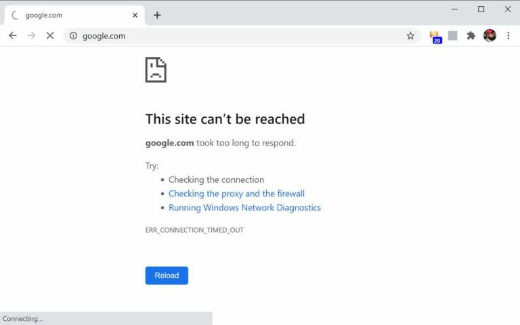
Problem: Sites won’t resolve.
Solution: Verify the resolver IP is correct and reachable; switch providers or back to Automatic.
Problem: Browser vs OS DoH.
Solution: Browser DoH covers that browser; OS DoH covers the whole system — enable whichever scope you need.
Problem: Enterprise concerns.
Solution: DoH can bypass local DNS filtering — admins should configure/allow an approved DoH resolver via policy.
Conclusion
DoH encrypts your DNS lookups for better privacy on untrusted networks, though it’s not a full VPN or anonymity tool. Enable it in Windows 11’s DNS settings or your browser, using a trustworthy DoH resolver like Cloudflare or Google.