Overview
The symbols on power buttons are part of an international standard (IEC 60417), so they mean the same thing on devices worldwide. Once you know the basic shapes — a line, a circle, and combinations of the two — you can tell at a glance whether a button turns a device fully on, fully off, or into a standby/sleep state. This guide explains each symbol.
Power button symbols follow an international standard.
Key Takeaways
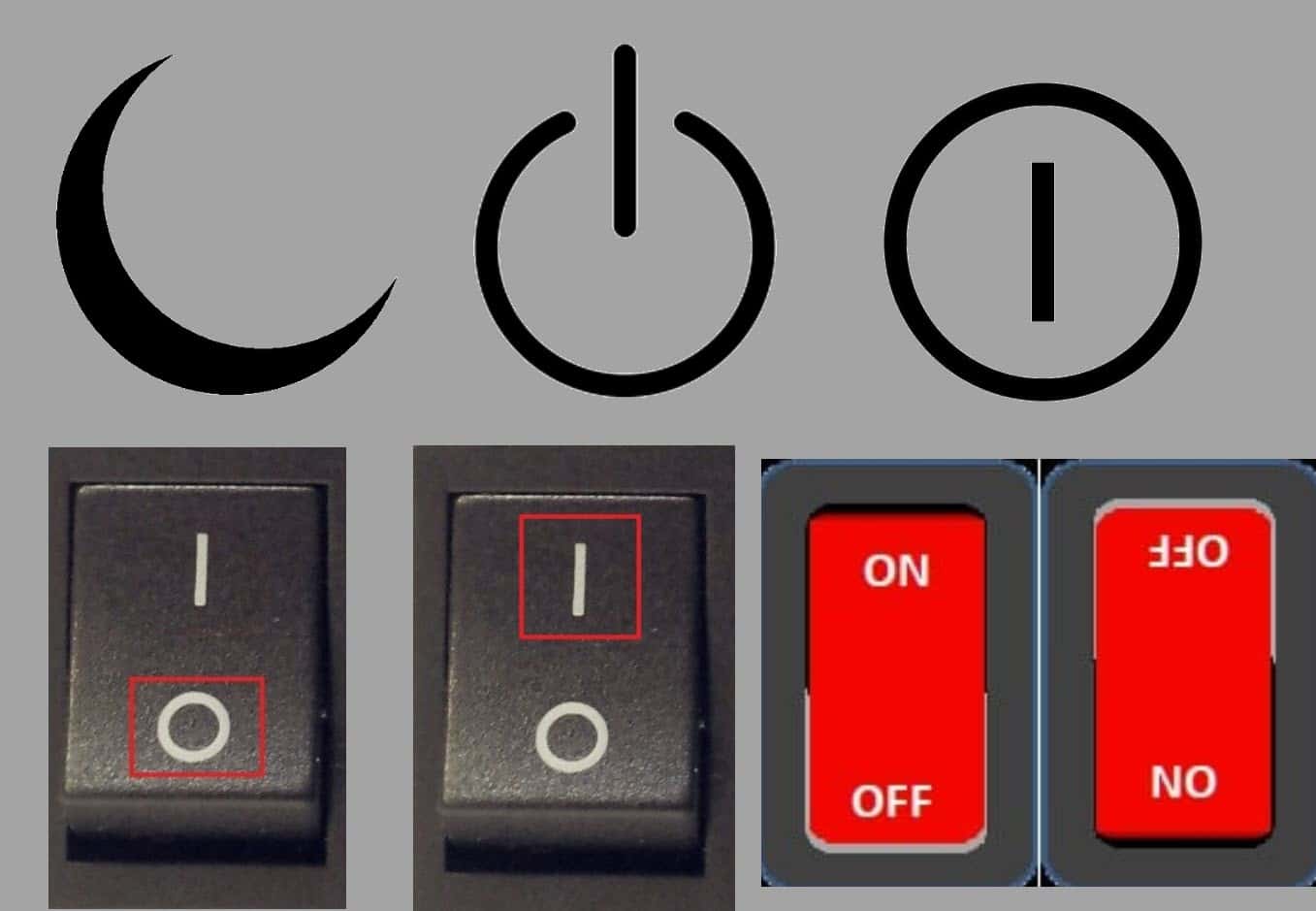
- The line "I" means ON; the circle "O" means OFF.
- A line inside a circle means standby / a temporary on-off toggle.
- A line breaking a circle indicates the device is not fully disconnected (standby).
- A crescent moon means sleep.
Why Power Buttons Need Symbols
Standardised symbols let anyone operate a device regardless of language. They originated from binary notation — 1 for on and 0 for off — which became the familiar I and O markings, and were later formalised by the IEC so manufacturers worldwide use the same icons.
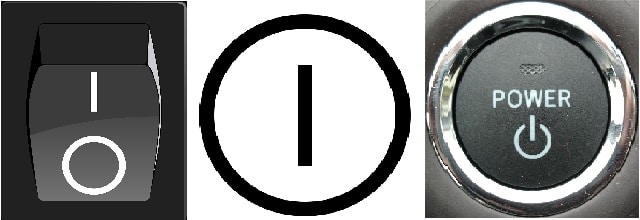
Different devices use different combinations of the standard symbols.
The I and O Symbols
- I (IEC 60417-5007) — fully powered ON state.
- O (IEC 60417-5008) — complete power OFF state, fully disconnected.
- On rocker switches you often see both: press the I side for on, the O side for off.
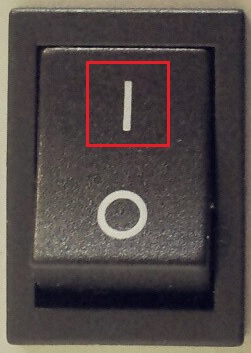
A rocker switch marked with I (on) and O (off).
Standby and Toggle Symbols
- Line inside a circle (IEC 60417-5010) — a power button that toggles between on and a low-power standby state.
- Line breaking the edge of a circle (IEC 60417-5009) — standby/sleep; the device is not fully disconnected from power.
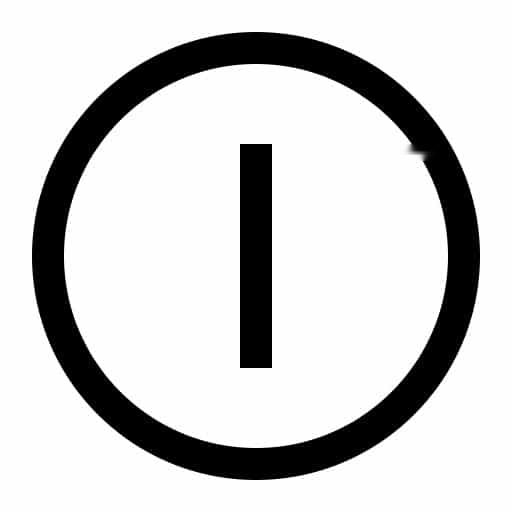
A line inside a circle indicates a standby/toggle power button.
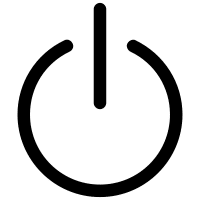
A line breaking the circle means the device is in standby, not fully off.
The Crescent Moon (Sleep)
A crescent moon symbol indicates Sleep mode — the device powers down most components but keeps enough active to resume quickly. You will often see it on keyboards and laptops next to a dedicated sleep key.

The crescent moon symbol indicates Sleep mode.
Quick Reference
- I — On (fully powered).
- O — Off (fully disconnected).
- Line inside a circle — On/standby toggle.
- Line breaking a circle — Standby (not fully off).
- Crescent moon — Sleep.
Frequently Asked Questions
Problem: My device has a circle-with-a-line button but still draws power when “off”.
Solution: That symbol means standby, not full off. To fully disconnect, unplug it or use a switch marked with a plain O.
Problem: What’s the difference between sleep and standby?
Solution: They are similar low-power states. Sleep (crescent moon) keeps memory powered for a fast resume; full off (O) cuts power entirely.
Problem: Why do some buttons combine I and O?
Solution: The combined I/O-in-a-circle symbol marks a single button that toggles power on and off.
Problem: Is the symbol the same on every device?
Solution: Yes — the IEC standard means these symbols carry the same meaning across manufacturers and countries.
Conclusion
Power symbols are a small but universal language: a line is on, a circle is off, and combinations signal standby or sleep. Knowing them helps you tell instantly how a device’s power button behaves.
</w:pBdr><w:spacing w:before="220" w:after="40"/></w:pPr><w:r><w:rPr><w:b/><w:bCs/><w:color w:val="0B5394"/><w:sz w:val="21"/><w:szCs w:val="21"/><w:rFonts w:ascii="Calibri" w:cs="Calibri" w:eastAsia="Calibri" w:hAnsi="Calibri"/></w:rPr><w:t xml:space="preserve">About TechHub
This guide is part of the TechHub Knowledge Base. For more step-by-step IT guides and support, visit techhub.com.lk.