Overview
Remote Desktop Connection client එක mstsc command එකෙන් launch වෙනවා. ඒක parameters එක්ක command line එකෙන් run කරාම නිශ්චිත computer එකකට connect වෙන්න, save කරපු connection එකක් open කරන්න, හෝ full screen එකෙන් පටන්ගන්න පුළුවන් — scripts සහ shortcuts වලට හොඳම. මේ guide එකෙන් key options ආවරණය කරනවා.
Key Takeaways
- mstsc එකෙන් Remote Desktop Connection client එක open වෙනවා.
- /v switch එකෙන් connect වෙන්න ඕන computer එක specify කරනවා.
- Save කරපු .rdp files කෙලින්ම command line එකෙන් open කරන්න පුළුවන්.
- Switches වලින් full-screen, multi-monitor, සහ admin-session behavior control කරනවා.
Connect With mstsc
1. Command Prompt හෝ Run dialog එක open කරන්න.
2. Client එක තනියම open කරන්න: mstsc
3. නිශ්චිත PC එකකට connect වෙන්න: mstsc /v:computername
4. ඕන නම් port එකක් add කරන්න: mstsc /v:computername:3389
Useful Switches
- /f — session එක full screen එකෙන් පටන්ගන්නවා.
- /multimon — multiple-monitor support එක enable කරනවා.
- /admin — server එකක administrative session එකට connect වෙනවා.
- "C:\path\file.rdp" — save කරපු connection profile එකක් open කරනවා.
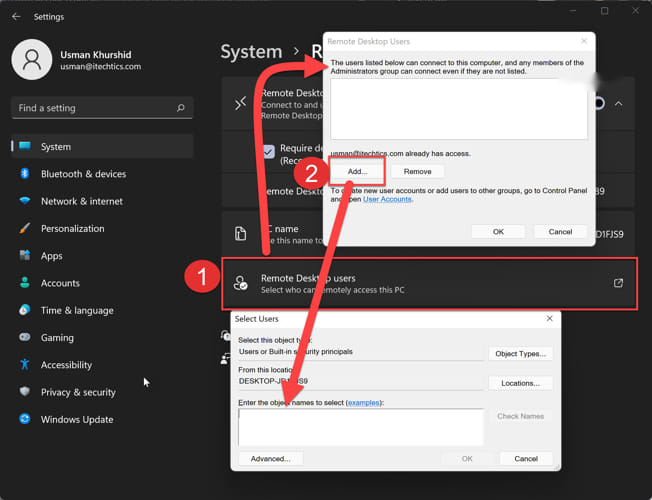
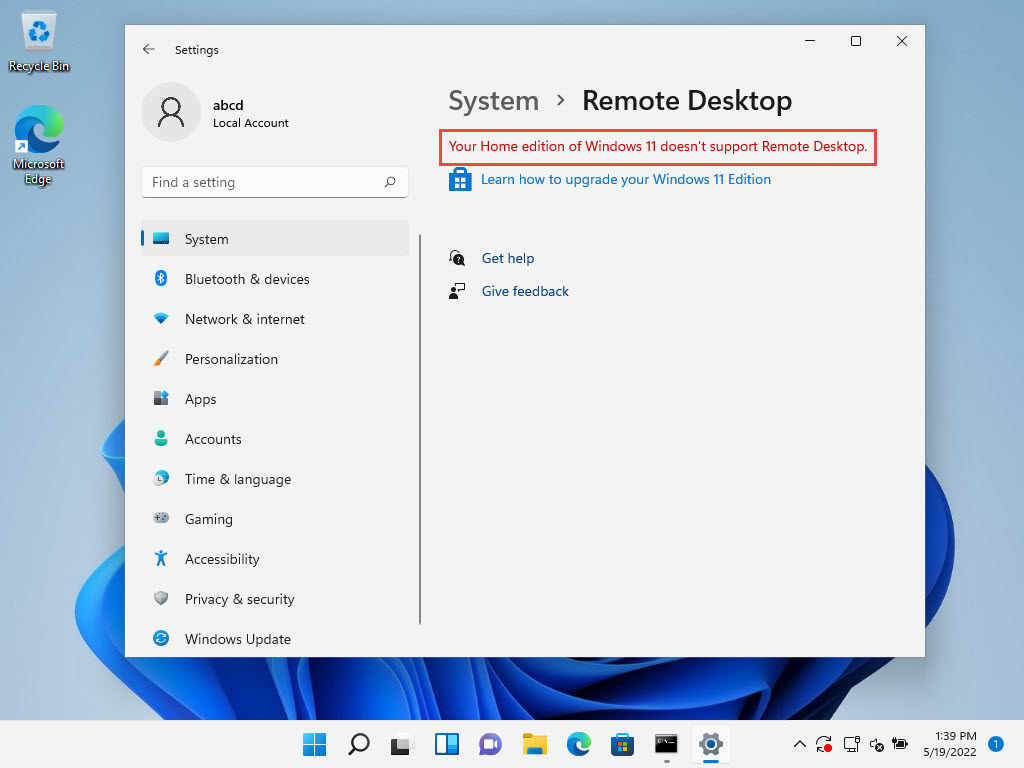
Note: Remote Desktop connections වලට target PC එකේ Remote Desktop enable කරලා තියෙන්නත්, network එකේ reach කරන්න පුළුවන් වෙන්නත් ඕන.
Troubleshooting
Problem: Connection එකට remote PC එක reach කරන්න බෑ.
Solution: Target එකේ Remote Desktop enable කරලා තියෙනවද, ඒක power on වෙලාද, port 3389 firewall එක හරහා open වෙලාද කියලා confirm කරන්න.
Problem: mstsc recognize වෙන්නෙ නෑ.
Solution: Full path එක පාවිච්චි කරන්න හෝ Run dialog එකෙන් run කරන්න; file එක System32 එකේ තියෙනවා.
Problem: Credentials reject වෙනවා.
Solution: Target එකේ remote access එකට permit කරපු account එකක් පාවිච්චි කරන්න, ඕන නම් domain එකත් include කරන්න.
Problem: Save කරපු .rdp file එකක් open වෙන්නෙ නෑ.
Solution: File path එකයි, profile එක valid, reach කරන්න පුළුවන් computer එකකට reference වෙනවද කියලයි check කරන්න.
Conclusion
mstsc එක command line එකෙන් launch කරාම remote connections පහසු වෙනවා, script කරන්නත් පුළුවන් වෙනවා. හරි switches එක්ක one-line command එකකින් ඔයාව එකවර connect කරනවා.
About TechHub
මේ guide එක TechHub Knowledge Base එකේ කොටසක්. තව step-by-step IT guides සහ support වලට techhub.com.lk එකට යන්න.