Overview
Command Prompt එක current session එකට commands වල history එකක් තියාගන්නවා. මේ guide එකෙන් doskey සහ built-in shortcuts පාවිච්චි කරලා එම history එක view, search, re-run, save, සහ clear කරන්නේ කොහොමද කියලා පෙන්නනවා.
Command Prompt history එක check කිරීම.
Key Takeaways
- doskey /history එකෙන් session එකේ commands list කරනවා.
- F7 එකෙන් scrollable history popup එකක් පෙන්නනවා.
- ඔබට history එක text file එකකට save කරන්න පුළුවන්.
- window එක close වුණාම history clear වෙනවා (per-session).
View History with doskey
1. Command Prompt open කරන්න.
2. Run කරන්න: doskey /history
3. current session එකේ සියලුම commands අනුපිළිවෙළින් list වෙනවා.
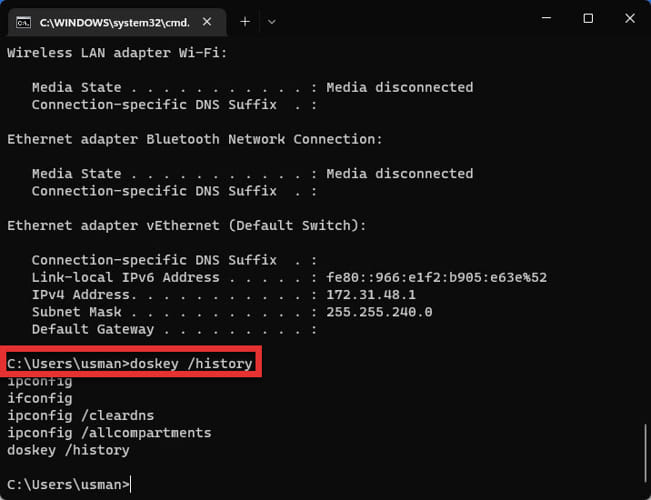
doskey /history output එක.
View History with Keyboard Shortcuts
1. කලින් commands වල popup list එකකට F7 press කරන්න; තෝරගන්න arrows සහ run කරන්න Enter පාවිච්චි කරන්න.
2. commands අතර cycle කරන්න Up/Down arrows press කරන්න.
3. ඔබ මෙතෙක් type කරපු දේට matches cycle කරන්න F8 press කරන්න.
F7 popup එක හරහා history view කිරීම.
Re-run Commands from History
1. F9 press කරලා, command එකේ number එක (doskey /history වලින්) type කරලා, Enter press කරන්න.
2. නැත්නම් F7 popup එකෙන් තෝරලා Enter press කරන්න.
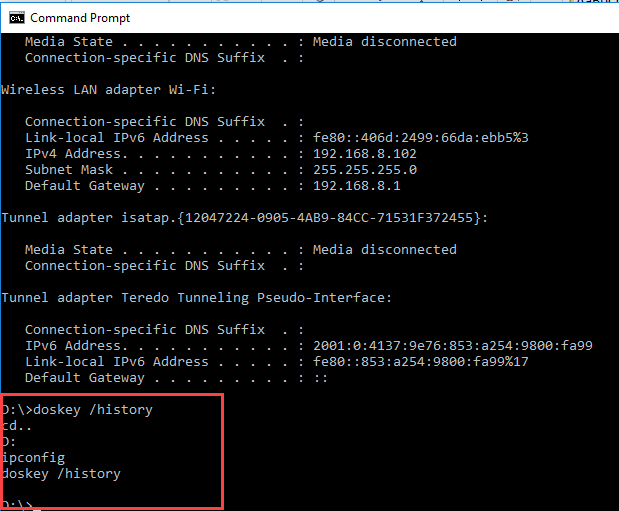
History එකෙන් command එකක් execute කිරීම.
Save History to a File
1. Run කරන්න: doskey /history > C:\cmd-history.txt
2. ඔබේ commands review හෝ archive කරන්න text file එක open කරන්න.
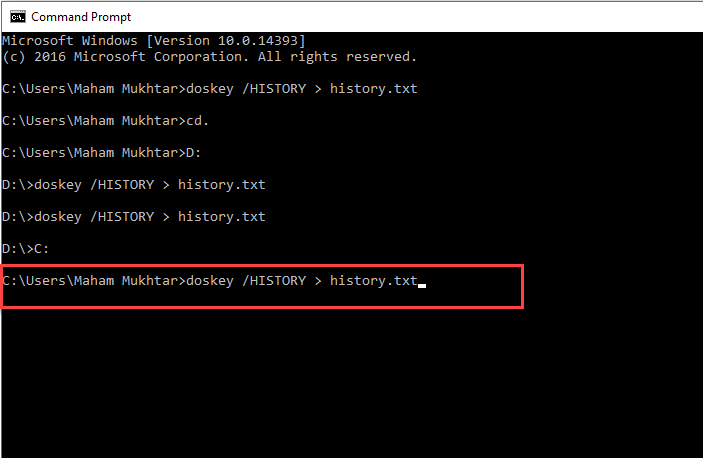
History එක text file එකකට save කිරීම.
Clear History and PowerShell Note
1. Alt+F7 press කරලා session history එක clear කරන්න (නැත්නම් window එක close කරන්න).
2. PowerShell/Terminal වල, view කරන්න Get-History සහ session එක clear කරන්න Clear-History පාවිච්චි කරන්න; PSReadLine එකත් persistent history file එකක් තියාගන්නවා.
Troubleshooting
ප්රශ්නය: අලුත් window එකක history empty.
විසඳුම: CMD history එක per-session — ඔබ අලුත් window එකක් open කරන හැම වතාවෙම එය අලුතින් පටන් ගන්නවා.
ප්රශ්නය: persistent history අවශ්යයි.
විසඳුම: PowerShell/Terminal පාවිච්චි කරන්න, එය (PSReadLine හරහා) sessions අතර history එක file එකකට save කරනවා.
ප්රශ්නය: F7 popup එක එන්නේ නෑ.
විසඳුම: ඔබ genuine console window එකක ඉන්නවා බව සහතික කරගන්න; සමහර terminals keys remap කරනවා — ඒවායේ settings check කරන්න.
ප්රශ්නය: buffer එකට වඩා වැඩිය අවශ්යයි.
විසඳුම: console Properties වල "Command History" buffer size එක වැඩි කරන්න.
Conclusion
Command Prompt එකෙන් doskey /history සහ F7 popup එක එක්ක ඔබේ session commands review කරන්නත්, ඒවා re-run හෝ save කරන්නත් පහසුයි. sessions අතර persist වෙන history එකකට, PowerShell හෝ Windows Terminal එකට මාරු වෙන්න.
About TechHub
මේ guide එක TechHub Knowledge Base එකේ කොටසක්. තව step-by-step IT guides සහ support වලට techhub.com.lk එකට යන්න.