Installed Windows Updates List එක View කරලා Save කරන ක්රම 4ක්
Settings, DISM, PowerShell, සහ wmic පාවිච්චි කරලා update history එක බලලා list එකක් export කරන්න.
Overview
මොන updates install වෙලද කියලා දැනගන්න එකෙන් troubleshooting සහ auditing වලට උදව් වෙනවා. මේ guide එකෙන් installed Windows updates වල list එක view — සහ export — කරන ක්රම හතරක් පෙන්නනවා.
Installed Windows updates view කරන එක.
Key Takeaways
- Settings එකෙන් update history එකක් පෙන්නනවා.
- DISM සහ wmic වලින් installed packages/hotfixes list කරනවා.
- PowerShell එකේ Get-Hotfix එකෙන් ලේසියෙන් CSV එකට export වෙනවා.
- specific KB එකක් install වෙලාද කියලා confirm කරන්න මේවා පාවිච්චි කරන්න.
Method 1: Update History (Settings)
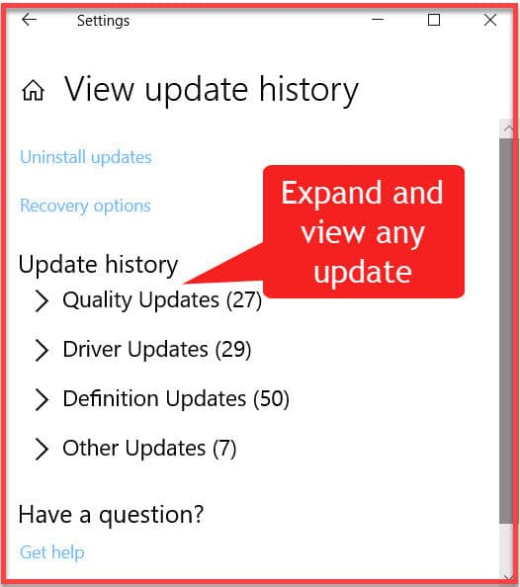
1. Settings > Windows Update > Update history open කරන්න.
2. categories (Quality, Driver, Definition, Feature updates) expand කරන්න.
3. removable KBs බලන්න "Uninstall updates" click කරන්න.
Method 2: PowerShell (Get-Hotfix)
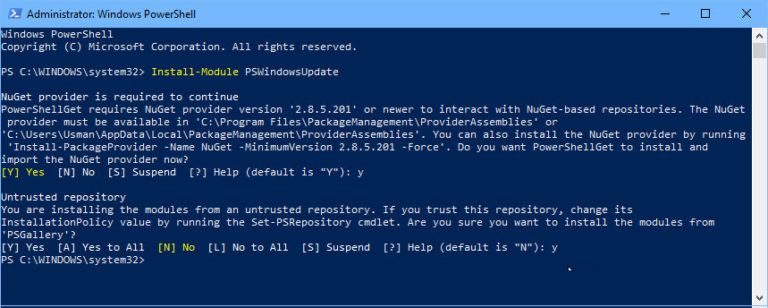
1. PowerShell open කරන්න.
2. Updates list කරන්න: Get-Hotfix
3. CSV එකට export කරන්න: Get-Hotfix | Export-Csv C:\updates.csv -NoTypeInformation
4. specific KB එකක් check කරන්න: Get-Hotfix -Id KB5001234
Method 3: Command Line (wmic / systeminfo)
1. Hotfixes list කරන්න: wmic qfe list brief /format:table
2. නැත්නම් systeminfo run කරලා "Hotfix(s)" section එක කියවන්න.
3. Output එක save කරන්න: wmic qfe list brief > C:\hotfixes.txt
Method 4: DISM
1. Command Prompt එක administrator විදිහට open කරන්න.
2. මේක run කරන්න: DISM /Online /Get-Packages /Format:Table
3. මේකෙන් updates ඇතුළුව installed packages list කරනවා.
Troubleshooting
Problem: Get-Hotfix එකෙන් සමහර updates miss වෙනවා.
Solution: ඒක MSU/QFE hotfixes list කරනවා; සම්පූර්ණ picture එකට DISM /Get-Packages නැත්නම් Update history පාවිච්චි කරන්න.
Problem: PCs ගොඩකට ඕන.
Solution: Get-Hotfix | Export-Csv script කරලා Invoke-Command එකෙන් remotely run කරන්න.
Problem: specific KB එකක් හොයාගන්න බෑ.
Solution: Get-Hotfix -Id KBxxancilla search කරලා, feature updates වලට Update history check කරන්න.
Problem: Removable updates ඕන.
Solution: මොනවද remove කරන්න පුළුවන් කියලා බලන්න Settings > Update history > Uninstall updates පාවිච්චි කරන්න.
Conclusion
ඉක්මන් බැලීමකට Settings > Update history එකේ installed updates view කරන්න, සහ ඒවා list කරලා export කරන්න Get-Hotfix (PowerShell) නැත්නම් DISM/wmic පාවිච්චි කරන්න. Get-Hotfix එක Export-Csv එකට pipe කරන එකයි auditable list එකක් save කරන්න ලේසිම ක්රමය.