Overview
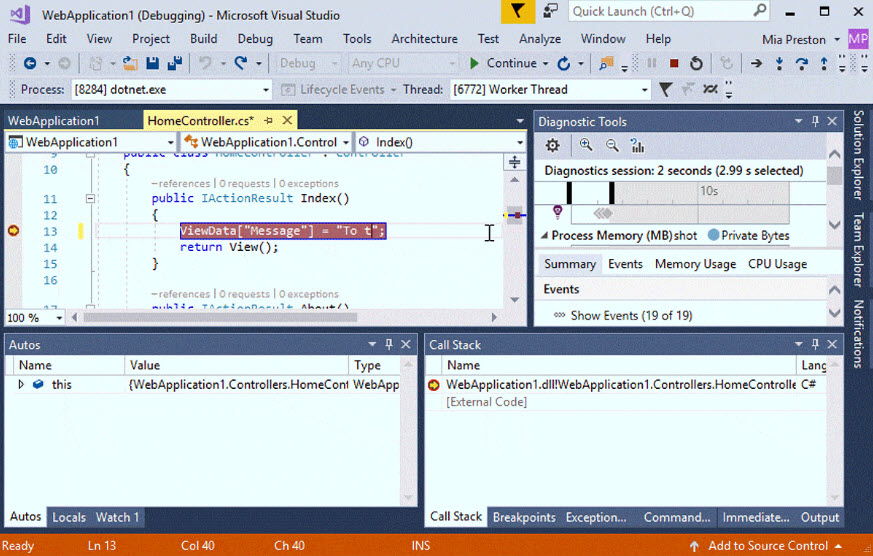
Visual Studio is Microsoft’s full-featured IDE for building desktop, web, mobile, and cloud apps. This guide shows where to download the latest Visual Studio and older versions, and explains the editions.
Visual Studio is Microsoft’s integrated development environment.
Key Takeaways
- Download the latest Visual Studio free (Community) from visualstudio.microsoft.com.
- Community is free for individuals, open source, and small teams; Professional/Enterprise are paid.
- Older versions are available to members of a Visual Studio (Dev Essentials) subscription.
- The installer lets you pick only the workloads you need.
Editions
- Community — free, full-featured IDE for individuals and small teams.
- Professional — for professional developers and teams (paid).
- Enterprise — advanced tooling for large teams (paid).
How to Download the Latest Version
1. Open the official Visual Studio site (visualstudio.microsoft.com).
2. Choose your edition (start with Community for free).
3. Download and run the Visual Studio Installer.
4. Select the workloads you need (e.g. .NET desktop, web, C++), then install.
Warning: Download Visual Studio only from Microsoft’s official site.
How to Download Older Versions
1. Sign in to my.visualstudio.com (free Dev Essentials membership works).
2. Go to Downloads and search for the version (2019, 2017, 2015, etc.).
3. Download the ISO or web installer for that version.
4. Older versions are provided for compatibility and legacy projects.
Troubleshooting
Problem: The installer is slow or fails.
Solution: Use a wired connection, run the installer as administrator, and ensure enough disk space; you can also create an offline installer.
Problem: I cannot find an old version.
Solution: Sign in to my.visualstudio.com with a free Dev Essentials account to access older downloads.
Problem: Which edition is free?
Solution: Visual Studio Community is free for individuals, classroom, open-source, and small teams.
Problem: Do I need everything?
Solution: No — select only the workloads you need to keep the install smaller and faster.
Conclusion
Get Visual Studio Community free from Microsoft’s official site for most needs, or download older versions via a Visual Studio subscription. Pick only the workloads you require for a lean setup.
</w:pBdr><w:spacing w:before="220" w:after="40"/></w:pPr><w:r><w:rPr><w:b/><w:bCs/><w:color w:val="0B5394"/><w:sz w:val="21"/><w:szCs w:val="21"/><w:rFonts w:ascii="Calibri" w:cs="Calibri" w:eastAsia="Calibri" w:hAnsi="Calibri"/></w:rPr><w:t xml:space="preserve">About TechHub
This guide is part of the TechHub Knowledge Base. For more step-by-step IT guides and support, visit techhub.com.lk.