Overview
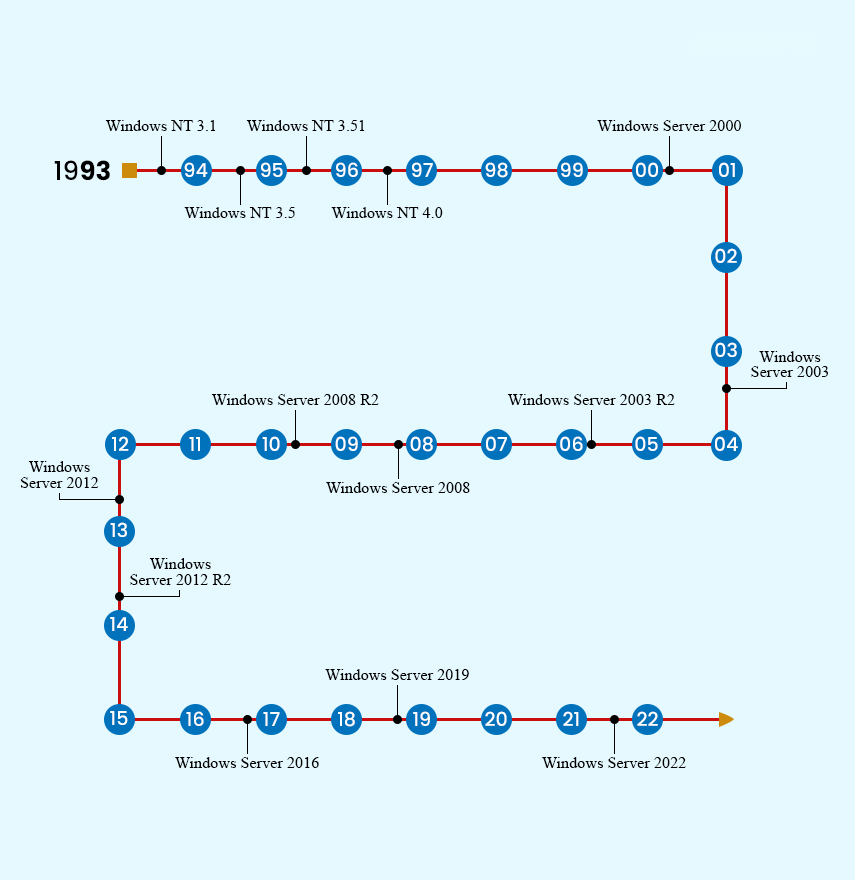
Windows Server එකෙන් business networks සහ services power කරනවා. මේ guide එකෙන් official Windows Server ISO images (2022, 2019, 2016, 2012 R2 සහ අලුත්ම 2025) download කරන තැන, system requirements සහ installation media හදන ආකාරය පෙන්නනවා.
Official Windows Server ISO images Microsoft වෙතින් download කරන්න.
Key Takeaways
- Evaluation ISOs Microsoft Evaluation Center එකෙන්; licensed copies Volume Licensing එකෙන් download කරන්න.
- Evaluation editions full-featured, ඒත් time-limited (සාමාන්යයෙන් දවස් 180).
- Edition එක (Standard හෝ Datacenter) සහ installation type එක (Desktop Experience හෝ Core) තෝරන්න.
- Rufus, Ventoy වලින් හෝ ISO එක burn කරලා bootable media හදන්න.
System Requirements
- Processor: 1.4 GHz 64-bit, x64 instruction set එකට compatible.
- Memory: අවම 512 MB (Desktop Experience වලට 2 GB+).
- Storage: අවම 32 GB.
- Modern editions වලට UEFI support කරන network adapter එකක් සහ firmware.
Download කරන්නේ කොහෙන්ද
1. Evaluation එකට: Microsoft Evaluation Center එක open කරලා Windows Server version එක (2025/2022/2019 වගේ) තෝරන්න.
2. Register කරලා ISO download එක select කරන්න.
3. Licensed media වලට: Microsoft Volume Licensing Service Center (VLSC) එකට හෝ ඔබේ Microsoft 365 admin portal එකට sign in වෙන්න.
4. පරණ versions (2016/2012 R2) එම Evaluation Center එකෙන්ම evaluations විදිහට තියෙනවා.
Warning: Windows Server download කරන්නේ Microsoft official Evaluation Center හෝ Volume Licensing එකෙන් විතරයි — third-party sites වලින් නෙවෙයි.
Editions සහ Installation Options
- Standard — physical හෝ lightly virtualised environments වලට.
- Datacenter — highly virtualised සහ cloud datacentres වලට.
- Desktop Experience — full GUI; Server Core — minimal, command-line-focused install එකක්.
Installation Media හදලා Install කරන්න
1. 8 GB+ USB drive එකක් දාන්න (contents මකලා යනවා).
2. Windows Server ISO එක drive එකට write කරන්න Rufus හෝ Ventoy පාවිච්චි කරන්න.
3. Target server එක USB එකෙන් boot කරන්න.
4. Edition එකයි installation type එකයි තෝරලා, disk එක select කරලා, prompts follow කරන්න.
Troubleshooting
Problem: Evaluation එක expire වුණා.
Solution: Evaluations දවස් ~180ක් තියෙනවා. සමහරවිට slmgr වලින් rearm කරන්න පුළුවන්, ඒත් production වලට valid licence එකක් apply කරන්න ඕන.
Problem: කොයි edition එකද තෝරන්නේ?
Solution: බොහෝ use වලට Standard; heavy virtualisation සහ advanced features වලට Datacenter.
Problem: Server එක USB එකෙන් boot වෙන්නේ නෑ.
Solution: Firmware එකේ UEFI/USB boot enable කරන්න, boot mode එක (UEFI vs Legacy) USB එක හදපු විදිහට match කරන්න.
Problem: Licence key එකක් ඕන.
Solution: Volume Licensing හෝ ඔබේ reseller හරහා ගන්න; evaluation media පස්සේ licensed edition එකකට convert කරන්න පුළුවන්.
Conclusion
Microsoft Evaluation Center එකයි Volume Licensing එකයි තමයි Windows Server ISOs වලට official sources. Version එකයි edition එකයි තෝරලා, bootable media හදලා, install කරන්න — production deployments වලට proper licence එකක් පාවිච්චි කරලා.
About TechHub
මේ guide එක TechHub Knowledge Base එකේ කොටසක්. තව step-by-step IT guides සහ support වලට techhub.com.lk එකට යන්න.