How to Enable or Disable TLS 1.3 in Windows
Turn on the latest, faster, more secure TLS version system-wide and in your browsers.
Overview
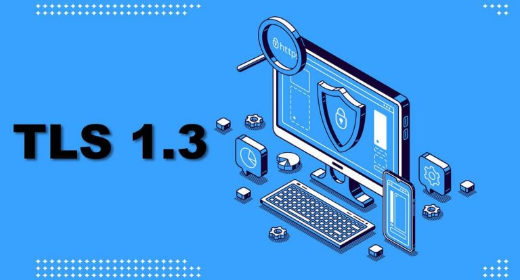
TLS 1.3 is the newest, fastest, and most secure version of the protocol that encrypts web traffic. This guide explains it and shows how to enable (or disable) it system-wide and in major browsers.
Enabling TLS 1.3 in Windows.
Note: TLS 1.3 improves security and speed. Older SSL/TLS 1.0/1.1 are deprecated and insecure — keep them disabled.
Key Takeaways
- TLS 1.3 is faster and more secure than 1.2 and earlier.
- Modern Windows and browsers support it, often by default.
- You can toggle protocols in Internet Options (system-wide) and browser flags.
- Disable legacy SSL/TLS 1.0/1.1 for security.
System-Wide (Internet Options / Registry)
1. Run inetcpl.cpl > Advanced tab.
2. Under Security, ensure "Use TLS 1.2" and "Use TLS 1.3" are ticked (untick SSL/older TLS).
3. Advanced/enterprise: enable TLS 1.3 via the SChannel Registry keys where applicable.
4. Apply and restart apps.
Enable in Browsers
1. Chrome/Edge: modern versions use TLS 1.3 automatically; ensure the browser is updated.
2. Firefox: go to about:config and confirm security.tls.version.max is 4 (TLS 1.3).
3. Edge/IE also follow the system Internet Options settings.
Check If TLS 1.3 Is Enabled
1. Visit a TLS-check site (e.g., a "how’s my SSL"/TLS test page) in your browser.
2. It reports the highest TLS version your client negotiates.
3. Or inspect a site’s security details in the browser dev tools (Security tab).
Troubleshooting
Problem: TLS 1.3 not negotiating.
Solution: Update Windows and the browser; older builds may lack full TLS 1.3 support.
Problem: Some sites break.
Solution: Ensure TLS 1.2 remains enabled as a fallback; only disable 1.0/1.1.
Problem: Enterprise apps need older TLS.
Solution: Keep TLS 1.2 on; update the app rather than re-enabling insecure SSL/TLS 1.0/1.1.
Problem: Firefox not using 1.3.
Solution: Set security.tls.version.max to 4 in about:config.
Conclusion
TLS 1.3 is the secure, modern default — keep it (and TLS 1.2) enabled while disabling legacy SSL/TLS 1.0/1.1. Update Windows and browsers so 1.3 negotiates automatically, and verify with a TLS-check page.