Overview
Network mapping tools automatically discover devices on a network and draw a visual topology — invaluable for documentation, troubleshooting, and security. This guide covers how to choose one and the best free and paid options.
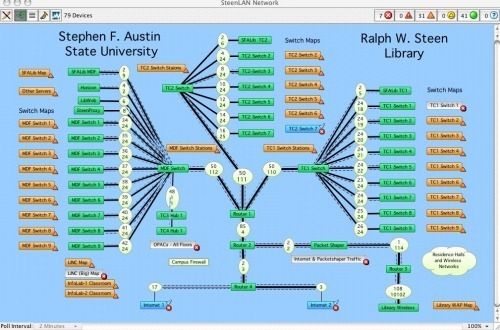
Network mapping tools visualize the devices on a network.
Key Takeaways
- Mapping tools auto-discover devices and draw network topology.
- Free options like Nmap and Spiceworks suit small networks and learning.
- Paid tools (PRTG, Device42, Intermapper) add monitoring, alerts, and scale.
- Choose based on network size, monitoring needs, and budget.
How to Choose a Network Mapping Tool
- Network size — small home/office vs large enterprise.
- Discovery method — ping/ARP, SNMP, WMI, or agent-based.
- Monitoring — do you need live status, alerts, and bandwidth tracking?
- Budget and ease of use.
Best Free Tools
- Nmap (with Zenmap) — powerful, free scanner that maps hosts and topology.
- Spiceworks — free network mapping and inventory for small/medium networks.
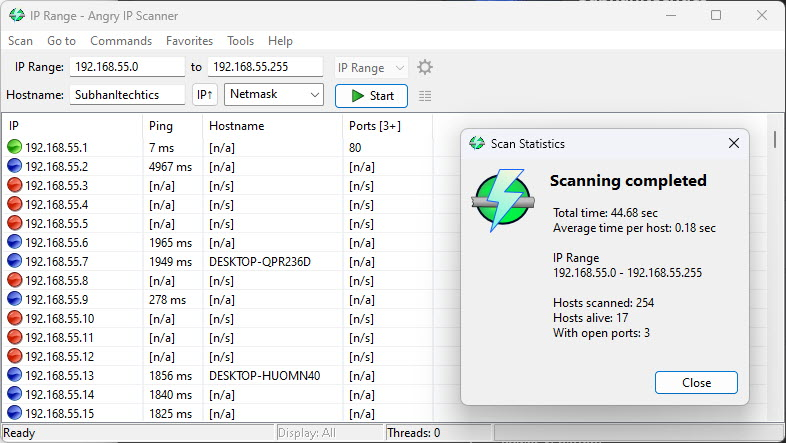
- Advanced IP Scanner — quick, simple device discovery on a subnet.
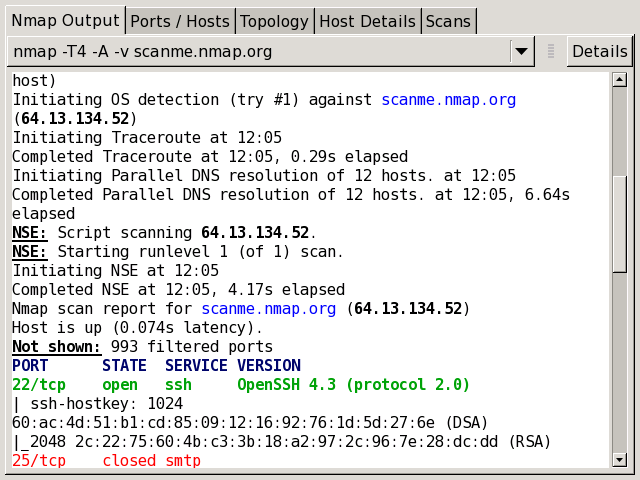
Nmap is a powerful free network scanner.
Best Paid Tools
- PRTG Network Monitor — mapping plus comprehensive monitoring and alerts.
- Device42 — discovery, IPAM, and detailed asset/rack mapping for enterprises.
- Intermapper — live, color-coded topology maps with alerting.
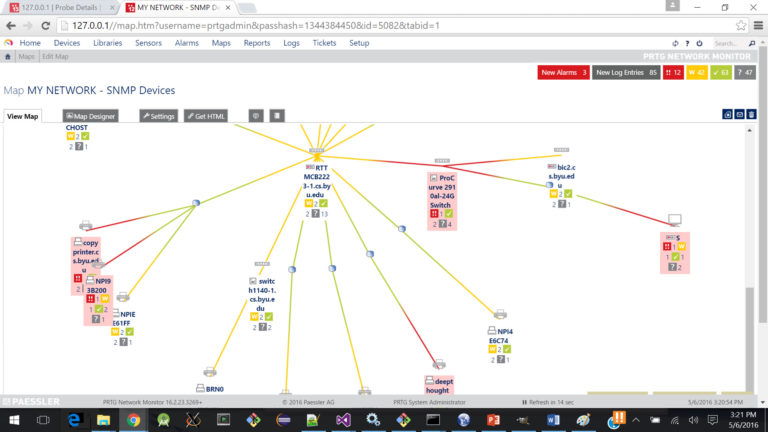
PRTG maps and monitors SNMP devices.
Warning: Only scan and map networks you own or are authorized to manage.
Frequently Asked Questions
Problem: The map misses some devices.
Solution: Enable SNMP/WMI on devices, ensure the scan range covers all subnets, and that firewalls allow discovery.
Problem: Which is best for a home network?
Solution: Advanced IP Scanner or Nmap are free and more than enough for home use.
Problem: I need monitoring, not just a map.
Solution: Choose PRTG or Intermapper, which add live status, alerting, and historical data.
Problem: Discovery is slow.
Solution: Narrow the IP range, use SNMP where possible, and run scans during off-peak times.
Conclusion
For mapping a network, free tools like Nmap and Spiceworks cover small setups, while PRTG, Device42, and Intermapper add monitoring and scale for larger environments. Pick based on size, monitoring needs, and budget — and only scan networks you’re authorized to.
</w:pBdr><w:spacing w:before="220" w:after="40"/></w:pPr><w:r><w:rPr><w:b/><w:bCs/><w:color w:val="0B5394"/><w:sz w:val="21"/><w:szCs w:val="21"/><w:rFonts w:ascii="Calibri" w:cs="Calibri" w:eastAsia="Calibri" w:hAnsi="Calibri"/></w:rPr><w:t xml:space="preserve">About TechHub
This guide is part of the TechHub Knowledge Base. For more step-by-step IT guides and support, visit techhub.com.lk.