Windows වල Folder එකක Command Prompt Window එකක් Open කරන ක්රම 4ක්
Address bar එක, shortcuts සහ context menu එක පාවිච්චි කරලා දැනටමත් current folder එකට pointed වෙච්ච Command Prompt එකක් launch කරගන්න.
Overview
Folder එකකම Command Prompt එක කෙලින්ම open කරගැනීමෙන් cd paths type කිරීමෙන් ඔබව බේරගන්නවා. මේ guide එකෙන් ඒක කරන්න ක්රම හතරක් — right-click menu එකට "Open command window here" ආපහු දාන එකත් ඇතුළුව — පෙන්නනවා.
Folder එකක Command Prompt එක open කිරීම.
Key Takeaways
- File Explorer ගේ address bar එකේ "cmd" type කරලා ඒ folder එකේ ඒක open කරගන්න.
- Shift + right-click එකෙන් "Open PowerShell/command window here" පෙන්නන්න පුළුවන්.
- Registry tweak එකකින් "Open command window here" එක restore කරනවා.
- Windows 11 වල folder menu එකෙන් "Open in Terminal" එක තියෙනවා.
Method 1: Address Bar (Easiest)
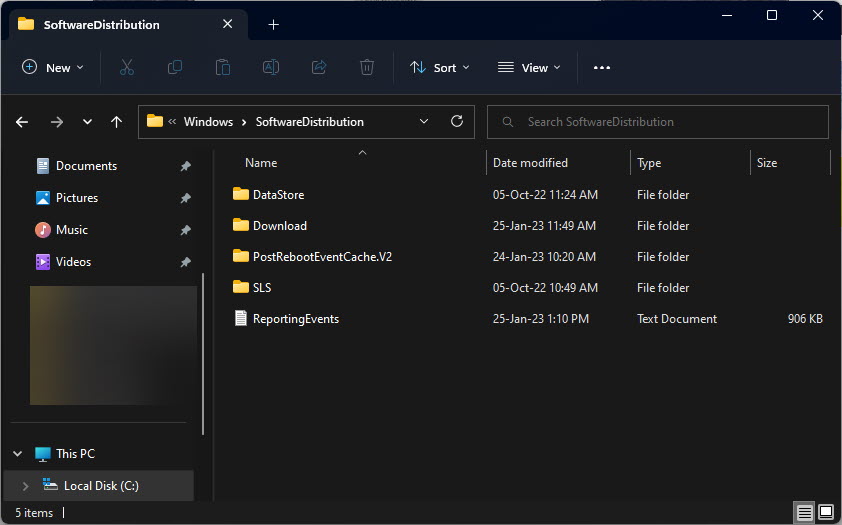
1. Target folder එක File Explorer එකේ open කරන්න.
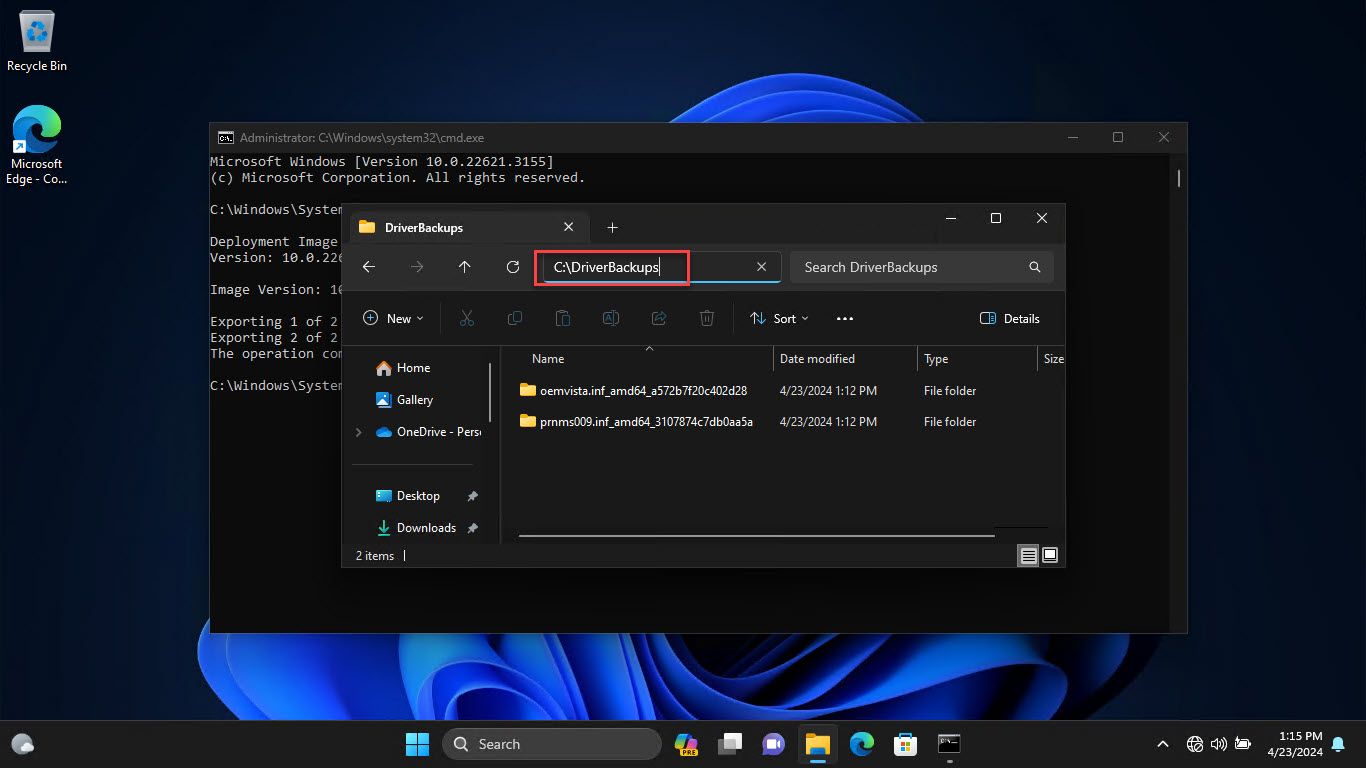
2. Address bar එක click කරලා type කරන්න: cmd
3. Enter press කරන්න — Command Prompt එක ඒ folder එකේ open වෙනවා.
4. PowerShell වලට ඒ වෙනුවට "powershell" type කරන්න.
Method 2: Shift + Right-Click
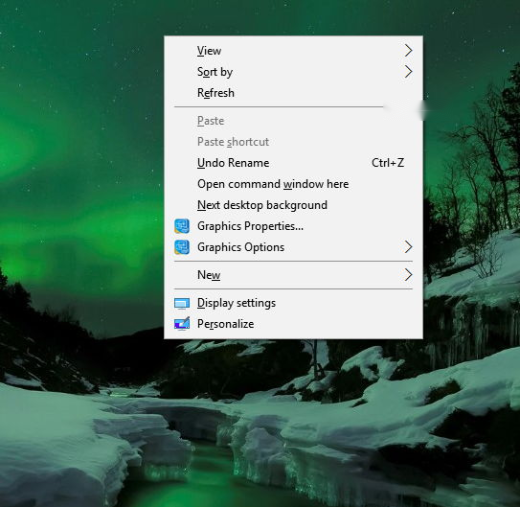
1. Shift අල්ලගෙන folder එක ඇතුළේ (හෝ ඒක උඩ) right-click කරන්න.
2. "Open PowerShell window here" (හෝ version එක අනුව command window) තෝරන්න.
3. Windows 11 වල "Open in Terminal" තෝරන්න.
Method 3: Restore "Open command window here" (Registry)
Warning: Registry එක වැරදියට edit කරොත් ප්රශ්න ඇති වෙන්න පුළුවන්. කලින් Registry එක back up කරගන්න.
1. Windows එක මේක PowerShell වලින් replace කළා; Registry tweak එකකින් (cmd context-menu key එකේ ownership එක අරගෙන HideBasedOnVelocityId එක clear කිරීමෙන්) ඒක restore කරනවා.
2. නැත්නම්, "Open command window here" එක දාන්න trusted .reg file එකක් පාවිච්චි කරන්න.
3. Apply කරන්න Explorer එක restart කරන්න.
Method 4: Add Admin Command Prompt Here
1. .reg tweak එකකින් "Open command window here as administrator" එක දාන්න පුළුවන්.
2. ඒක apply කරලා, elevated option එක බලන්න Shift + right-click කරන්න.
3. ඒක පාවිච්චි කරද්දී UAC prompt එක confirm කරන්න.
Troubleshooting
Problem: PowerShell/Terminal විතරක් පෙන්නනවා.
Solution: Address-bar "cmd" trick එක පාවිච්චි කරන්න, නැත්නම් command-window option එක දාන්න Registry tweak එක apply කරන්න.
Problem: Address-bar cmd එකෙන් වැරදි folder එකක් open වෙනවා.
Solution: Address bar එකේ cmd type කරන්න කලින් folder එක open/focused වෙලා තියෙනවා කියලා තහවුරු කරගන්න.
Problem: Registry edit එක වැඩ කළේ නෑ.
Solution: අදාළ HKCR key එකේ ownership එක ගන්න වෙන්න පුළුවන්; apply කරලා පස්සේ Explorer එක restart කරන්න.
Problem: මෙතන admin ඕන.
Solution: trusted .reg file එකකින් admin variant එක දාන්න, නැත්නම් cmd එක සාමාන්යයෙන් open කරලා පස්සේ run as admin කරන්න.
Conclusion
ඉක්මන්ම ක්රමය තමයි File Explorer ගේ address bar එකේ "cmd" type කරලා current folder එකේ Command Prompt එක open කරගැනීම. Shift + right-click එකයි Windows 11 ගේ "Open in Terminal" option එකයි වැඩ කරනවා, සහ Registry tweak එකකින් classic "Open command window here" entry එක restore කරනවා.
About TechHub
මේ guide එක TechHub Knowledge Base එකේ කොටසක්. තව step-by-step IT guides සහ support වලට techhub.com.lk එකට යන්න.