Overview
Screen resolution එකෙන් display එකක් pixels කීයක් පෙන්නනවද කියලා විස්තර කරනවා — pixels වැඩිය කියන්නේ sharper image එකක්. 1080p, 4K, සහ 2K වගේ terms confusing වෙන්න පුළුවන්. මේ guide එකෙන් එක එක resolution එකෙන් අදහස් වෙන්නේ මොකද, ඒවා compare වෙන්නේ කොහොමද කියලා පැහැදිලි කරනවා.
ඉහළ resolutions වඩා sharp image එකකට pixels වැඩිය pack කරනවා.
Key Takeaways
- Resolution කියන්නේ pixel count එක (width × height); pixels වැඩිය = sharper.
- "p" කියන්නේ progressive scan; "i" කියන්නේ interlaced.
- "K" හෙව්වම horizontal pixel count එක thousands වලින් විස්තර කරනවා (4K ≈ 4000 pixels පළල).
- ඉහළ resolution එක smoothly drive කරන්න වඩා powerful hardware ඕන.
p, i, සහ K වලින් අදහස් වෙන්නේ මොකද?
- p (progressive) — හැම line එකක්ම හැම frame එකකම draw වෙනවා; smoother, දැන් standard.
- i (interlaced) — alternate lines හැම frame එකකම draw වෙනවා; පරණ broadcast standard.
- K — approximate horizontal pixels thousands වලින් (2K ≈ 2000 පළල, 4K ≈ 4000 පළල).
Common Resolutions
- 480p (SD) — 640×480 හෝ 854×480; standard definition.
- 720p (HD) — 1280×720; "HD ready".
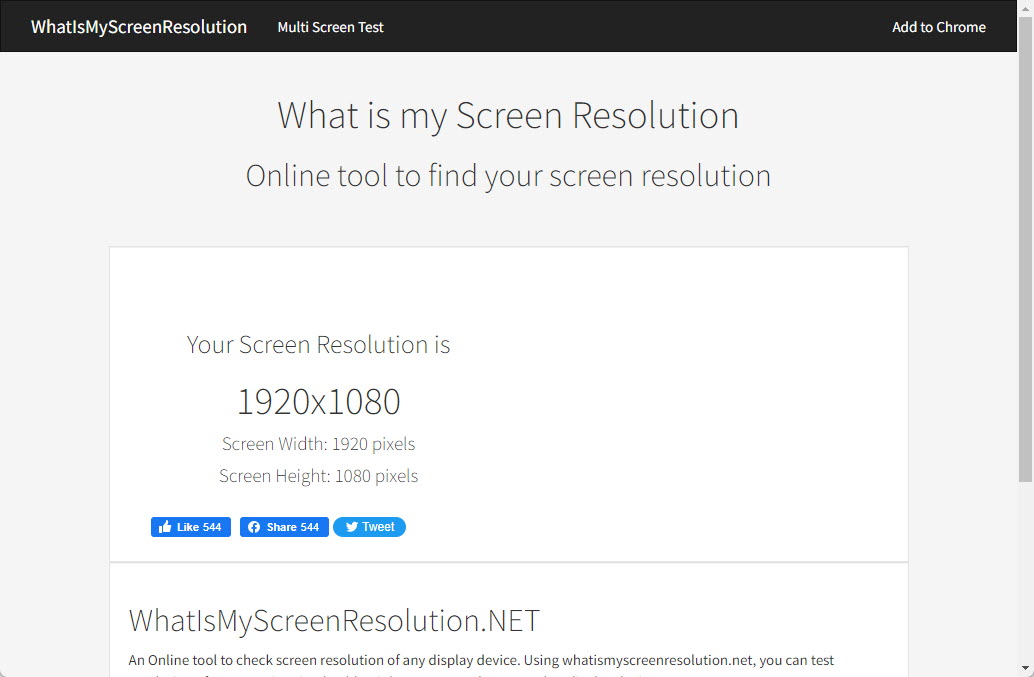
- 1080p (Full HD) — 1920×1080; අද වඩාත්ම common.
- 1440p (QHD/2K) — 2560×1440; gaming monitors වලට popular.
- 4K (UHD) — 3840×2160; 1080p එකේ pixels හතර ගුණයක්.
- 8K (8K UHD) — 7680×4320; ultra-high detail, demanding hardware.
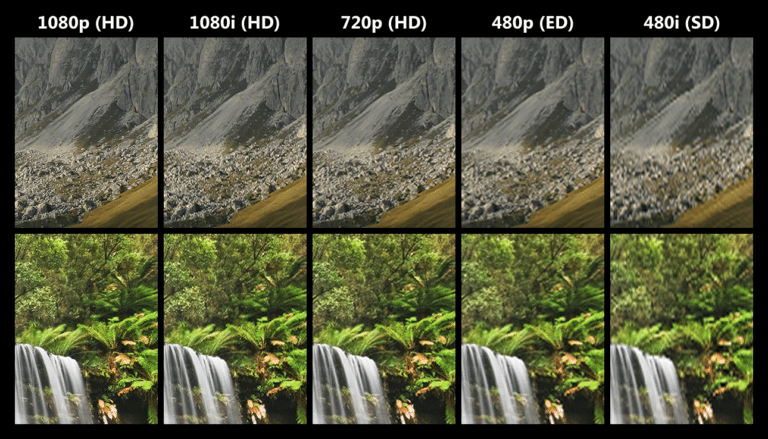
Sample resolutions සහ ඒවායේ detail compare වෙන ආකාරය.
Resolution vs Display Size
එකම resolution එක පොඩි screen එකක sharper පෙන්නනවා — මොකද pixels වඩා dense pack වෙනවා (ඉහළ pixels-per-inch). 1080p phone එකක් 1080p TV එකකට වඩා crisp පෙන්නන්නේ ඒ නිසා — pixel density (PPI) එක ඉහළයි.
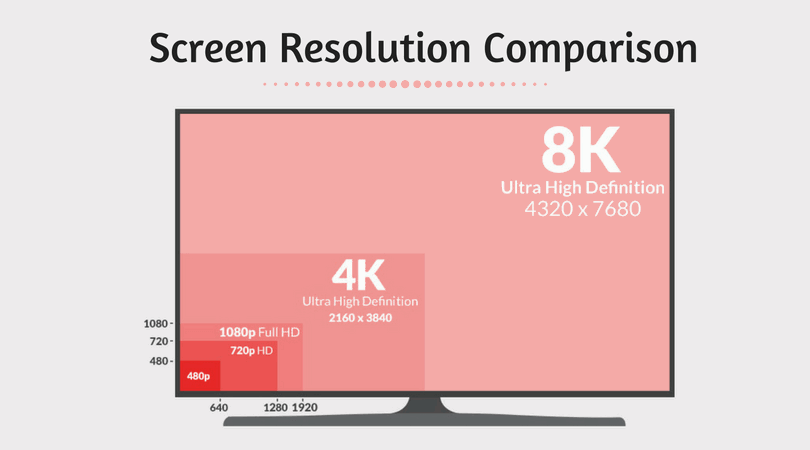
Screen resolutions වල side-by-side comparison එකක්.
Aspect Ratio
- Aspect ratio කියන්නේ width-to-height proportion එක (බ. 16:9, 21:9).
- 16:9 ගොඩක් monitors සහ TVs වලට standard එක.
- 21:9 (ultrawide) සහ 16:10 productivity සහ gaming වලට common.
- Mismatched aspect ratios වලින් black bars (letterboxing/pillarboxing) හැදෙනවා.
Frequently Asked Questions
Problem: 4K video එකක් 1080p screen එකක play වෙනවද?
Solution: ඔව් — ඒක display එකට ගැලපෙන්න downscale වෙනවා, ඒ නිසා ඔබට පේන්නේ 1080p detail, full 4K නෙවෙයි.
Problem: 2K කියන්නේ 1440p එකමද?
Solution: Common usage එකේ, ඔව් — 2560×1440 (QHD) බොහෝවිට 2K විදිහට market කරනවා, ඒත් technically 2K කියන්නේ ~2000 horizontal pixels.
Problem: මට 4K ඕනද?
Solution: 4K ලොකු screens සහ detailed work වලට benefit; පොඩි screens වල හෝ දුරදී 1080p එකට වඩා වෙනස පෙන්න අමාරුයි.
Problem: මගේ high-res screen එක demanding ඇයි?
Solution: Pixels වැඩිය වලට වඩා GPU power ඕන, විශේෂයෙන් gaming වලට. Smooth performance එකට resolution එක hardware එකට match කරන්න.
Conclusion
Resolution කියන්නේ සරලවම ඔබේ display එක pixels කීයක් පෙන්නනවද කියන එක: එදිනෙදා use වලට 1080p, sharper gaming වලට 1440p, maximum detail වලට 4K/8K. Pixel density සහ display size raw numbers තරමටම වැදගත් බව මතක තියාගන්න.
About TechHub
මේ guide එක TechHub Knowledge Base එකේ කොටසක්. තව step-by-step IT guides සහ support වලට techhub.com.lk එකට යන්න.