Group Policy Editor එකේ Specific Group Policy එකක් Search කරන ක්රම 2ක්
Built-in filter සහ search tools පාවිච්චි කරලා gpedit.msc එකේ හරි policy එක ඉක්මනට හොයාගන්න.
Overview
Group Policy Editor එකේ settings දාහක් ගණන් තියෙනවා, ඒ නිසා browse කරලා එකක් හොයාගන්න එක හෙමින්. මේ guide එකෙන් built-in Filter එක සහ GPSearch වගේ free search tools පාවිච්චි කරලා policies search කරන්නේ කොහොමද කියලා පෙන්නනවා.
Key Takeaways
- Administrative Templates keyword filtering support කරනවා.
- GPSearch සහ ඒ වගේ tools ඔක්කොම policies index කරලා search කරනවා.
- Microsoft එකත් policy reference spreadsheet එකක් publish කරනවා.
- Manual browsing එකට වඩා searching කරන එකෙන් වෙලාව ඉතුරු වෙනවා.
Method 1: Built-in Filter (Administrative Templates)
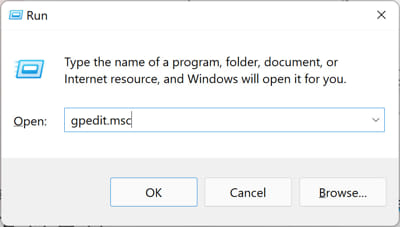
1. gpedit.msc open කරන්න.
2. Computer (හෝ User) Configuration > Administrative Templates තෝරන්න.
3. Administrative Templates මත right-click කරලා > "Filter Options".
4. Keyword filters enable කරලා term එක (title/help text) enter කරන්න.
5. Match වෙන policies විතරක් පෙන්නන්න "Filter On" (Action menu) on කරන්න.
Method 2: GPSearch / Third-Party Tools
Note: Policy-search tools ඒවායේ official sources වලින් විතරක් download කරන්න.
1. Policies index කරන්න GPSearch හෝ NIT-GPOSearch වගේ tool එකක් පාවිච්චි කරන්න.
2. Match වෙන policies සහ ඒවායේ paths ක්ෂණිකව හොයාගන්න keyword එකක් type කරන්න.
3. Setting එක වෙනස් කරන්න gpedit.msc එකේ ඒ path එකට navigate කරන්න.
Microsoft Policy Reference
1. Microsoft එක හැම Windows version එකකටම official "Group Policy Settings Reference" spreadsheet එකක් publish කරනවා.
2. Policy එකක exact name, path, සහ registry mapping එක හොයාගන්න එය search කරන්න.
3. Documentation වලට සහ obscure settings හොයාගන්න නියමයි.
Troubleshooting
Problem: Filter එකෙන් මුකුත් පෙන්නන්නේ නෑ.
Solution: "Filter On" enabled බව සහ keyword එක policy title/help text එකට match වෙන බව confirm කරන්න; ටිකක් broad term එකක් try කරන්න.
Problem: Policy එක තියෙනවා එත් Home එකේ GUI එකක් නෑ.
Solution: Windows Home එකේ gpedit නෑ — equivalent Registry value එක පාවිච්චි කරන්න (reference spreadsheet එකේ එය list කරලා තියෙනවා).
Problem: Setting එකක් හොයාගන්න බෑ.
Solution: හැම policy එකක්ම cover කරන Microsoft reference spreadsheet එක හෝ GPSearch පාවිච්චි කරන්න.
Problem: Change එකට effect එකක් නෑ.
Solution: gpupdate /force run කරන්න, තව domain GPO එකක් ඔයාගේ local setting එක override කරන්නේ නැති බව check කරන්න.
Conclusion
Policy එකක් ඉක්මනට හොයාගන්න, keyword එකක් එක්ක Administrative Templates Filter එක පාවිච්චි කරන්න, නැත්නම් ඔක්කොම index කරන්න GPSearch වගේ tool එකක්. Setting එකක exact name, path, සහ registry equivalent එක හොයාගන්න Microsoft ගේ policy reference spreadsheet එක තමයි නිශ්චිතම ක්රමය.