Overview
Many Windows applications and games are built with Microsoft Visual C++ and rely on the matching Visual C++ Redistributable runtime to run. If the required runtime is missing, programs fail to start and you see errors about a missing MSVCP or VCRUNTIME DLL. This guide explains what these runtimes are, when you need them, and how to download and install each version correctly.
The Visual C++ Redistributable runtimes are required by many Windows apps and games.
Key Takeaways
- The Visual C++ Redistributable provides the runtime libraries that apps built with Visual C++ need in order to run.
- Always download the redistributable from Microsoft’s official website to avoid tampered installers.
- Each year/version (2005, 2008, 2010, 2012, 2013, 2015–2022) is separate, and many systems need several installed side by side.
- Install both the x64 and x86 packages on 64-bit Windows, because some apps are 32-bit.
What Is the Microsoft Visual C++ Redistributable?
The Visual C++ Redistributable is a package of shared runtime libraries (such as the C Runtime, Standard C++ Library, and MFC/ATL components) created by Microsoft. Developers who build software with Visual C++ do not ship these libraries inside every program; instead, the program expects the correct redistributable to already be installed on your PC. Installing the redistributable makes those shared libraries available to every app that needs them.
When Do You Need It?
- A program or game refuses to launch and reports a missing .dll such as MSVCP140.dll or VCRUNTIME140.dll.
- An installer tells you that a specific Visual C++ Redistributable version is required.
- You are setting up a fresh Windows installation and want the common runtimes ready in advance.
System Requirements
- A supported version of Windows (the latest 2015–2022 runtime supports Windows 10 and Windows 11; older runtimes also support earlier Windows versions).
- Both 32-bit (x86) and 64-bit (x64) packages are available — on 64-bit Windows you can install both.
- Administrator rights are required to install or remove a redistributable.
Available Versions
Microsoft maintains a separate redistributable for each major Visual Studio release. The versions you are most likely to need are:
- Visual C++ 2015–2022 — a single combined runtime (version 14.x); this is the most commonly required package today and covers 2015, 2017, 2019, and 2022.
- Visual C++ 2013 (12.0) — still required by some older applications and games.
- Visual C++ 2012 (11.0).
- Visual C++ 2010 (10.0).
- Visual C++ 2008 (9.0).
- Visual C++ 2005 (8.0) — only needed by legacy software.
Note: Since 2015, Microsoft ships 2015, 2017, 2019, and 2022 as one combined "2015–2022" runtime. Installing the latest 2015–2022 package satisfies the requirements of all four years.
How to Download Safely
1. Open Microsoft’s official "Latest supported Visual C++ Redistributable downloads" page (search for that exact title to reach learn.microsoft.com).
2. Download the X64 package (vc_redist.x64.exe) for 64-bit applications.
3. Also download the X86 package (vc_redist.x86.exe) — many apps are still 32-bit, even on 64-bit Windows.
4. For older titles, download the specific year (2013, 2012, 2010, etc.) you are told to install.
Warning: Only download Visual C++ Redistributables from Microsoft’s official domains (microsoft.com / learn.microsoft.com). Installers from unofficial sources can be bundled with malware.
How to Install
1. Double-click the downloaded vc_redist.x64.exe (or x86) file.
2. Accept the licence terms and click Install.
3. Wait for the setup to complete, then click Close.
4. Repeat for the x86 package and any additional versions you need.
5. Restart the PC if prompted, then launch the app that required the runtime.
A successful Visual C++ Redistributable installation.
All-in-One Runtime Installers
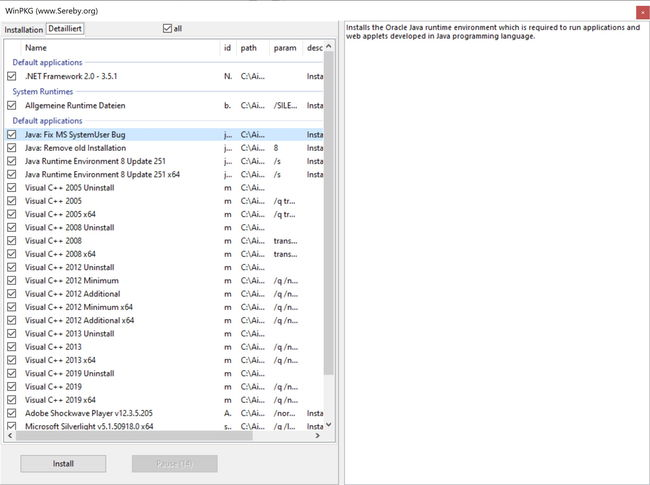
If you need every version at once — for example on a fresh Windows setup — community "all-in-one" packages can install all the common runtimes (x86 and x64) in a single pass. These are convenient, but always verify the source before running them.
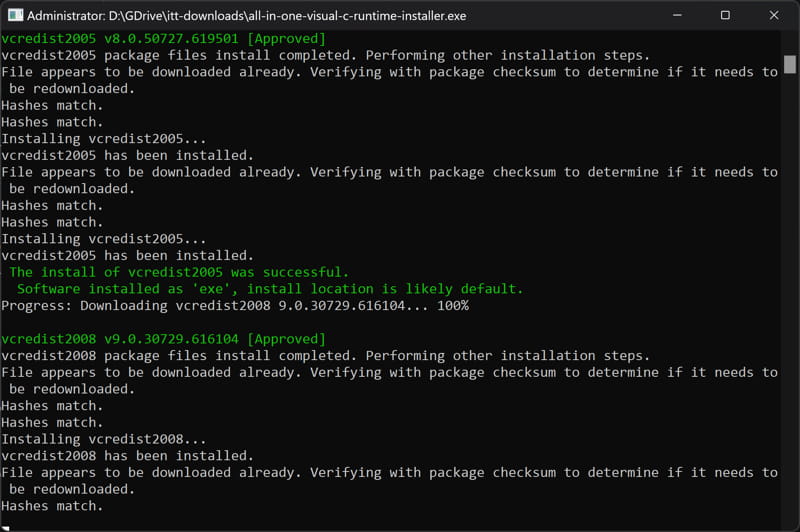
An all-in-one installer can deploy every common runtime in one step.
How to Remove a Redistributable
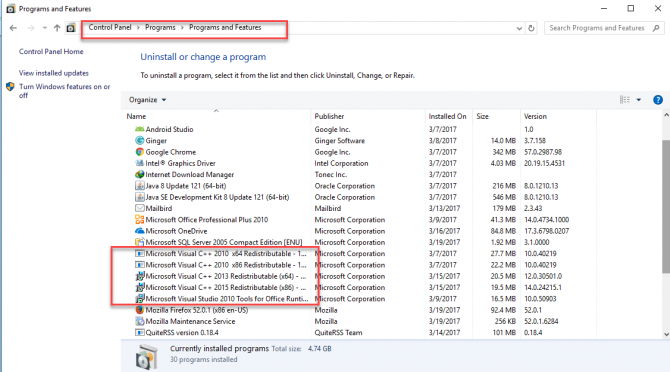
1. Open Settings > Apps > Installed apps (or Control Panel > Programs and Features).
2. Locate the Microsoft Visual C++ … Redistributable entry you want to remove.
3. Click it and choose Uninstall, then follow the prompts.
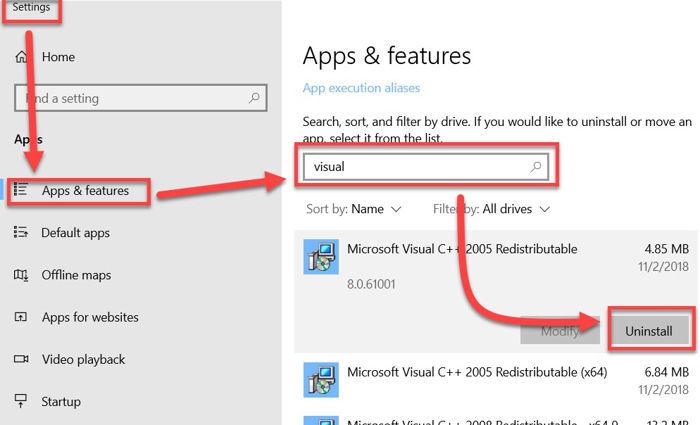
Removing a Visual C++ Redistributable from installed apps.
Note: Do not remove a redistributable unless you are repairing a corrupted install — other applications may depend on it.
Troubleshooting
Problem: Installation fails with error 0x80070666.
Solution: A newer version of the same package is already installed. Uninstall the existing 2015–2022 x64/x86 entries from Installed apps, then install again — or simply keep the newer version already present.
Problem: An app still reports a missing VCRUNTIME140.dll after installing.
Solution: Install both the x64 and x86 versions of the 2015–2022 runtime. A 32-bit app needs the x86 package even on 64-bit Windows.
Problem: Setup says "another version of this product is already installed".
Solution: Use Repair instead of Install from the redistributable, or remove the conflicting version first via Installed apps.
Problem: You are unsure which version an app needs.
Solution: Check the application’s system requirements or its error message; when in doubt, install the latest 2015–2022 runtime (x64 and x86), which covers most modern software.
Conclusion
The Visual C++ Redistributables are small, free, and essential for running much of the software on Windows. Install the latest 2015–2022 runtime (both x64 and x86), add any older versions a specific program requires, and always download from Microsoft’s official site to stay secure.
</w:pBdr><w:spacing w:before="220" w:after="40"/></w:pPr><w:r><w:rPr><w:b/><w:bCs/><w:color w:val="0B5394"/><w:sz w:val="21"/><w:szCs w:val="21"/><w:rFonts w:ascii="Calibri" w:cs="Calibri" w:eastAsia="Calibri" w:hAnsi="Calibri"/></w:rPr><w:t xml:space="preserve">About TechHub
This guide is part of the TechHub Knowledge Base. For more step-by-step IT guides and support, visit techhub.com.lk.