Overview
Active Directory Users and Computers (ADUC, dsa.msc) කියන්නේ AD objects — users, computers, groups, සහ organizational units — manage කරන primary tool එක. මේ guide එකෙන් Windows එකේ RSAT හරහා ඒක install කරන ආකාරය සහ ඒකේ core features පාවිච්චි කරන ආකාරය පෙන්නනවා.
RSAT එකෙන් Active Directory Users and Computers install කරනවා.
Key Takeaways
- ADUC Windows 10/11 වල RSAT එකේ කොටසක් විදිහට එනවා.
- Optional Features, DISM, හෝ PowerShell එකෙන් install කරන්න.
- Install වුණාම dsa.msc එකෙන් open කරන්න.
- Users, computers, groups, සහ OUs create/manage කරන්න පාවිච්චි කරන්න.
Windows එකේ ADUC Install කරන්න
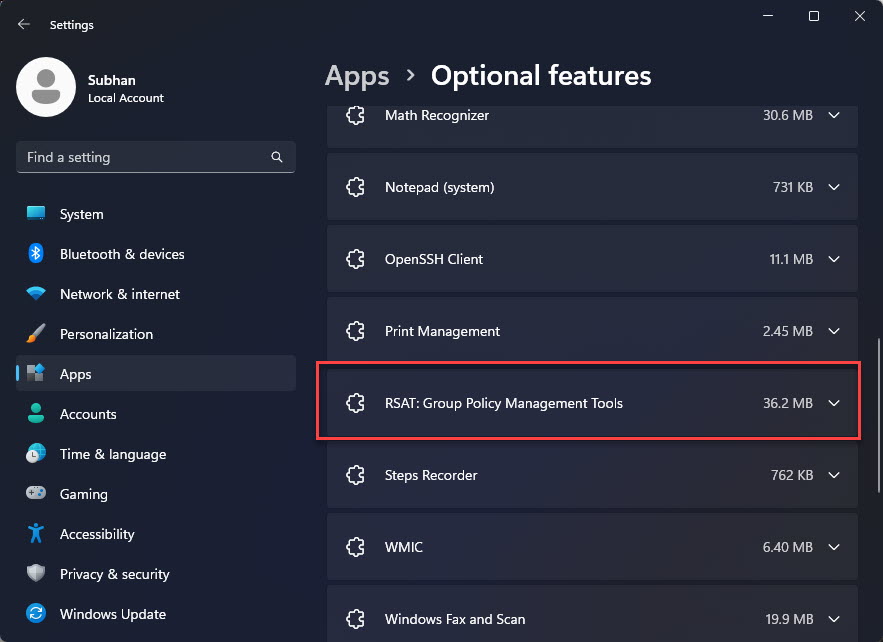
1. Settings > Apps > Optional features > Add an optional feature open කරන්න.
2. "RSAT: Active Directory Domain Services and Lightweight Directory Services Tools" search කරලා install කරන්න.
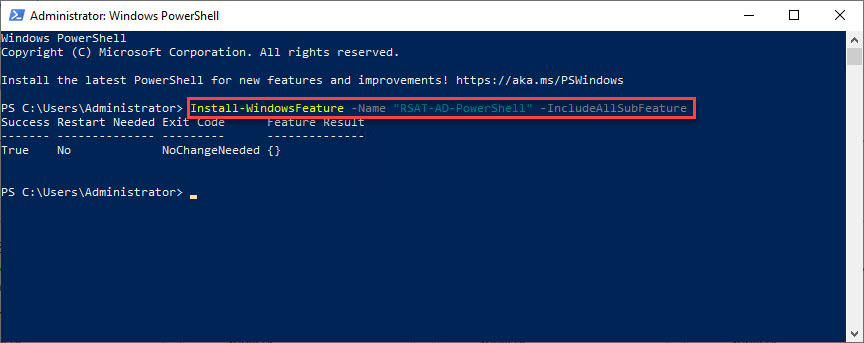
3. Command Prompt alternative: DISM /Online /Add-Capability /CapabilityName:Rsat.ActiveDirectory.DS-LDS.Tools~~~~0.0.1.0
4. PowerShell alternative: Add-WindowsCapability -Online -Name "Rsat.ActiveDirectory.DS-LDS.Tools~~~~0.0.1.0"
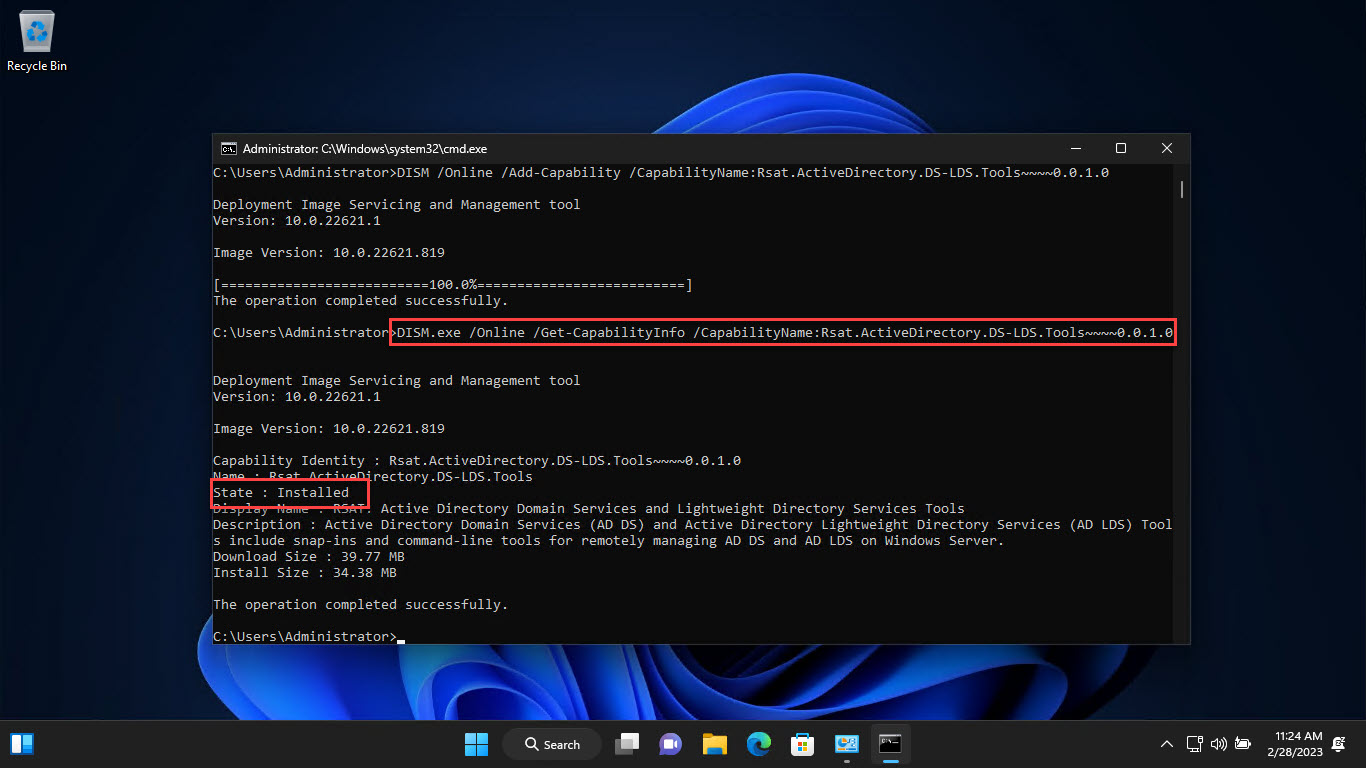
Command Prompt එකෙන් ADUC installation confirm කරනවා.
ADUC Open කරන්න
1. Windows + R press කරලා dsa.msc type කරලා Enter කරන්න.
2. නැත්නම් Windows Tools / Administrative Tools එකේ "Active Directory Users and Computers" හොයන්න.
3. ඒක ඔබේ current domain එකට connect වෙලා open වෙනවා.
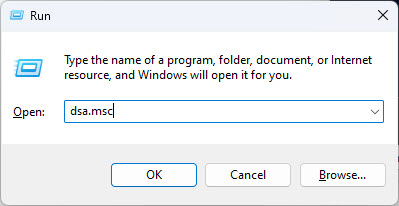
ADUC snap-in එක open කරනවා.
Domain Controller එකකට Connect කරන්න
1. ADUC එකේ, root node එක right-click කරලා "Change Domain Controller…" තෝරන්න.
2. Manage කරන්න ඕන DC එක select කරන්න හෝ type කරන්න.
3. Connect කරන්න confirm කරන්න.
Users, Computers, සහ OUs Manage කරන්න
1. Containers සහ OUs බලන්න domain එක expand කරන්න.
2. Objects create කරන්න OU එකක් right-click > New > User/Computer/Group.
3. Reset Password, Disable Account, Move, හෝ Properties වලට object එකක් right-click කරන්න.
4. අමතර tabs සහ attributes බලන්න View > Advanced Features පාවිච්චි කරන්න.
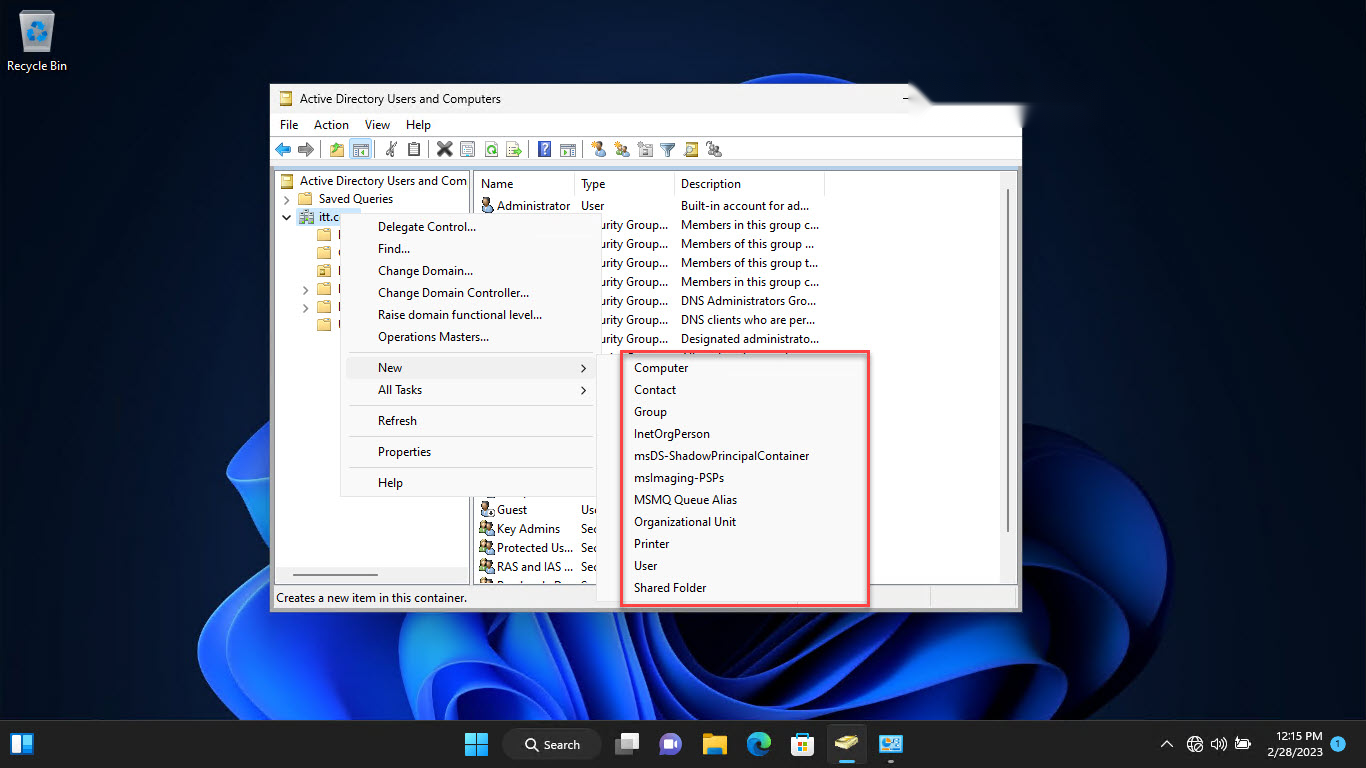
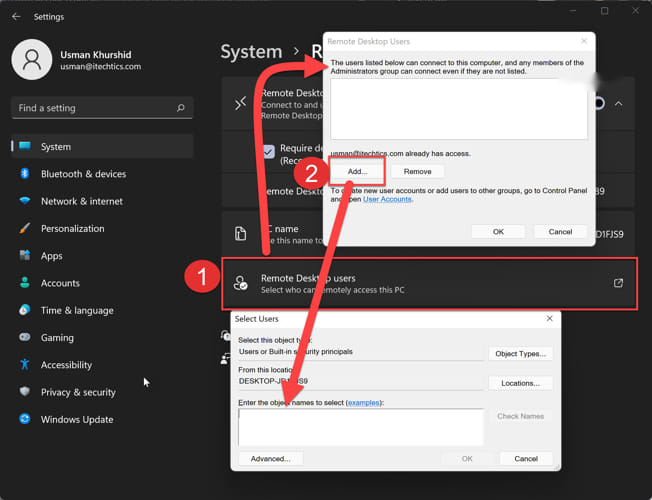
ADUC එකේ users, computers, සහ OUs add කරනවා.
Troubleshooting
Problem: dsa.msc හොයාගන්න බෑ.
Solution: මුලින් RSAT install කරන්න; AD DS tools add කරනකම් ADUC නෑ.
Problem: Domain එකට connect වෙන්න බෑ.
Solution: PC එක domain-joined කියලා, නැත්නම් reachable domain controller එකකට network access සහ credentials තියෙනවා කියලා බලන්න.
Problem: Attribute tabs නෑ.
Solution: Attribute Editor වගේ extra tabs reveal කරන්න View > Advanced Features enable කරන්න.
Problem: Changes වලට access denied.
Solution: AD එකේ appropriate delegated හෝ admin rights තියෙන account එකක් පාවිච්චි කරන්න.
Conclusion
ADUC කියන්නේ Active Directory administration වලට එදිනෙදා console එක. RSAT හරහා install කරලා, dsa.msc එකෙන් open කරලා, හරි domain controller එකට connect කරලා, ඔබේ Windows workstation එකෙන් users, computers, groups, සහ OUs manage කරන්න පුළුවන්.
About TechHub
මේ guide එක TechHub Knowledge Base එකේ කොටසක්. තව step-by-step IT guides සහ support වලට techhub.com.lk එකට යන්න.