Overview
ඔයාගේ IIS version එක දැනගන්න එක compatibility සහ troubleshooting වලට උදව් වෙනවා. මේ guide එකෙන් Windows එකේ install කරපු IIS version එක check කරන්න ක්රම පහක් පෙන්නනවා — තව IIS install වෙලා තියෙනවද කියලාම confirm කරන හැටි.
install කරපු IIS version එක check කරන හැටි.
Key Takeaways
- IIS Manager එකේ Help > About එකෙන් version එක පෙන්නනවා.
- Registry එකේ IIS version numbers store කරනවා.
- Command Prompt සහ PowerShell වලින් ඒක query කරන්න පුළුවන්.
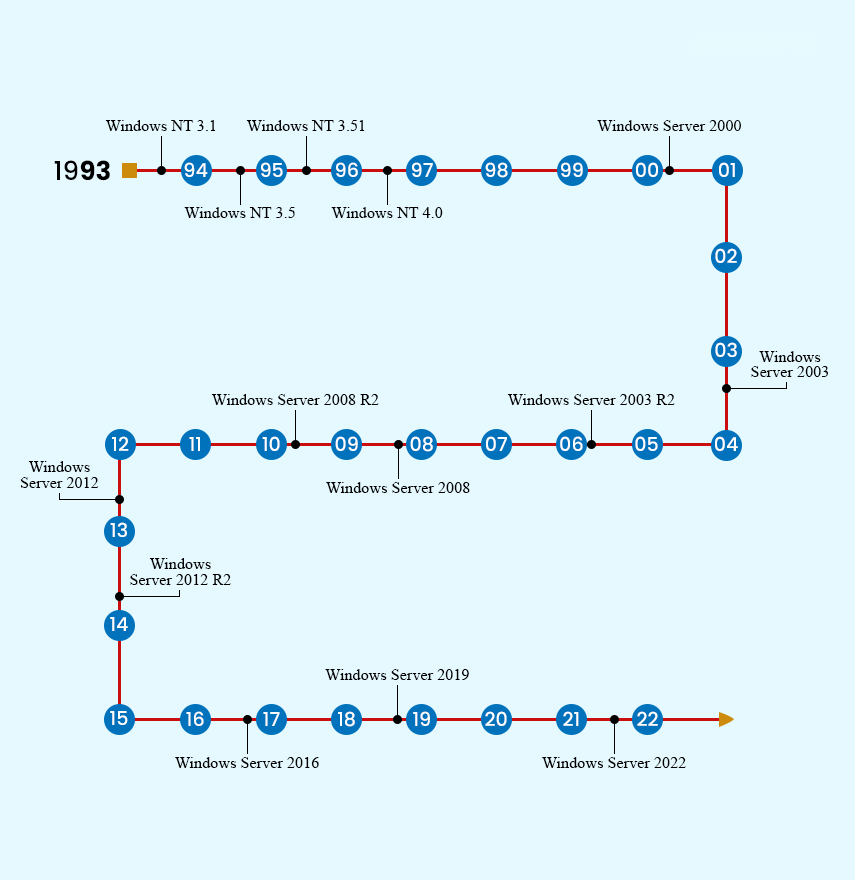
- IIS version එක Windows version එකට අනුරූප වෙනවා.
Method 1: IIS Manager
1. Windows + R press කරලා, inetmgr type කරලා, Enter press කරන්න.
2. IIS Manager එකේ, Help > About Internet Information Services click කරන්න.
3. version එක display වෙනවා.
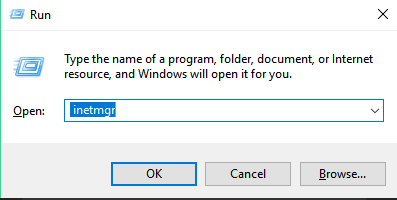
IIS Manager එක open කරන්න.
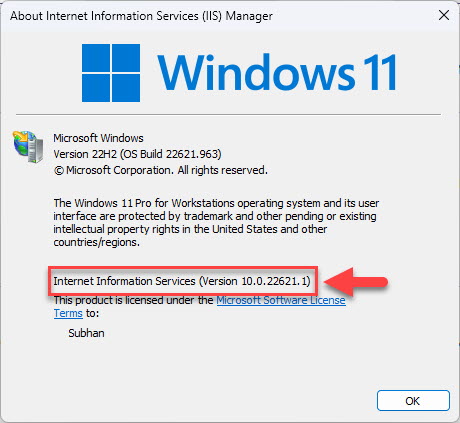
IIS Manager එකේ version එක හොයන්න.
Method 2: Registry Editor
1. regedit open කරන්න.
2. HKEY_LOCAL_MACHINE\SOFTWARE\Microsoft\InetStp වලට යන්න.
3. VersionString / MajorVersion / MinorVersion කියවන්න.
Method 3: Command Prompt
1. Command Prompt එක open කරන්න.
2. Run කරන්න: reg query "HKLM\SOFTWARE\Microsoft\InetStp" /v VersionString
3. IIS version එක return වෙනවා.
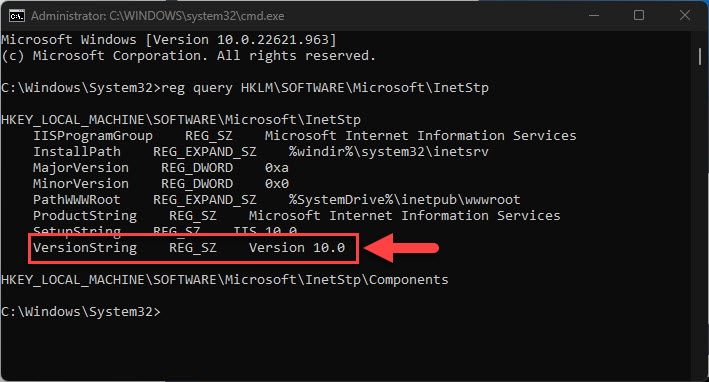
Command Prompt එකෙන් IIS version එක හොයන්න.
Method 4: Run Command (version file)
1. ඔයාට %windir%\system32\inetsrv\InetMgr.exe එකේ version එකත් ඒකේ Properties > Details tab හරහා check කරන්න පුළුවන්.
2. file version එකෙන් IIS version එක reflect කරනවා.
Method 5: PowerShell
1. PowerShell open කරන්න.
2. Run කරන්න: (Get-ItemProperty "HKLM:\SOFTWARE\Microsoft\InetStp").VersionString
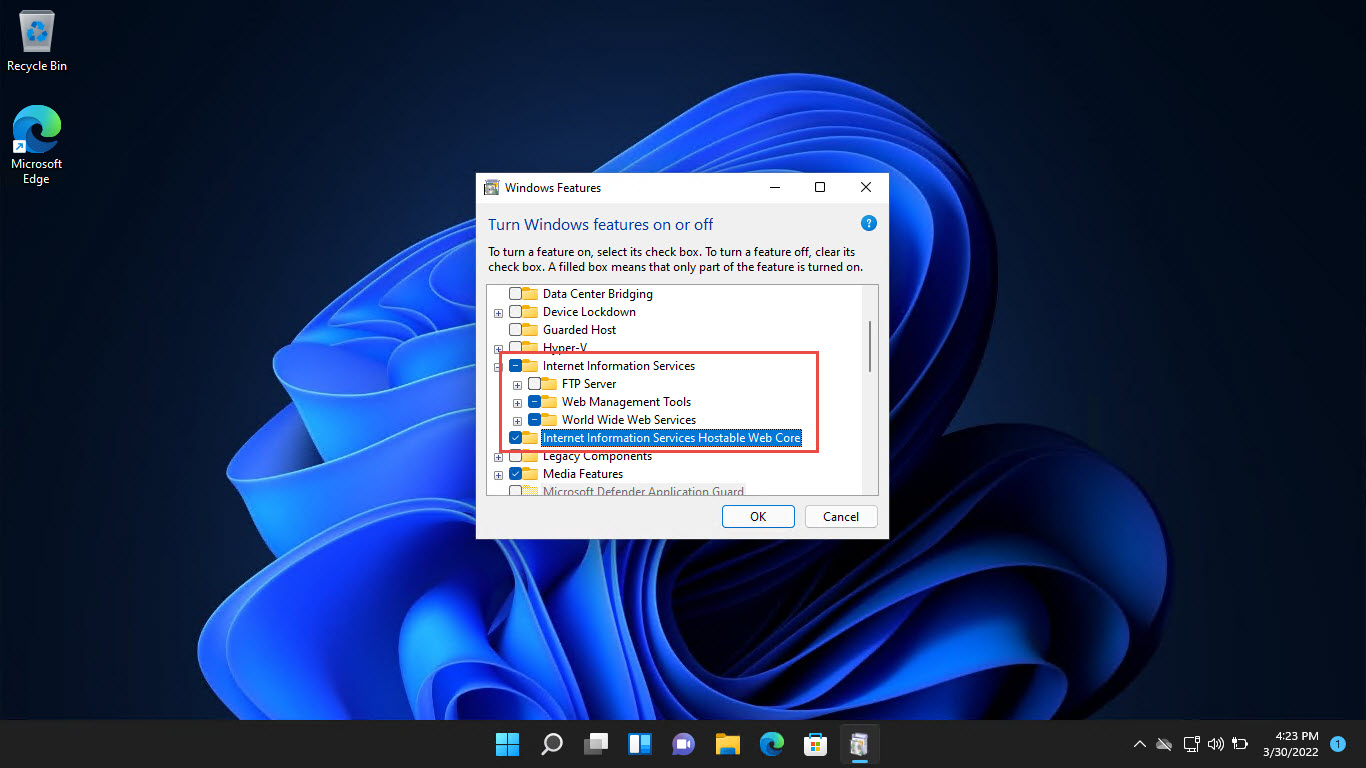
3. IIS install වෙලා තියෙනවද කියලා check කරන්න: Get-WindowsOptionalFeature -Online -FeatureName IIS-WebServerRole
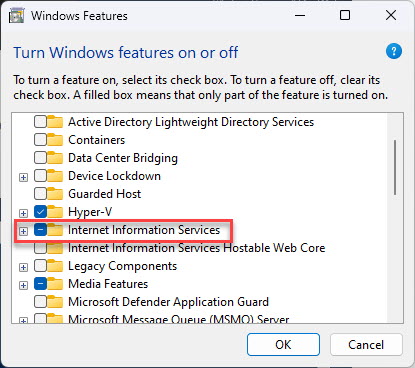
IIS enabled ද කියලා check කරන්න.
Troubleshooting
Problem: inetmgr හම්බ වෙන්නේ නෑ.
Solution: IIS (හෝ ඒකේ management console එක) install වෙලා නෑ — ඒක Windows Features හරහා enable කරන්න.
Problem: InetStp key එක නෑ.
Solution: IIS install වෙලා නෑ; මුලින්ම Web Server (IIS) role/feature එක install කරන්න.
Problem: version එක බලාපොරොත්තු වුණ එකට ගැලපෙන්නේ නෑ.
Solution: IIS version එක Windows version එකට බැඳිලා තියෙන්නේ — ඔයාගේ Windows build එක confirm කරන්න.
Problem: install කරපු modules දැනගන්න ඕන.
Solution: IIS components list කරන්න Get-WindowsOptionalFeature -Online | Where FeatureName -like "IIS-*" පාවිච්චි කරන්න.
Conclusion
ඔයාට IIS version එක ඉක්මනට IIS Manager එකේ About dialog එකෙන්, නැත්නම් programmatically InetStp Registry key එක, Command Prompt, හෝ PowerShell හරහා check කරන්න පුළුවන්. මේ ක්රමම machine එකේ IIS install වෙලා ද කියලාත් confirm කරනවා.
About TechHub
මේ guide එක TechHub Knowledge Base එකේ කොටසක්. තව step-by-step IT guides සහ support වලට techhub.com.lk එකට යන්න.