How to Check Your Public IP Address from the Command Line in Windows
Find your external IP using PowerShell and command-line tools — plus your local IP with ipconfig.
Overview
Your public IP is the address the internet sees; your local IP is on your LAN. This guide shows how to find your public IP from the command line (PowerShell/nslookup) and your local IP with ipconfig.
Checking your public IP from the command line.
Key Takeaways
- ipconfig shows your local (LAN) IP.
- PowerShell can query a public service for your external IP.
- nslookup against a resolver service also returns it.
- Public IP is assigned by your ISP/router.
Find Your Local IP (ipconfig)
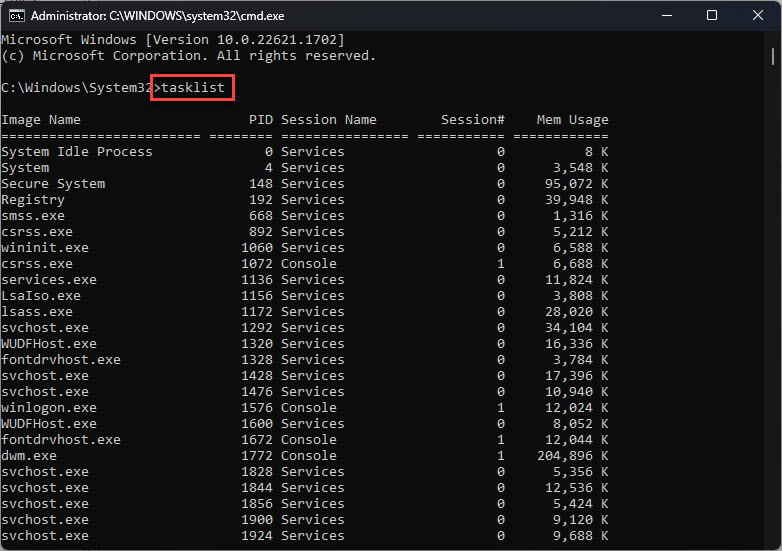
1. Open Command Prompt.
2. Run: ipconfig
3. Read the "IPv4 Address" for your adapter (e.g., 192.168.x.x).
4. This is your LAN address, not the public one.
Find Your Public IP (PowerShell)
1. Open PowerShell.
2. Run: (Invoke-WebRequest -Uri "https://api.ipify.org").Content
3. It prints your current public IPv4 address.
4. Alternative: Invoke-RestMethod "https://ifconfig.me/ip"
Find Your Public IP (nslookup)
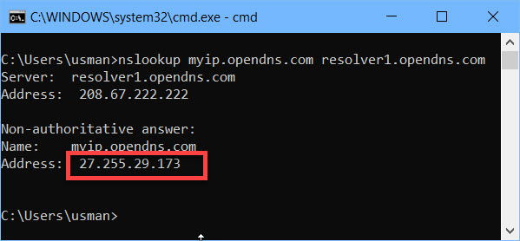
1. Some resolvers echo your IP, e.g.: nslookup myip.opendns.com resolver1.opendns.com
2. The "Address" in the answer is your public IP.
3. Handy when web requests are restricted.
Third-Party Services
1. You can also visit a site like ifconfig.me or whatismyip in a browser.
2. For scripts, curl/Invoke-WebRequest to such services returns the raw IP.
3. Use reputable services only.
Troubleshooting
Problem: PowerShell request fails.
Solution: Check internet access and proxy settings; try the nslookup method as a fallback.
Problem: Public IP keeps changing.
Solution: Most home ISPs use dynamic IPs; that’s normal unless you have a static IP.
Problem: Behind a VPN.
Solution: The returned IP is the VPN’s exit IP, not your ISP’s — disconnect the VPN to see your real public IP.
Problem: IPv6 vs IPv4.
Solution: Some services return IPv6; specify an IPv4 endpoint (e.g., api.ipify.org) if you need IPv4.
Conclusion
Use ipconfig for your local IP, and a PowerShell request to a service like api.ipify.org (or nslookup against OpenDNS) for your public IP. Remember a VPN changes the public IP you’ll see, and home IPs are usually dynamic.