Overview
Windows requires drivers to be digitally signed to ensure they are genuine and untampered. Occasionally you may need to install an unsigned driver — for older or niche hardware. This guide shows how to disable driver signature enforcement, from a one-time boot option to a permanent setting, and explains the risks.
Disabling driver signature enforcement lets you install unsigned drivers.
Warning: Unsigned drivers are not verified and could be unstable or malicious. Disable enforcement only to install a driver you trust from a reputable source, and prefer the temporary (one-time) method.
Key Takeaways
- Driver signing verifies a driver is genuine and unmodified.
- The safest option is the one-time disable via Startup Settings (reverts after reboot).
- Command Prompt (bcdedit) and Group Policy can disable it persistently.
- Re-enable enforcement once your trusted driver is installed.
What Is Driver Signing?
A driver signature is a digital certificate confirming the driver came from a known publisher and has not been altered. Enforcement blocks drivers without a valid signature, protecting the system from tampered or malicious drivers.
Method 1 — One-Time Disable via Startup Settings (Recommended)
1. Open Settings > System > Recovery and click Restart now under Advanced startup.
2. Go to Troubleshoot > Advanced options > Startup Settings, then click Restart.
3. When the list appears, press 7 (or F7) for "Disable driver signature enforcement".
4. Windows boots with enforcement off for this session — install your driver, then reboot to restore enforcement.
Method 2 — Command Prompt (bcdedit)
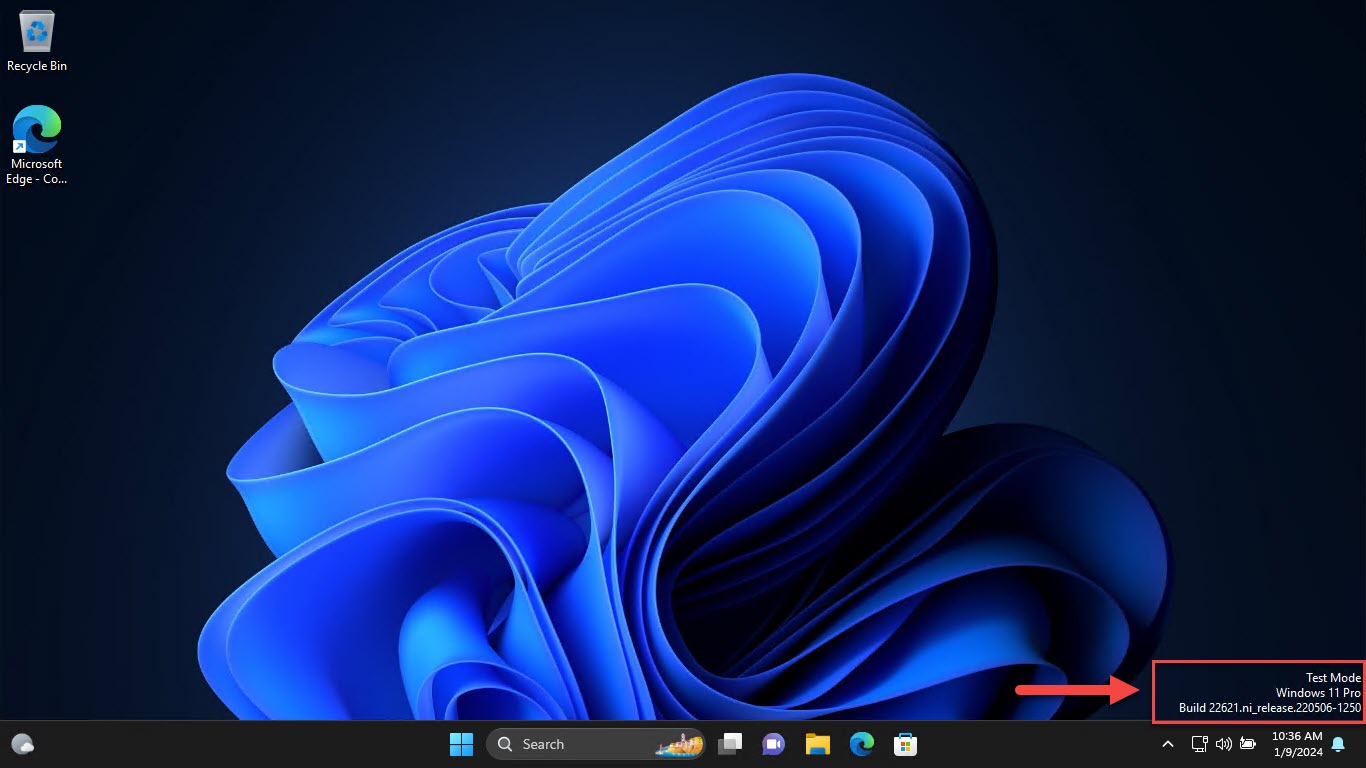
Warning: This persists until reverted and may show a desktop watermark. Re-enable enforcement afterward.
1. Open Command Prompt as administrator.
2. Run: bcdedit /set nointegritychecks on
3. Restart the PC and install the driver.
4. To re-enable enforcement later, run: bcdedit /set nointegritychecks off
Method 3 — Group Policy
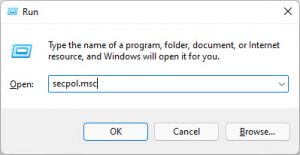
1. Press Windows key + R, type gpedit.msc, and press Enter (Pro/Enterprise).
2. Go to User Configuration > Administrative Templates > System > Driver Installation.
3. Open "Code signing for device drivers", set it to Enabled, and choose Ignore.
4. Click OK and restart.
Method 4 — Advanced Boot Menu
1. Restart the PC and access the Advanced Boot Options (on some systems by holding Shift while clicking Restart).
2. Open Startup Settings and restart.
3. Press F7 / 7 to disable driver signature enforcement for that boot.
Troubleshooting
Problem: Enforcement turns back on after a reboot.
Solution: The Startup Settings method is intentionally one-time. Use the bcdedit or Group Policy method for a persistent change.
Problem: A test-mode watermark appears on the desktop.
Solution: This is expected when integrity checks/test signing are off. Re-enable enforcement (bcdedit /set nointegritychecks off) to remove it.
Problem: The driver still will not install.
Solution: Ensure you booted with enforcement disabled, run the installer as administrator, and confirm the driver matches your Windows version and architecture.
Problem: You want maximum security back.
Solution: Re-enable enforcement after installing, and only keep trusted, signed drivers where possible.
Conclusion
Disabling driver signature enforcement lets you install unsigned drivers when you must. Prefer the one-time Startup Settings method, install only trusted drivers, and re-enable enforcement afterward to keep your system protected.
</w:pBdr><w:spacing w:before="220" w:after="40"/></w:pPr><w:r><w:rPr><w:b/><w:bCs/><w:color w:val="0B5394"/><w:sz w:val="21"/><w:szCs w:val="21"/><w:rFonts w:ascii="Calibri" w:cs="Calibri" w:eastAsia="Calibri" w:hAnsi="Calibri"/></w:rPr><w:t xml:space="preserve">About TechHub
This guide is part of the TechHub Knowledge Base. For more step-by-step IT guides and support, visit techhub.com.lk.