Overview
Windows 11 එකෙන් "Show more options" එකෙන් classic menu එක සඟවලා compact right-click menu එකක් පෙන්නනවා. මේ guide එකෙන් Registry එකක්, command එකක්, හෝ .reg file එකක් පාවිච්චි කරලා full legacy context menu එක default විදිහට restore කරන හැටි පෙන්නනවා.
Windows 11 එකේ පරණ context menu එක restore කිරීම.
Key Takeaways
- Windows 11 එකේ අලුත් menu එකෙන් classic options "Show more options" පිටිපස්සේ සඟවනවා.
- Registry key එකකින් පරණ menu එක default විදිහට restore කරනවා.
- එක command එකකින් ඉක්මනට change එක apply වෙනවා.
- Revert කරන එකත් හරිම ලේසියි.
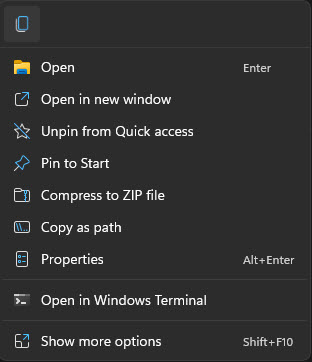
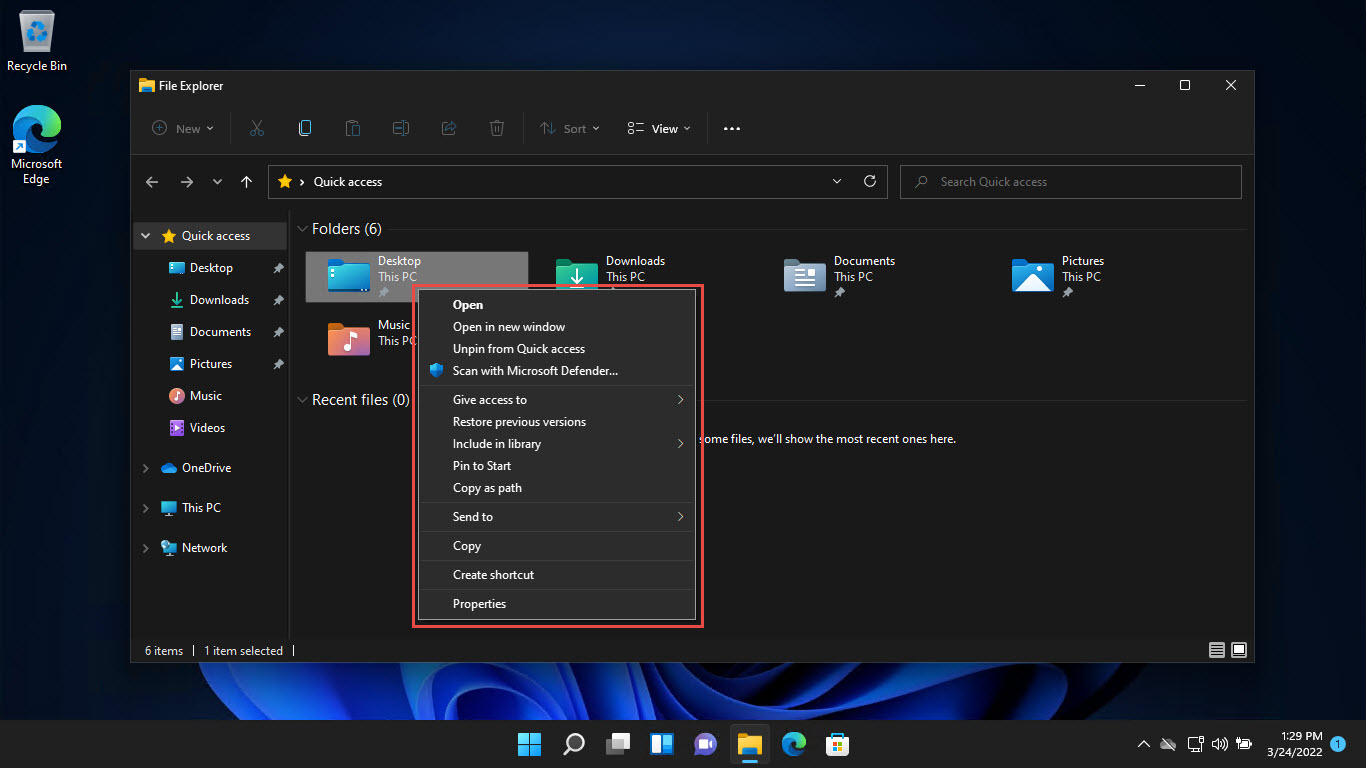
Default Windows 11 context menu එක.
Method 1: Command Prompt (Quickest)
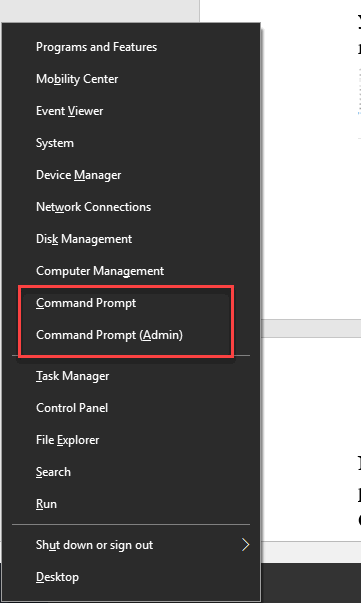
1. Command Prompt එක open කරන්න.
2. Run: reg add "HKCU\Software\Classes\CLSID\{86ca1aa0-34aa-4e8b-a509-50c905bae2a2}\InprocServer32" /f /ve
3. Explorer restart කරන්න (හෝ sign out/in කරන්න).
4. දැන් classic full context menu එක default විදිහට පෙනෙනවා.
Method 2: Registry Editor
Warning: Registry එක වැරදියට edit කිරීමෙන් ප්රශ්න ඇති වෙන්න පුළුවන්. මුලින්ම Registry එක back up කරන්න.
1. regedit open කරලා HKEY_CURRENT_USER\Software\Classes\CLSID එකට යන්න.
2. {86ca1aa0-34aa-4e8b-a509-50c905bae2a2} කියලා key එකක් හදන්න.
3. ඒක ඇතුළේ InprocServer32 කියලා subkey එකක් හදන්න.
4. ඒකේ (Default) value එක empty විදිහට තියලා Explorer restart කරන්න.
Classic menu එක default විදිහට set කිරීම.
Method 3: .REG File
1. ඉහත key එක empty InprocServer32 default value එකක් සමඟ තියෙන .reg file එකක් හදන්න.
2. ඒක double-click කරලා merge එක confirm කරන්න.
3. Apply වෙන්න Explorer restart කරන්න.
Revert to the Windows 11 Menu
1. Command Prompt එක open කරලා run: reg delete "HKCU\Software\Classes\CLSID\{86ca1aa0-34aa-4e8b-a509-50c905bae2a2}" /f
2. Explorer restart කරන්න.
3. Compact Windows 11 menu එක ආපහු එනවා.
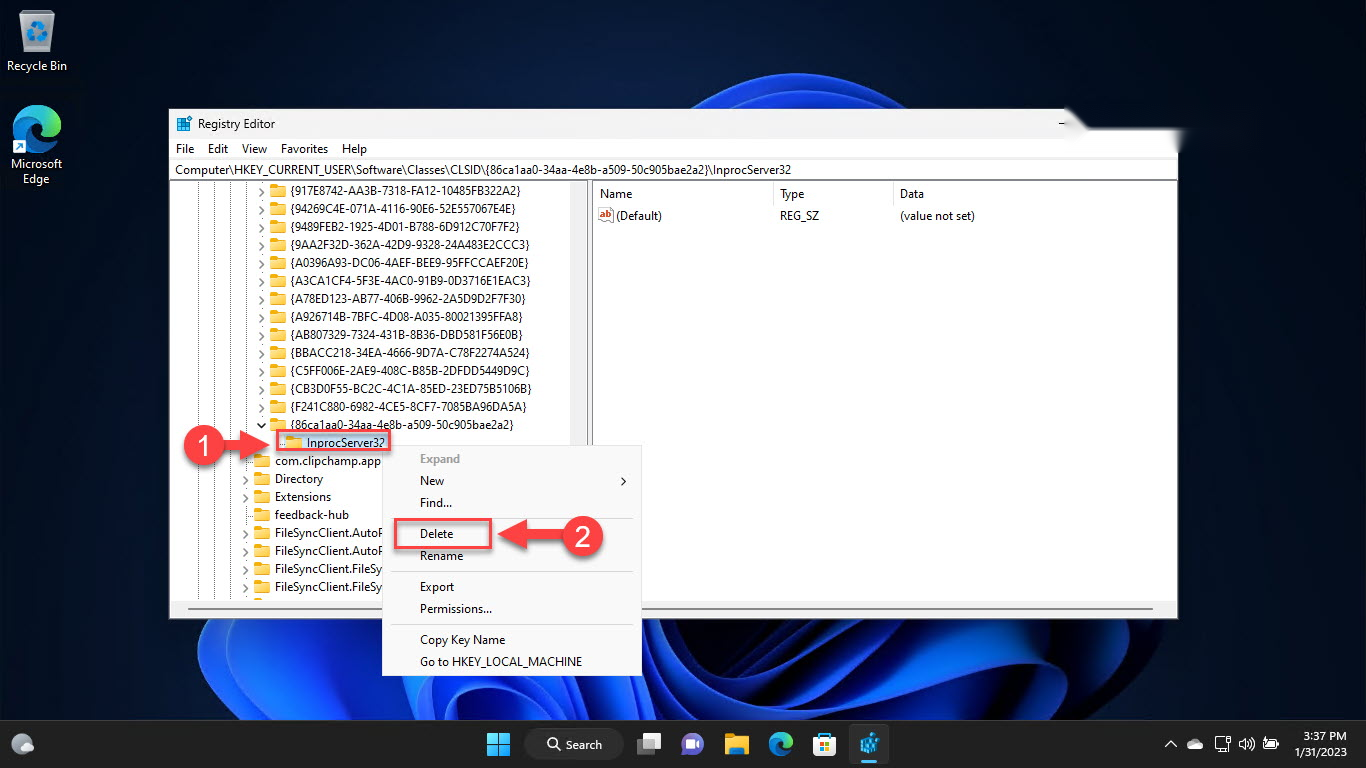
Revert කරන්න key එක delete කරන්න.
Troubleshooting
Problem: Menu එක change වුණේ නෑ.
Solution: Task Manager එකෙන් Explorer restart කරන්න, නැත්නම් change එක effect වෙන්න sign out වෙලා ආපහු sign in වෙන්න.
Problem: Command එකෙන් error එකක් ආවා.
Solution: /ve switch එකත් full CLSID එකත් ඇතුළුව හරියටම copy කරන්න; HKCU සඳහා standard (elevated වෙන්නම ඕන නෑ) prompt එකක run කරන්න.
Problem: ආපහු default එකට ගන්න ඕන.
Solution: reg delete command එකෙන් CLSID key එක delete කරලා Explorer restart කරන්න.
Problem: Feature update එකකින් පස්සේ change එක නැති වුණා.
Solution: Major Windows updates වලින් ඒක reset කරන්න පුළුවන් — නැවතත් command එක apply කරන්න.
Conclusion
ඔයා Windows 10 එකේ full right-click menu එකට කැමති නම්, එක Registry key එකකින් ඒක Windows 11 එකේ default විදිහට restore කරනවා. ඉක්මනට command line එකෙන් apply කරන්න, සහ modern compact menu එකට ආපහු යන්න ඕන ඕන වෙලාවක key එක delete කරන්න.
About TechHub
මේ guide එක TechHub Knowledge Base එකේ කොටසක්. තව step-by-step IT guides සහ support වලට techhub.com.lk එකට යන්න.