Overview
සමහර පරණ business sites සහ web apps හදලා තිබුණේ Internet Explorer එකට. Microsoft Edge එකේ IE mode එක තියෙන නිසා මේ වගේ legacy pages වෙන browser එකක් නැතුව වැඩ කරනවා. මේ guide එකෙන් IE mode enable කරන හැටියි, page එකක් ඒකෙන් load කරන හැටියි පෙන්නනවා.
Key Takeaways
- IE mode එකෙන් legacy Internet Explorer pages, Edge එක ඇතුළේ run කරනවා.
- ඔයා ඒක enable කරන්නේ Edge එකේ Default browser settings වලින්.
- නිශ්චිත pages නිතරම IE mode එකෙන් open වෙන්න set කරන්න පුළුවන්.
- මේක අදහස් කරන්නේ ඇත්තටම IE ඕන sites වලට විතරයි.
Enable IE Mode
1. Edge එක open කරලා Settings > Default browser එකට යන්න.
2. Allow sites to be reloaded in Internet Explorer mode එක Allow කරන්න.
3. Prompt එකක් ආවම Edge එක restart කරන්න.
4. දැන් menu එකේ IE mode option එක available.
Load a Page in IE Mode
1. Edge එකේ legacy site එකට navigate කරන්න.
2. Menu එක (three dots) open කරලා Reload in Internet Explorer mode තෝරන්න.
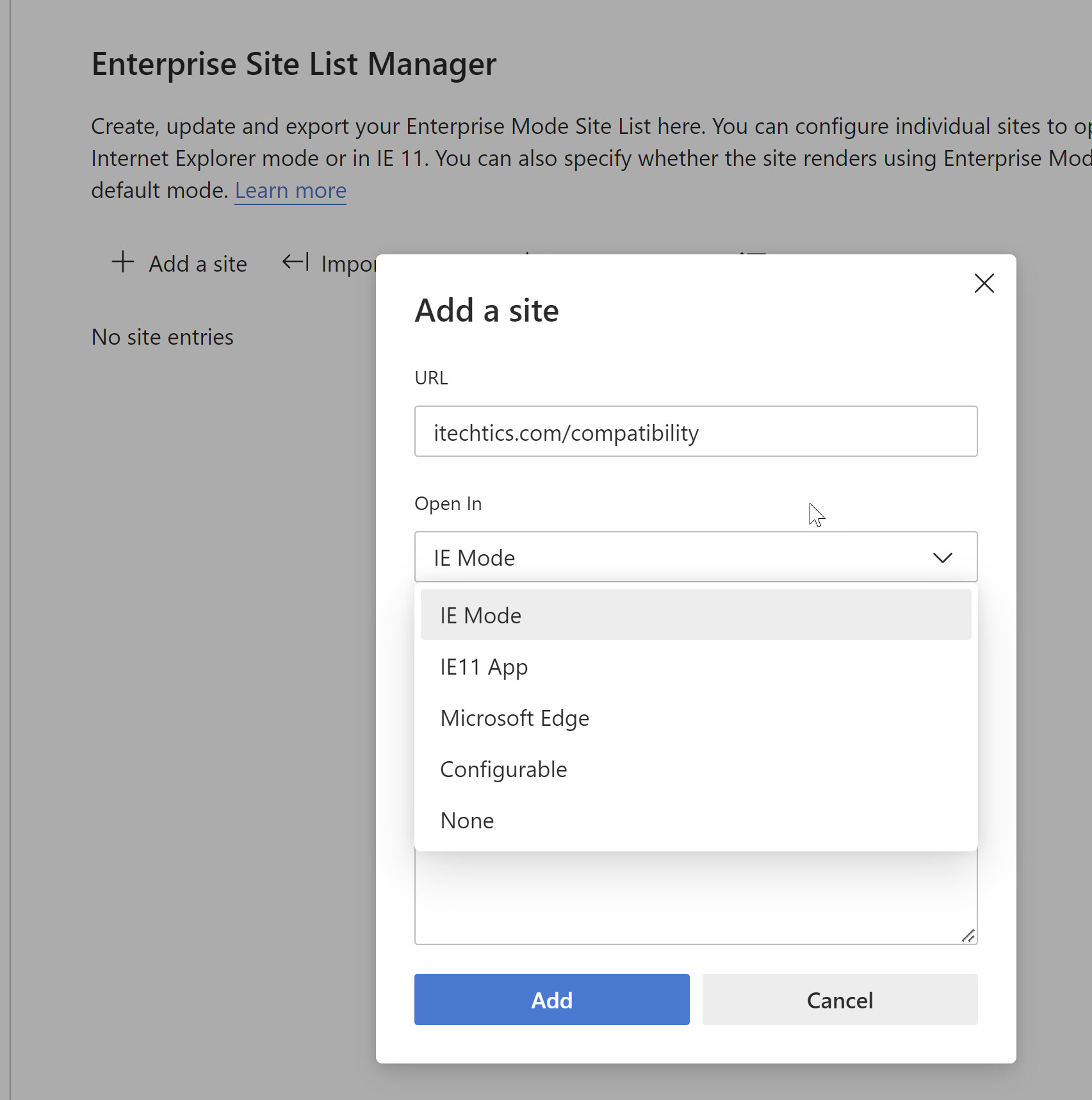
3. ඒක persistent කරන්න ඕන නම්, settings වල Internet Explorer mode pages යටතේ site එක add කරන්න.
4. IE mode active වෙලා තියෙනවාද කියලා page icon එකකින් පෙන්නනවා.
Note: IE mode එක කියන්නේ compatibility bridge එකක්, general browsing mode එකක් නෙවෙයි. Internet Explorer ඕන කරන නිශ්චිත sites වලට විතරක් ඒක පාවිච්චි කරන්න.
Troubleshooting
Problem: Reload in IE mode option එක නෑ.
Solution: Default browser යටතේ IE mode setting එක enable කරලා Edge එක restart කරන්න.
Problem: IE mode එකෙනුත් site එක තාම වැඩ කරන්නේ නෑ.
Solution: ඕන legacy components install වෙලාද කියලා, site එක IE mode pages list එකට add වෙලාද කියලා confirm කරන්න.
Problem: Site එකකට IE mode එක නිතරම expire වෙනවා.
Solution: Site එක persistent IE mode pages list එකට add කරන්න, මොකද manual reloads default විදිහට දවස් 30ක් විතරයි තියෙන්නේ.
Problem: Option එක ඔයාගේ organization එකෙන් control කරනවා.
Solution: Managed devices වල IE mode එක policy එකකින් set වෙලා තියෙන්න පුළුවන්; sites add කරන්න ඔයාගේ administrator ව contact කරන්න.
Conclusion
IE mode එකෙන් අත්යවශ්ය legacy sites, modern browser එකක් ඇතුළේ වැඩ කරන්න තියාගන්නවා. එක පාරක් enable කරලා, ඕන කරන sites add කරලා, standalone Internet Explorer එක සම්පූර්ණයෙන්ම retire කරන්න පුළුවන්.
About TechHub
මේ guide එක TechHub Knowledge Base එකේ කොටසක්. තව step-by-step IT guides සහ support වලට techhub.com.lk එකට යන්න.