Overview
Remote Server Administration Tools (RSAT) වලින් ඔයාට හැම server එකකටම login නොවී, Windows 11 client එකකින් Windows Server roles සහ features — Active Directory, DNS, DHCP වගේ — manage කරන්න පුළුවන්. Windows 11 එකේ RSAT built-in විදිහට Features on Demand එකක් විදිහට තියෙනවා. මේ guide එකෙන් ඒවා install කරලා run කරන්නේ කොහොමද කියලා පෙන්නනවා.
RSAT වලින් ඔයාගේ Windows 11 PC එකෙන් Windows Servers manage කරන්න පුළුවන්.
Key Takeaways
- RSAT කියන්නේ Windows 11 එකේ optional Features on Demand එකක් විදිහට ඇතුළත් වෙලා තියෙන එකක් — වෙනම download එකක් අවශ්ය නැහැ.
- Settings හෝ PowerShell හරහා, ඔයාට අවශ්ය tools විතරක්, නැත්නම් හැම එකම install කරන්න.
- ඔයාට internet connection එකක් සහ administrator rights ඕන.
- Install කරාට පස්සේ Windows Tools හෝ Start menu එකෙන් tools run කරන්න.
Method 1 — Install via Settings
1. Settings > System > Optional features open කරන්න.
2. "Add an optional feature" ළඟ තියෙන View features click කරන්න.
3. RSAT search කරලා ඔයාට අවශ්ය නිශ්චිත tools tick කරන්න (උදා: RSAT: Active Directory Domain Services).
4. Next > Install click කරලා ඒවා download වෙනකම් ඉන්න.
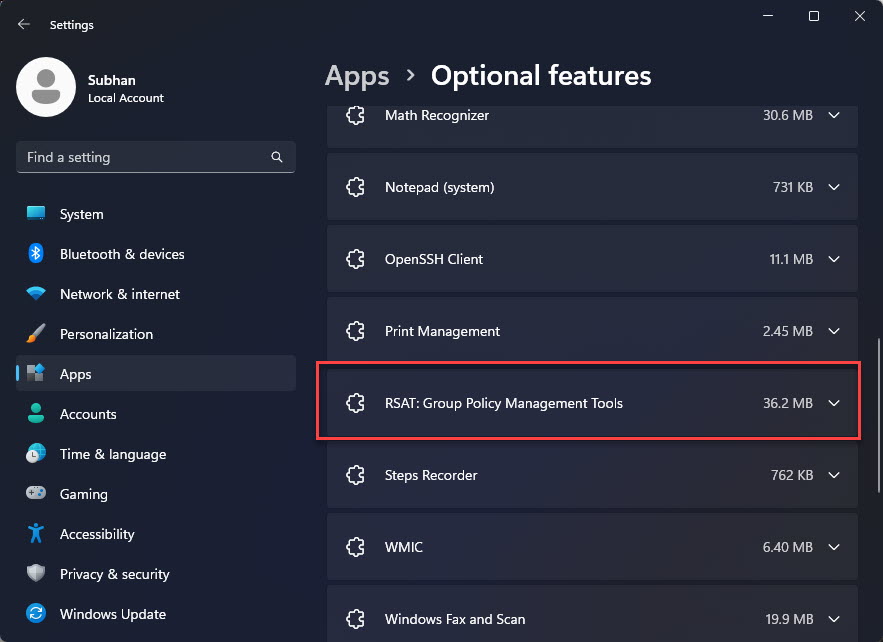
Optional features හරහා install කරපු RSAT tool එකක්.
Method 2 — Install via PowerShell
1. PowerShell එක administrator විදිහට open කරන්න.
2. තියෙන RSAT capabilities list කරන්න: Get-WindowsCapability -Online -Name RSAT*
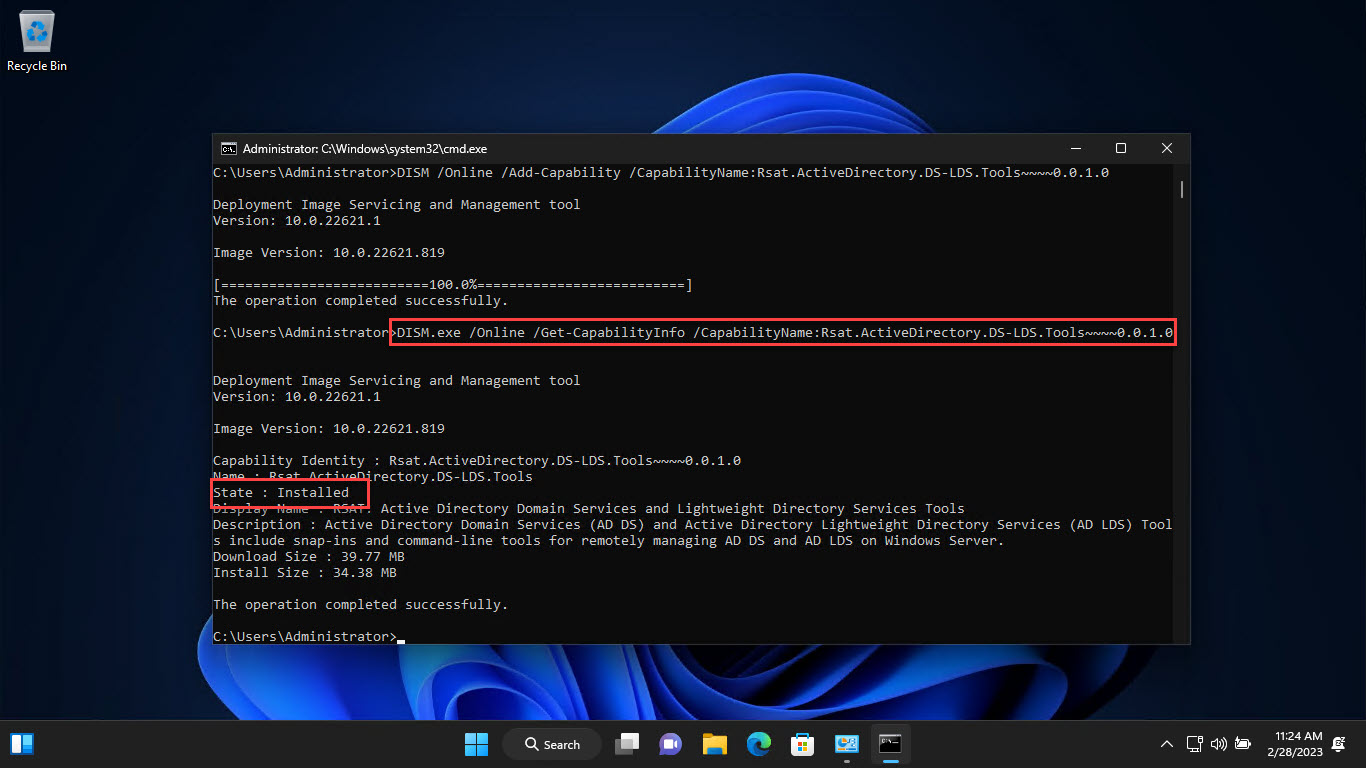
3. එකක් install කරන්න: Add-WindowsCapability -Online -Name "Rsat.ActiveDirectory.DS-LDS.Tools~~~~0.0.1.0"
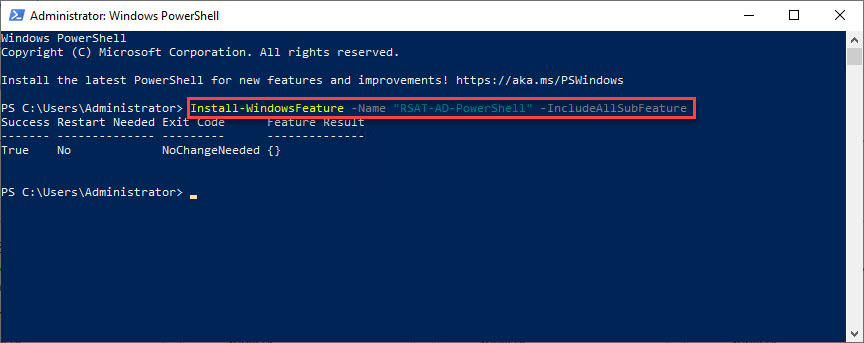
4. හැම එකම එකපාර install කරන්න: Get-WindowsCapability -Online -Name RSAT* | Add-WindowsCapability -Online
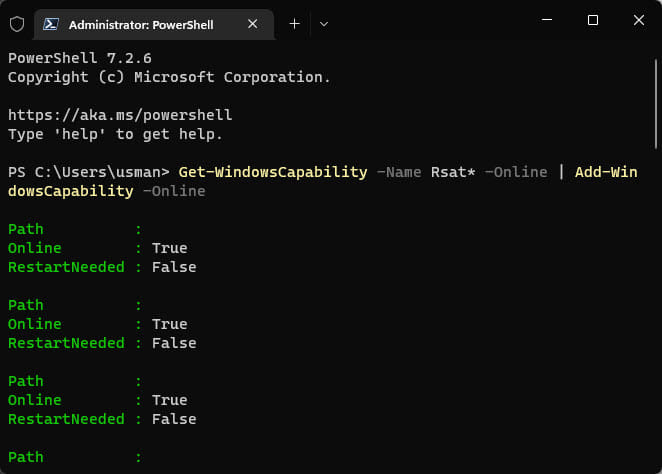
PowerShell වලින් හැම RSAT tools එකපාර install කරන එක.
How to Run RSAT Tools
1. Start menu එක open කරලා tool එක search කරන්න (උදා: "Active Directory Users and Computers").
2. නැත්නම් install කරපු consoles හොයාගන්න Windows Tools open කරන්න (Control Panel > Windows Tools).
3. Tool එක launch කරලා ඔයාගේ server/domain එකට connect වෙලා ඒක manage කරන්න.
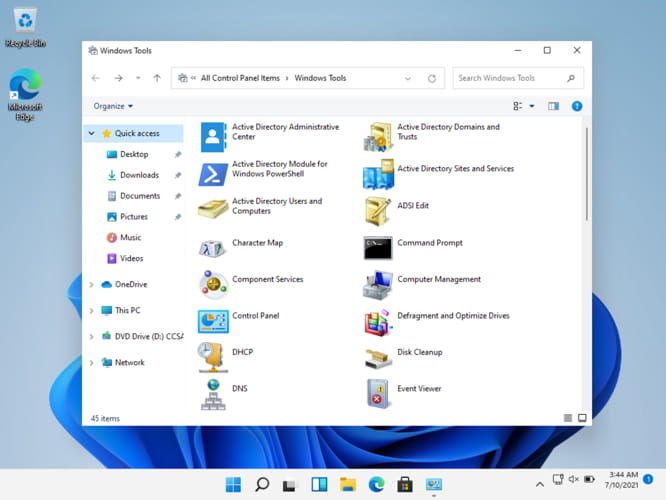
Install කරපු RSAT tools Windows Tools directory එකේ පෙන්නනවා.
Troubleshooting
Problem: Optional features වල RSAT පෙන්නන්නේ නැහැ.
Solution: Windows එක up to date බවත්, ඔයා online බවත් තහවුරු කරගන්න. Group Policy එකකට ("Specify settings for optional component installation") Windows Update එකෙන් downloads block කරන්න පුළුවන් — ඒක adjust කරන්න නැත්නම් වෙනත් source එකක් පාවිච්චි කරන්න.
Problem: Add-WindowsCapability fail වෙනවා.
Solution: PowerShell එක administrator විදිහට run කරන්න, internet access තහවුරු කරගන්න, ඒ වගේම Get-WindowsCapability -Online -Name RSAT* එකෙන් හරි capability name එක check කරන්න.
Problem: Tool එකක් server එකට connect වෙන්නේ නැහැ.
Solution: Network connectivity, ඔයාට හරි permissions තියෙනවද, ඒ වගේම server role එක install වෙලා reachable ද කියලා verify කරන්න.
Problem: Feature update එකකට පස්සේ tools missing වෙනවා.
Solution: Major Windows updates වලින් RSAT අයින් වෙන්න පුළුවන්; අවශ්ය tools Settings හෝ PowerShell හරහා reinstall කරන්න.
Conclusion
RSAT වලින් ඔයාගේ Windows 11 PC එක Windows Server වලට remote management console එකක් බවට හරවනවා. ඔයාට අවශ්ය tools විතරක් Optional features හෝ PowerShell වලින් install කරලා, ඊට පස්සේ servers වලට කෙළින්ම අත නොතියා Active Directory, DNS, DHCP, සහ තව දේවල් manage කරන්න.
About TechHub
මේ guide එක TechHub Knowledge Base එකේ කොටසක්. තව step-by-step IT guides සහ support වලට techhub.com.lk එකට යන්න.