5 of the Best Tools to Monitor a Folder for Changes in Real Time
Track file additions, edits, and deletions in a folder with free monitoring utilities.
Overview
Sometimes you need to know exactly when files change in a folder — for troubleshooting, auditing, or automation. This guide rounds up five free tools that monitor a folder for changes in real time.
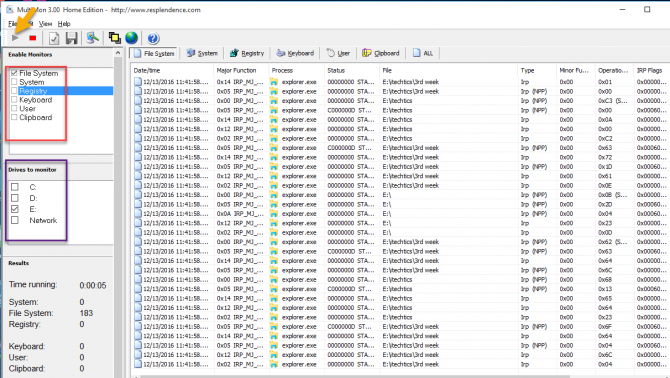
Tools to monitor a folder for changes.
Note: Download each tool only from its official website. Only monitor folders on systems you own or are authorized to manage.
Key Takeaways
- These tools log file create/modify/delete/rename events.
- Some can trigger actions or alerts on change.
- Great for troubleshooting "what changed?" issues.
- All the picks are free.
The 5 Folder-Monitoring Tools
- FolderChangesView (NirSoft) — lightweight, real-time change log for folders/drives.
- Directory Monitor — watches folders and can run scripts, email, or log on events.
- Watch 4 Folder — triggers actions (run program, play sound) on changes.
- TheFolderSpy — simple monitor with alerts.
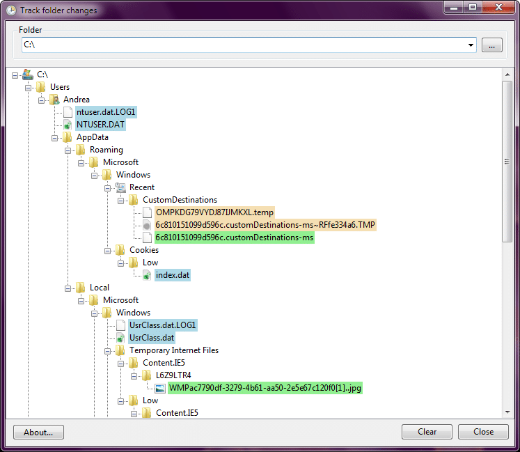
- Track Folder Changes — basic real-time change tracking.
How to Use (General Steps)
1. Install a monitor (e.g., FolderChangesView) from its official site.
2. Point it at the folder (and optionally subfolders) to watch.
3. Start monitoring; changes appear live with timestamps and event types.
4. Configure alerts/actions if the tool supports them.
Built-in Alternative
- PowerShell’s FileSystemWatcher can monitor a folder in a script.
- Example: Register-ObjectEvent on a [System.IO.FileSystemWatcher] to log events.
- Good for automation without extra software.
Troubleshooting
Problem: Missing some events.
Solution: Enable subfolder monitoring and run the tool with sufficient permissions.
Problem: Too many events/noise.
Solution: Filter by file type or event type in the tool’s settings.
Problem: Access denied on a folder.
Solution: Run the monitor as administrator to watch protected locations.
Problem: Need scripted automation.
Solution: Use PowerShell’s FileSystemWatcher to react to changes programmatically.
Conclusion
For real-time folder monitoring, FolderChangesView and Directory Monitor are excellent free choices, while Watch 4 Folder can trigger actions on changes. For automation without extra tools, PowerShell’s FileSystemWatcher does the job — just monitor only folders you’re authorized to watch.