Folder එකක Changes එක Real Time එකේ Monitor කරන්න හොඳම Tools 5ක්
Free monitoring utilities පාවිච්චි කරලා folder එකක file additions, edits, සහ deletions track කරන්න.
Overview
සමහර වෙලාවට folder එකක files වෙනස් වෙන්නේ හරියටම කවදද කියලා දැනගන්න ඕන වෙනවා — troubleshooting, auditing, නැත්නම් automation වලට. මේ guide එකෙන් folder එකක changes real time එකේ monitor කරන free tools පහක් එකතු කරලා තියෙනවා.
Folder එකක changes monitor කරන tools.
Note: හැම tool එකක්ම download කරන්නේ එකේ official website එකෙන් විතරයි. ඔයාට අයිති නැත්නම් manage කරන්න authorize වෙලා නැති folders monitor කරන්න එපා.
Key Takeaways
- මේ tools වලින් file create/modify/delete/rename events log කරනවා.
- සමහරවා changes එකේදී actions නැත්නම් alerts trigger කරන්න පුළුවන්.
- "මොකක්ද වෙනස් වුනේ?" වගේ issues troubleshoot කරන්න නියමයි.
- මේ ඔක්කොම free.
The 5 Folder-Monitoring Tools
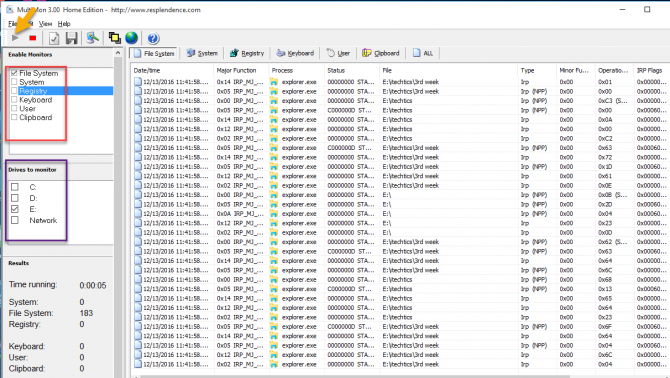
- FolderChangesView (NirSoft) — lightweight, folders/drives වලට real-time change log එකක්.
- Directory Monitor — folders watch කරලා events වලදී scripts run කරන්න, email කරන්න, නැත්නම් log කරන්න පුළුවන්.
- Watch 4 Folder — changes එකේදී actions (program එකක් run කරන්න, sound එකක් play කරන්න) trigger කරනවා.
- TheFolderSpy — alerts එක්ක simple monitor එකක්.
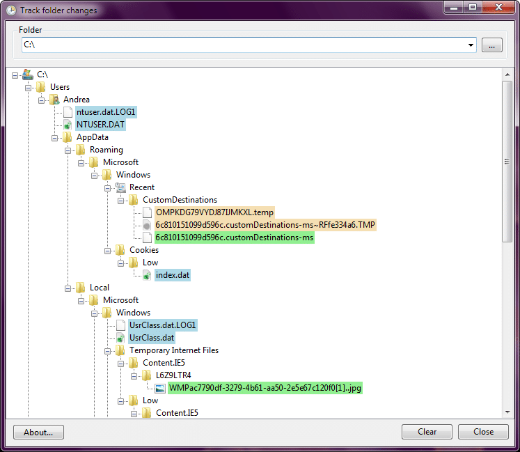
- Track Folder Changes — basic real-time change tracking.
How to Use (General Steps)
1. monitor එකක් (උදා: FolderChangesView) එකේ official site එකෙන් install කරන්න.
2. Watch කරන්න ඕන folder එකට (ඕන නම් subfolders වලටත්) point කරන්න.
3. Monitoring එක start කරන්න; changes timestamps සහ event types එක්ක live පෙන්නනවා.
4. Tool එකෙන් support කරනවා නම් alerts/actions configure කරන්න.
Built-in Alternative
- PowerShell එකේ FileSystemWatcher එකෙන් script එකකින් folder එකක් monitor කරන්න පුළුවන්.
- Example: [System.IO.FileSystemWatcher] එකක් උඩ Register-ObjectEvent පාවිච්චි කරලා events log කරන්න.
- අමතර software නැතුව automation වලට හොඳයි.
Troubleshooting
Problem: සමහර events miss වෙනවා.
Solution: Subfolder monitoring enable කරලා tool එක ප්රමාණවත් permissions එක්ක run කරන්න.
Problem: Events/noise වැඩියි.
Solution: Tool එකේ settings වල file type නැත්නම් event type එකෙන් filter කරන්න.
Problem: Folder එකක Access denied.
Solution: Protected locations watch කරන්න monitor එක administrator විදිහට run කරන්න.
Problem: Scripted automation ඕන.
Solution: Changes වලට programmatically react වෙන්න PowerShell එකේ FileSystemWatcher එක පාවිච්චි කරන්න.
Conclusion
Real-time folder monitoring වලට FolderChangesView සහ Directory Monitor නියම free choices, Watch 4 Folder එකෙන් changes එකේදී actions trigger කරන්නත් පුළුවන්. අමතර tools නැතුව automation වලට PowerShell එකේ FileSystemWatcher එක වැඩේ කරනවා — නමුත් monitor කරන්නේ ඔයාට authorize වුනු folders විතරයි කියලා මතක තියාගන්න.