Overview
Network mapping tools වලින් network එකක devices automatically discover කරලා visual topology එකක් අඳිනවා — documentation, troubleshooting, සහ security වලට ගොඩක් වටිනවා. මේ guide එකෙන් එකක් තෝරගන්නේ කොහොමද සහ හොඳම free සහ paid options cover කරනවා.
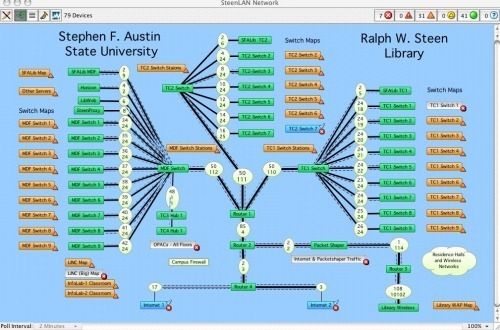
Network mapping tools වලින් network එකක devices visualize කරනවා.
Key Takeaways
- Mapping tools devices auto-discover කරලා network topology අඳිනවා.
- Nmap සහ Spiceworks වගේ free options small networks සහ learning වලට හොඳයි.
- Paid tools (PRTG, Device42, Intermapper) monitoring, alerts, සහ scale එකතු කරනවා.
- Network size, monitoring needs, සහ budget අනුව තෝරන්න.
Network Mapping Tool එකක් තෝරගන්නේ කොහොමද
- Network size — small home/office vs large enterprise.
- Discovery method — ping/ARP, SNMP, WMI, හෝ agent-based.
- Monitoring — live status, alerts, සහ bandwidth tracking ඕනද?
- Budget සහ ease of use.
හොඳම Free Tools
- Nmap (Zenmap එක්ක) — hosts සහ topology map කරන powerful, free scanner.
- Spiceworks — small/medium networks වලට free network mapping සහ inventory.
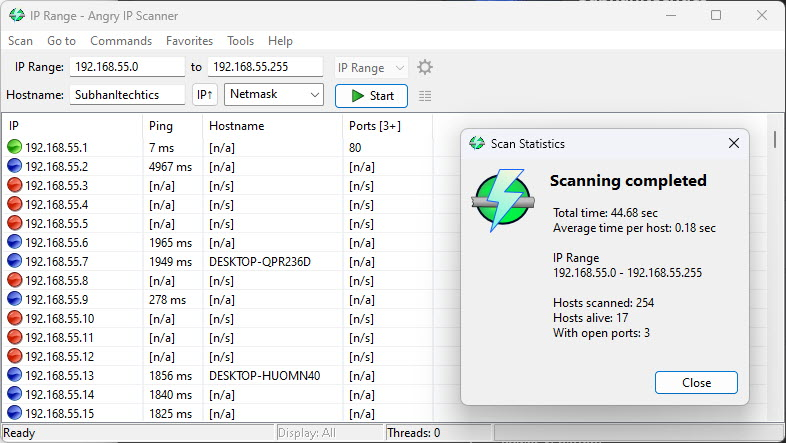
- Advanced IP Scanner — subnet එකක quick, simple device discovery.
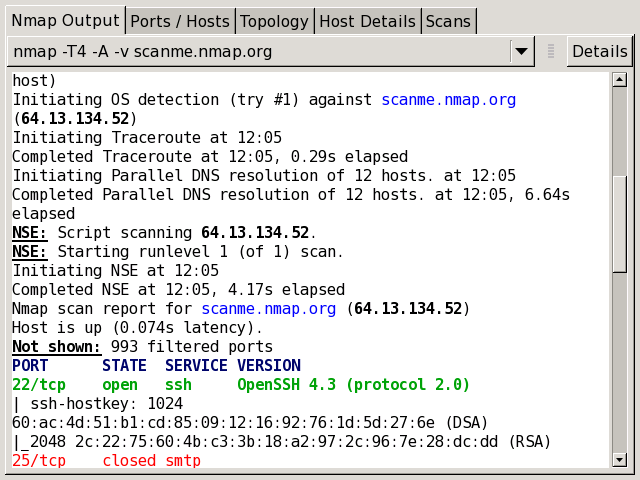
Nmap කියන්නේ powerful free network scanner එකක්.
හොඳම Paid Tools
- PRTG Network Monitor — mapping එක්කම comprehensive monitoring සහ alerts.
- Device42 — enterprises වලට discovery, IPAM, සහ detailed asset/rack mapping.
- Intermapper — alerting එක්ක live, color-coded topology maps.
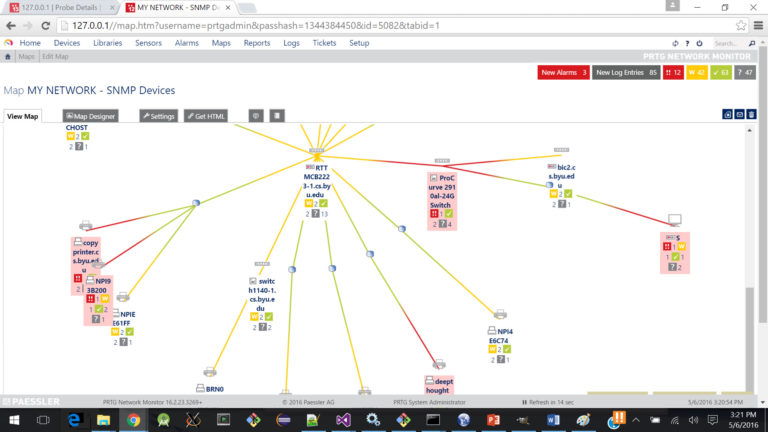
PRTG එකෙන් SNMP devices map කරලා monitor කරනවා.
Warning: Scan/map කරන්නේ ඔබ අයිති හෝ manage කරන්න authorized networks විතරයි.
Frequently Asked Questions
Problem: Map එකෙන් සමහර devices miss වෙනවා.
Solution: Devices වල SNMP/WMI enable කරලා, scan range එක subnets ඔක්කොම cover කරනවා, firewalls discovery allow කරනවා කියලා බලන්න.
Problem: Home network එකකට හොඳම කොයි එකද?
Solution: Advanced IP Scanner හෝ Nmap free, home use වලට ඇතිවට වඩා.
Problem: මට map එකක් විතරක් නෙවෙයි monitoring ඕන.
Solution: Live status, alerting, සහ historical data එකතු කරන PRTG හෝ Intermapper තෝරන්න.
Problem: Discovery slow.
Solution: IP range එක narrow කරලා, පුළුවන් තැන SNMP පාවිච්චි කරලා, off-peak times වල scans run කරන්න.
Conclusion
Network එකක් map කරන්න, Nmap සහ Spiceworks වගේ free tools small setups cover කරනවා, PRTG, Device42, සහ Intermapper larger environments වලට monitoring සහ scale එකතු කරනවා. Size, monitoring needs, සහ budget අනුව තෝරන්න — authorized networks විතරයි scan කරන්න.
About TechHub
මේ guide එක TechHub Knowledge Base එකේ කොටසක්. තව step-by-step IT guides සහ support වලට techhub.com.lk එකට යන්න.