Office 2019 Professional Plus යනු Word, Excel, PowerPoint, Outlook, Publisher සහ Access සහිත perpetual (එක් වරක් මිලදී ගන්නා) suite එකයි. සූදානම් වීමේ සිට activation දක්වා සම්පූර්ණ ක්රියාවලිය මෙන්න.
කොටස 1 — සූදානම් වීම
System requirements
- Windows 10 හෝ 11 (Office 2019, Windows 7/8.1 වල ක්රියා නොකරයි)
- 1.6 GHz dual-core processor · RAM 4 GB · free disk 4 GB · activation එකට internet
පරණ Office version එක uninstall කරන්න
Office generations දෙකක් එක PC එකක තිබීමෙන් conflicts ඇති වේ. Settings → Apps එකෙන් පරණ version ඉවත් කර, පරණ keys ද clear කරන්න — Office licence එකක් ඉවත් කරන ලිපිය බලන්න. ඉන්පසු restart කරන්න.
කොටස 2 — ISO සහ IMG අතර වෙනස
දෙකම disc-image formats — Windows වල double-click කර mount කළ හැක. ISO වඩා සුලභ standard එක පමණයි; ඔබට ලැබුණේ .img file එකක් නම් පහත පියවරම අදාළයි.
කොටස 3 — Download කර install කරන්න (64-bit)
Download
- TechHub delivery email එකේ ඇති official ISO link එක භාවිතා කරන්න, නැතහොත් TechHub Download Center එකෙන් ගන්න.
- ISO එක GB කීපයක් — ස්ථාවර connection එකක් අවශ්යයි.
Install
- Download කළ ISO එක right-click → Mount. File Explorer එකේ virtual DVD drive එකක් පෙන්වයි.
- Drive එක open කර Setup.exe එක administrator ලෙස run කරන්න.
- "You're all set!" message එක එනතුරු රැඳී සිටින්න.
- ඉන්පසු virtual drive එක Eject කළ හැක.
කොටස 4 — Activate
Online activation (මුලින්ම)
- ඕනෑම Office app එකක් open කරන්න — Activation Wizard එක එයි.
- Delivery email එකේ ඇති 25-character key එක ඇතුළත් කර internet activation තෝරන්න.
Phone activation — "key already used" කිව්වොත්
කලින් activate වූ keys (reinstall/hardware change වලින් පසු) මේ message එක පෙන්වයි. Key එක නරක නැත — telephone ක්රමයෙන් activate කළ යුතුය:
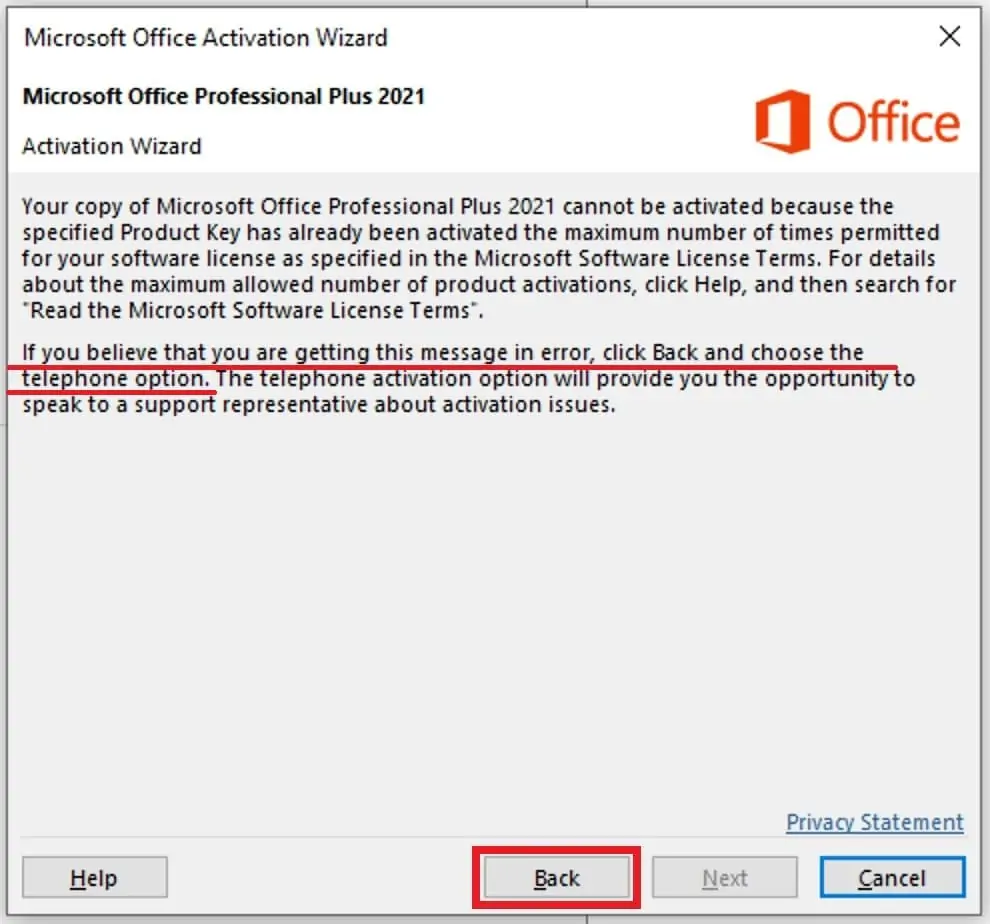
Back click කර telephone option එක තෝරන්න. (Screenshots 2021 wizard එකේ — 2019 wizard එක සමානයි.)
- "I want to activate the software by telephone" තෝරා Next click කරන්න:
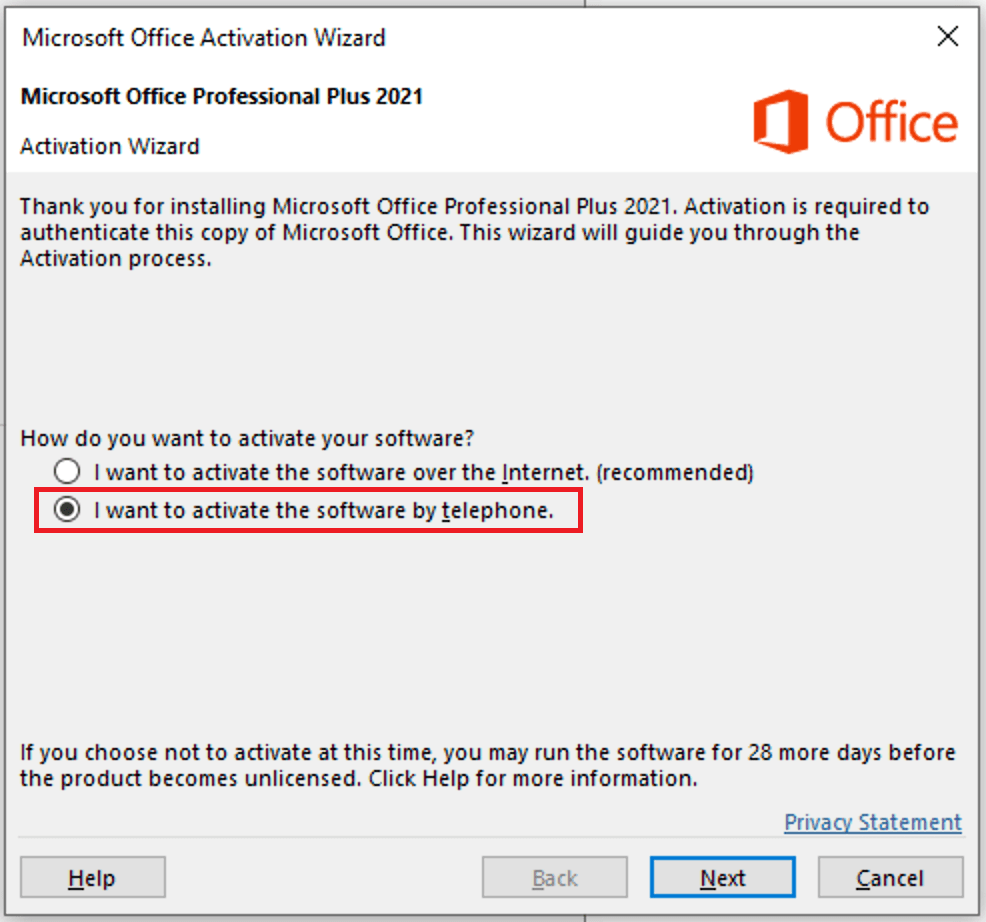
- ඊළඟ screen එකේ ඕනෑම රටක් තෝරා Installation ID එක (Step 2 හි දිගු අංකය) copy කරගන්න:
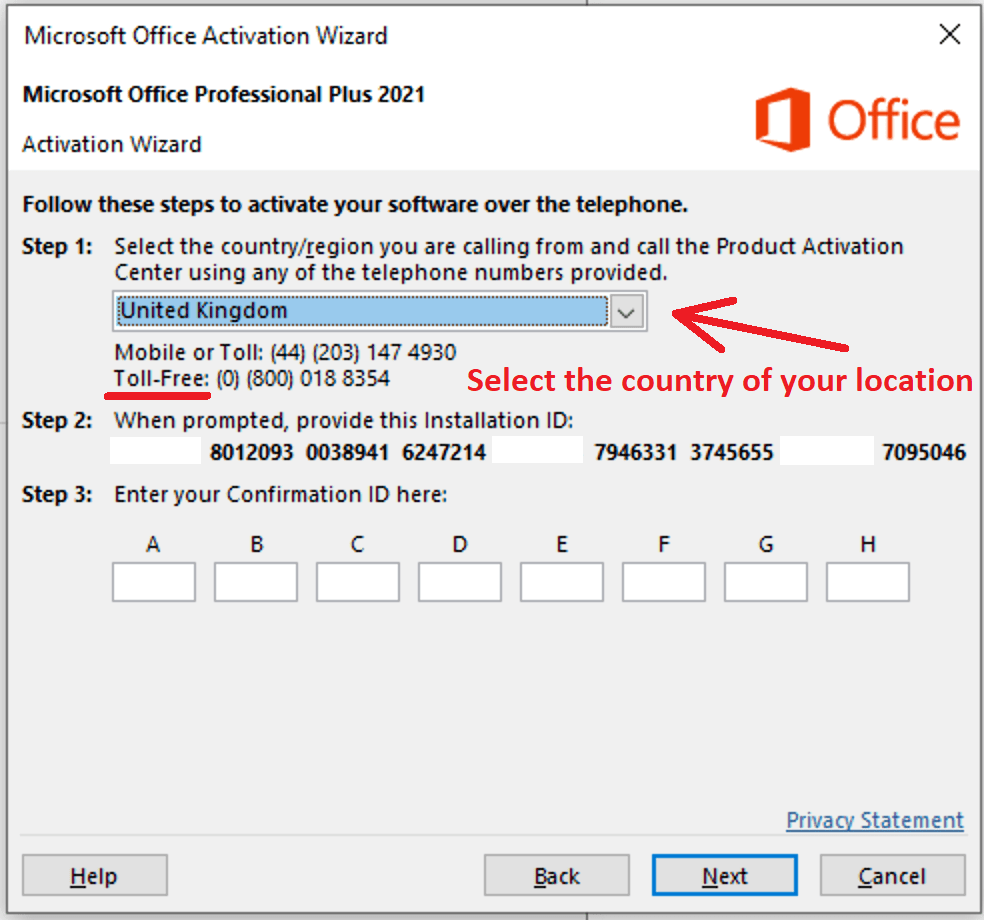
- Call කරනවා වෙනුවට TechHub Get CID tool එක open කර Order ID + Installation ID paste කර තත්පර කීපයකින් Confirmation ID එක ලබාගන්න.
- Confirmation ID එක A–H boxes වලට type කර Next click කරන්න:
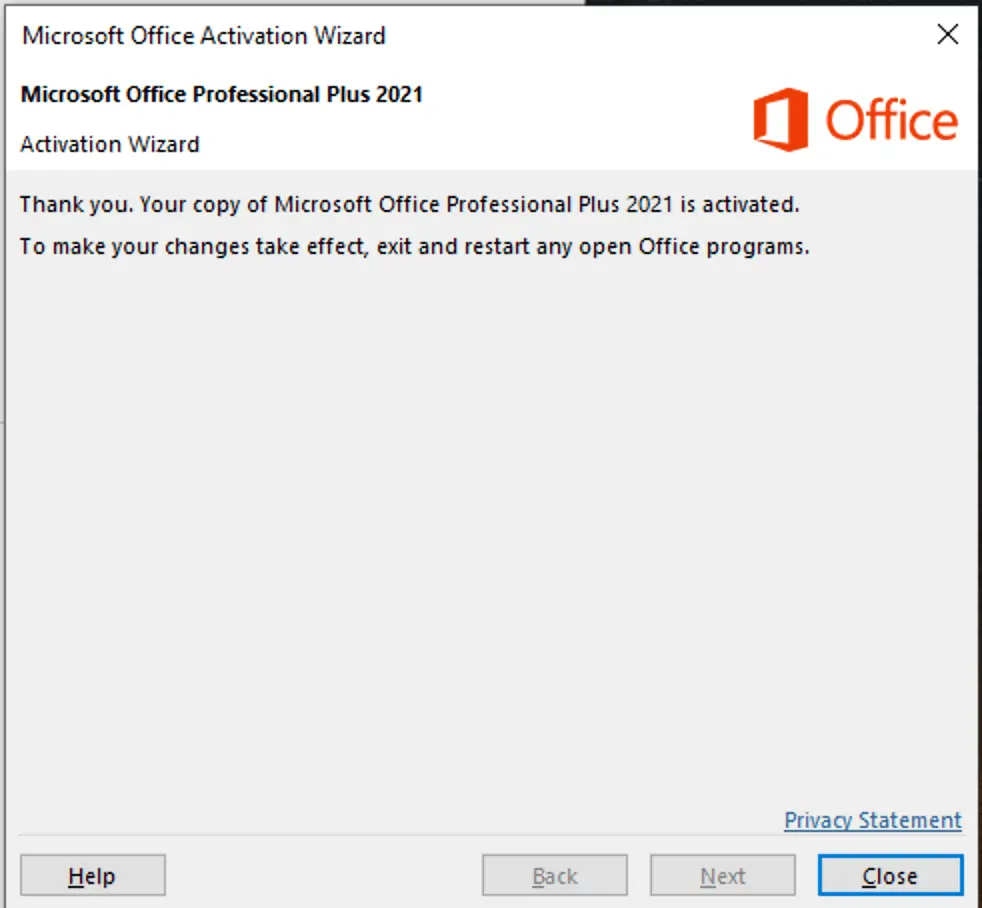
File → Account එකේ Product Activated ලෙස පෙන්වේ.
ගැටලු විසඳුම්
- ISO එකෙන් Setup start නොවේ — ISO එක නැවත download කර administrator ලෙස run කරන්න.
- "Another version of Office is installed" — කොටස 1 හි uninstall පියවර සම්පූර්ණ කර restart කරන්න.
- Key කෙලින්ම reject වේ — email එකෙන් copy-paste කරන්න; key එක Office 2019 Professional Plus සඳහාම බව බලන්න.
- Confirmation ID වැඩ නොකරයි — wizard එක වැසුවොත් Installation ID එක වෙනස් වේ; screen එකේ දැන් ඇති IID එකෙන්ම CID එක ගන්න. සම්පූර්ණ Get CID ලිපිය බලන්න.
Genuine key එකක්
Office 2019 Professional Plus keys instant email delivery + activation සහාය නොමිලේ — TechHub වෙතින්.