Overview
shutdown command එක මගින් ඔබට Windows PC එකක් Command Prompt හෝ PowerShell එකෙන් restart කරන්න හෝ power off කරන්න පුළුවන්. මේක scripts, scheduled maintenance, සහ remote machines restart කරන්න හොඳටම ගැලපෙනවා. මේ guide එකෙන් වඩාත් ප්රයෝජනවත් options ගැන කතා කරනවා.
Key Takeaways
- shutdown command එකෙන් command line එකෙන් restart සහ shutdown පාලනය කරනවා.
- /r restart කරනවා, /s shut down කරනවා, සහ /t තත්පර වලින් delay එකක් set කරනවා.
- /m \\\\computername එකෙන් remote machine එකක් target කරනවා.
- /a එකෙන් ඔබ පටන් ගත් pending shutdown එකක් abort කරනවා.
Restart the Local PC
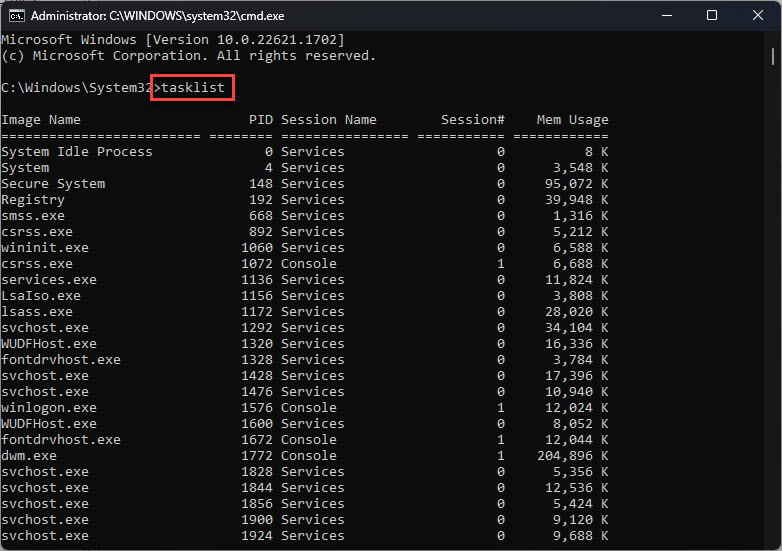
1. Command Prompt හෝ PowerShell එක open කරන්න.
2. වහාම restart කරන්න: shutdown /r /t 0
3. delay එකකට පස්සේ restart කරන්න, උදාහරණයක් විදිහට තත්පර 60ක්: shutdown /r /t 60
4. pending restart එකක් cancel කරන්න: shutdown /a
Restart a Remote PC
1. remote machine එකේ ඔබට administrative rights තියෙනවද කියලා සහ එයට reach කරන්න පුළුවන්ද කියලා තහවුරු කරගන්න.
2. Run කරන්න: shutdown /r /m \\\\computername /t 0
3. අවශ්ය නම් running applications force close කරන්න /f එකතු කරන්න.
4. reboot වුණාට පස්සේ machine එක ආපහු online වෙනවද කියලා confirm කරන්න.
Warning: /f එකෙන් restart එකක් force කරද්දී apps save නොකර close වෙනවා. users ට warn කරලා වැඩ පළමුව save කරගන්න, මොකද save නොකළ data නැති වෙනවා.
Troubleshooting
Problem: remote PC එකක් restart කරද්දී Access is denied කියලා එනවා.
Solution: command prompt එක administrator විදිහට run කරලා target machine එකේ admin rights තියෙන account එකක් පාවිච්චි කරන්න.
Problem: remote computer එකට contact කරන්න බැහැ.
Solution: එය power on වෙලා තියෙනවද, ping එකෙන් reachable ද, සහ Remote Registry සහ firewall rules shutdown එකට permit කරනවද කියලා confirm කරන්න.
Problem: scheduled shutdown එකක් cancel වෙන්නේ නැහැ.
Solution: timer එක expire වෙන්න කලින් එම prompt එකෙන්ම හෝ elevated prompt එකකින් shutdown /a run කරන්න.
Problem: apps shutdown එක block කරනවා.
Solution: වැදගත් වැඩ save කරගත්තට පස්සේ applications force close කරන්න /f switch එක එකතු කරන්න.
Conclusion
shutdown command එක කුඩා වුණාට machines demand එකට, timer එකකට, හෝ network එක හරහා restart කරන්න බලවත් tool එකක් — scripts සහ remote administration වලට හරියටම ගැලපෙනවා.
About TechHub
මේ guide එක TechHub Knowledge Base එකේ කොටසක්. තව step-by-step IT guides සහ support වලට techhub.com.lk එකට යන්න.