Overview
commands කිහිපයක් එකින් එක run කරන එක තනි තනිව කරද්දී කම්මැලි වැඩක්. Command Prompt සහ PowerShell වල operators support කරනවා, ඒවා මගින් commands එකට run වෙන්න chain කරන්න පුළුවන් — කොන්දේසි විරහිතව හෝ කලින් එක සාර්ථක වුණාද කියන එක මත. මේ guide එකෙන් key operators ගැන කතා කරනවා.
Key Takeaways
- & operator එකෙන් සාර්ථකත්වය නොසලකා commands එකින් එක run කරනවා.
- && operator එකෙන් next command එක run කරන්නේ කලින් එක සාර්ථක වුණොත් විතරයි.
- || operator එකෙන් next command එක run කරන්නේ කලින් එක fail වුණොත් විතරයි.
- මේ operators quick scripts සහ one-line workflows වලට හොඳටම ගැලපෙනවා.
Use Chaining Operators
1. commands පිළිවෙළට run කරන්න: command1 & command2
2. පළමු එක සාර්ථක වුණොත් විතරක් දෙවැන්න run කරන්න: command1 && command2
3. පළමු එක fail වුණොත් විතරක් fallback එකක් run කරන්න: command1 || command2
4. ඒවා combine කරන්න, උදාහරණයක් විදිහට: ipconfig /release && ipconfig /renew
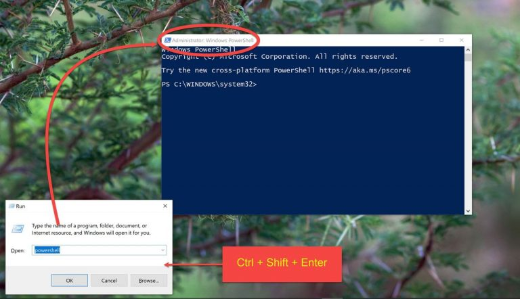
Notes for PowerShell
1. පරණ PowerShell වල, commands semicolon එකකින් වෙන් කරන්න: command1; command2
2. PowerShell 7 වලත් Command Prompt වගේ && සහ || operators support කරනවා.
3. execution order එක control කරන්න complex commands parentheses වලින් wrap කරන්න.
Tip: dependent steps වලට && පාවිච්චි කරන්න, ඒ නිසා පසුව එන command එකක් කලින් එකේ failure එක මත කවදාවත් run වෙන්නේ නැහැ, half-finished operations වළක්වා ගන්නවා.
Troubleshooting
Problem: පළමු command එක fail වුණත් දෙවැන්න run වෙනවා.
Solution: & වෙනුවට && පාවිච්චි කරන්න, ඒ නිසා command එකක් error එකක් return කළොත් execution එක නවතිනවා.
Problem: PowerShell වල && recognize වෙන්නේ නැහැ.
Solution: Windows PowerShell 5 වල semicolon එකක් පාවිච්චි කරන්න, හෝ && support කරන PowerShell 7 වලට upgrade කරන්න.
Problem: spaces තියෙන command එකක් chain එක බිඳ දානවා.
Solution: spaces තියෙන paths සහ arguments quotation marks වලින් wrap කරන්න.
Problem: එක command එකකේ output එක ඊළඟ එකට බාධා කරනවා.
Solution: අවශ්ය තැන output එක redirect හෝ suppress කරන්න, හෝ commands saved batch script එකක් විදිහට run කරන්න.
Conclusion
Chaining operators මගින් නැවත නැවත command entry කරන එක කාර්යක්ෂම one-liners බවට පත් කරනවා. ඔබට sequential, success-dependent, හෝ fallback behavior අවශ්යද කියන එක මත &, &&, හෝ || තෝරන්න.
About TechHub
මේ guide එක TechHub Knowledge Base එකේ කොටසක්. තව step-by-step IT guides සහ support වලට techhub.com.lk එකට යන්න.