Overview
If you have spotted a file ending in ".crdownload" in your Downloads folder, there is no need to worry. It is a temporary placeholder that Google Chrome and other Chromium-based browsers (such as Microsoft Edge, Brave, and Opera) create while a file is still being downloaded. This guide explains what these files are, why they appear, and how to open, finish, or clean them up.
Key Takeaways
- A .crdownload file is an incomplete download that a Chromium-based browser is still writing to disk.
- When the download finishes normally, the browser removes the .crdownload extension automatically and the file becomes usable.
- You can open an interrupted download by resuming it, or by manually renaming the file to its intended extension once you are sure it is complete.
- Leftover .crdownload files from broken downloads are safe to delete and free up disk space.
What Is a CRDOWNLOAD File?
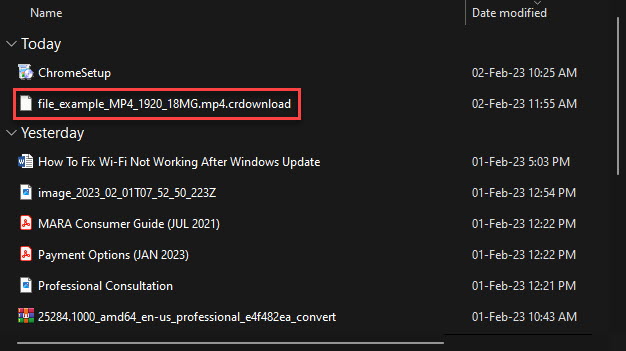
A CRDOWNLOAD file is a partially downloaded file. While a download is in progress, Chromium browsers stream the incoming data into a file with the ".crdownload" extension so the operating system does not treat it as a finished, openable document. Once every byte has arrived, the browser renames the file to its real name and extension — for example, "setup.exe.crdownload" becomes "setup.exe".
A file with the .crdownload extension in the Downloads folder.
Why Browsers Use the CRDOWNLOAD Extension
The temporary extension prevents you from accidentally opening or running a file before it is complete. A half-downloaded installer or video would be corrupt and could fail or behave unpredictably. By marking the file as ".crdownload" until the transfer succeeds, the browser guarantees that only fully downloaded, intact files appear with their normal names.
How to Open a CRDOWNLOAD File
The right approach depends on whether the download is still active, paused, or permanently interrupted.
Method 1: Complete the Download
1. Open your browser and press Ctrl + J to open the Downloads page.
2. Find the interrupted item in the list. If it shows a "Resume" option, click it to continue the transfer.
3. Wait for the download to reach 100%. The browser will automatically remove the .crdownload extension and the file will be ready to use.
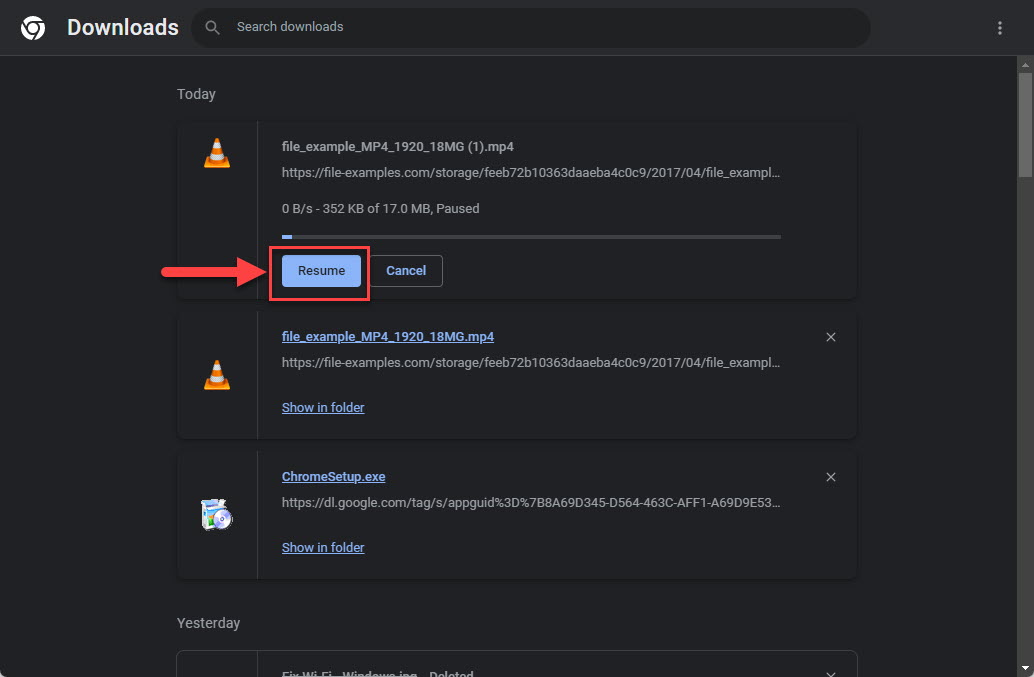
Resuming a paused download from the browser Downloads page.
Tip: If the original download link no longer works, start the download again from the source website rather than trying to repair the partial file.
Method 2: Rename the File Manually
If the download cannot be resumed but you believe the file is actually complete (for example, the file size matches the expected size), you can rename it to remove the temporary extension.
1. Open File Explorer and enable file extensions: click the View menu and turn on "File name extensions".
2. Right-click the .crdownload file and choose Rename.
3. Delete the ".crdownload" portion so the name ends with the correct extension (for example, ".pdf", ".zip", or ".exe").
4. Press Enter and confirm the change when Windows asks whether you want to change the extension.
5. Open the file to check that it works. If it is corrupt or incomplete, download it again.
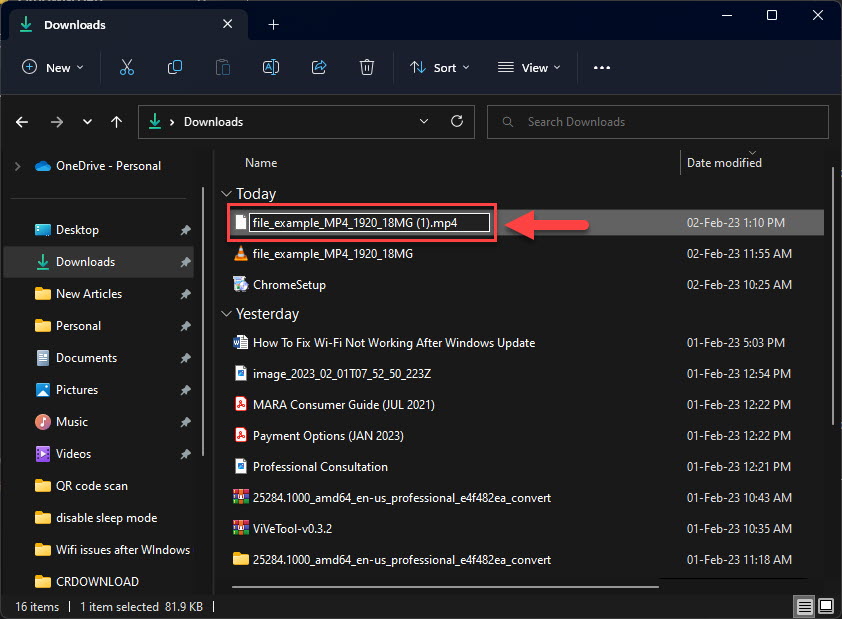
Removing the .crdownload extension so the file returns to its intended format.
Warning: Only rename a partial file if you are confident the download actually finished. Renaming a genuinely incomplete file produces a corrupt document, and running a corrupt executable can cause errors.
Cleaning Up Leftover CRDOWNLOAD Files
Broken or cancelled downloads often leave orphaned .crdownload files behind. These serve no purpose once the download has failed, so deleting them is safe and reclaims disk space. Simply select any leftover .crdownload files in your Downloads folder and delete them. If Windows reports that a file is in use, close your browser first and try again.
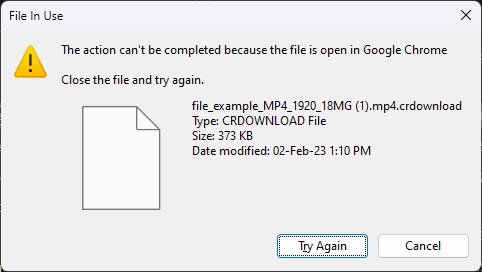
Windows may report a file is in use if the browser is still downloading it.
Troubleshooting
Problem: The .crdownload file will not open even after renaming it.
Solution: The download was incomplete. Delete the file and download it again from the original source, ensuring your internet connection stays stable throughout.
Problem: There is no Resume option for the interrupted download.
Solution: Some servers do not support resuming. Start a fresh download from the website, or use a download manager that supports pause and resume.
Problem: Windows says the .crdownload file is in use and cannot be deleted.
Solution: The browser is still holding the file. Close all browser windows (or fully quit the browser from Task Manager) and then delete the file.
Problem: You are unsure whether a .crdownload file is safe.
Solution: The extension itself is not malware, but treat the underlying file with the same caution as any download. Only keep files from sources you trust and scan executables with your antivirus before running them.
Conclusion
A .crdownload file is simply a download in progress. In most cases you only need to let the transfer finish and the browser will hand you a ready-to-use file. When a download breaks, you can either resume it, rename a genuinely complete file, or safely delete the leftover placeholder to keep your Downloads folder tidy.
About TechHub
This guide is part of the TechHub Knowledge Base. For more step-by-step IT guides and support, visit techhub.com.lk.