Overview
Windows 11 IoT Enterprise LTSC is a specialised edition built for stability and long-term support rather than frequent new features. It is widely used for fixed-purpose and embedded devices — kiosks, point-of-sale terminals, medical and industrial equipment — but enthusiasts also value it as a lean, low-noise version of Windows. This guide explains what it is, how to download it, and its pros and cons.
Windows 11 IoT Enterprise LTSC is the long-term-support, low-maintenance edition.
Key Takeaways
- LTSC (Long-Term Servicing Channel) prioritises stability and security over new features.
- IoT Enterprise LTSC ships without most of the consumer apps and bloat, making it lean.
- It receives a long support window (around 10 years), with security updates but few feature changes.
- Download it only from Microsoft’s official Evaluation Center or volume licensing.
What Is Windows 11 IoT Enterprise LTSC?
Windows 11 IoT is a version of Windows 11 designed for Internet of Things and fixed-function devices. The LTSC variant minimises feature updates and removes much of the standard consumer software, providing a stable, predictable platform. Because it changes little over time, it is ideal for devices that must run unattended and reliably for years.
Who Should Use It?
- Embedded and industrial devices that need a fixed, unchanging OS.
- Kiosks, ATMs, point-of-sale, and digital signage systems.
- Specialised workstations where feature updates would be disruptive.
- Power users who want a minimal Windows 11 without consumer apps (with the caveat that it is licensed for device-specific use).
How to Download Windows 11 IoT Enterprise LTSC
1. Open Microsoft’s official download or Evaluation Center page for Windows 11 IoT Enterprise LTSC.
2. Select your edition and product language.
3. Choose the 64-bit ISO and start the download.
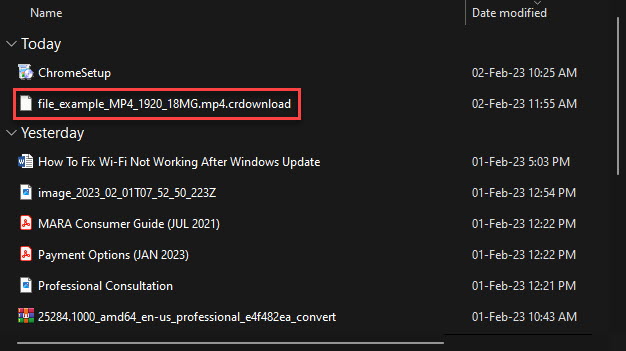
4. Verify the download completed fully before creating installation media.
Warning: Only download the ISO from Microsoft’s official channels (Evaluation Center or volume licensing). Proper use also requires the appropriate licence for your device.
Pre-Install Notes
- LTSC is intended for specific devices and licensing scenarios — confirm your use case is covered.
- Some Microsoft Store apps and consumer features are absent by design; you can add the Store manually if needed.
- Standard Windows 11 hardware requirements (TPM 2.0, Secure Boot, UEFI) still apply.
- Create installation media with the Media Creation approach, Rufus, or Ventoy, as with any Windows ISO.
Pros and Cons
- Pro — Very stable, with minimal feature churn and a long support lifecycle.
- Pro — Lean and lightweight, without most pre-installed consumer apps.
- Pro — Strong fit for unattended, fixed-purpose devices.
- Con — Not licensed for general consumer desktop use; intended for devices.
- Con — Misses new consumer features and some app compatibility that ship with mainstream Windows 11.
- Con — Obtaining and licensing it correctly is more involved than a standard edition.
Troubleshooting
Problem: The Microsoft Store is missing.
Solution: This is expected on LTSC. You can install the Store and its dependencies manually if your scenario allows, though many LTSC deployments deliberately leave it out.
Problem: An app says it requires a non-LTSC edition.
Solution: Some software targets mainstream Windows. Check the vendor’s supported editions, or use the standard Windows 11 edition for that workload.
Problem: Setup blocks the install on requirements.
Solution: Enable TPM 2.0 and Secure Boot in UEFI; IoT Enterprise LTSC has the same core hardware requirements as Windows 11.
Problem: Unsure whether LTSC is right for you.
Solution: If you want the newest consumer features and broad app support, use standard Windows 11. Choose LTSC only for stability-critical, fixed-purpose devices.
Conclusion
Windows 11 IoT Enterprise LTSC trades new features for years of stability and a lean footprint. It is an excellent choice for fixed-purpose devices — just be sure to download it from Microsoft’s official channels and license it correctly for your use.
</w:pBdr><w:spacing w:before="220" w:after="40"/></w:pPr><w:r><w:rPr><w:b/><w:bCs/><w:color w:val="0B5394"/><w:sz w:val="21"/><w:szCs w:val="21"/><w:rFonts w:ascii="Calibri" w:cs="Calibri" w:eastAsia="Calibri" w:hAnsi="Calibri"/></w:rPr><w:t xml:space="preserve">About TechHub
This guide is part of the TechHub Knowledge Base. For more step-by-step IT guides and support, visit techhub.com.lk.