Overview
Windows Product ID එකයි Product Key එකයි එකවගේ ඇහෙනවා ඒත් වෙනස්. Product Key එකෙන් Windows activate කරනවා; Product ID එකෙන් support වලට ඔයාගේ installation එක identify කරනවා. මේ guide එකෙන් හැම එකක්ම, ඒවා වෙනස් වෙන්නේ කොහොමද, සහ PC එකේ ඒවා හොයාගන්නේ කොහොමද කියලා පැහැදිලි කරනවා.
Product ID එකයි Product Key එකයි Windows වල වෙනස් අරමුණු වලට වැඩ කරනවා.
Key Takeaways
- Product Key එක (characters 25) Windows activate කරන්න පාවිච්චි කරනවා.
- Product ID එකෙන් ඔයාගේ installation එක identify කරලා support වලට පාවිච්චි කරනවා.
- Product ID එක Settings > System > About වල හොයාගන්න පුළුවන්.
- OEM keys බොහෝ විට single command එකකින් firmware එකෙන් read කරන්න පුළුවන්.
What Is the Windows Product ID?
Product ID එක කියන්නේ ඔයාගේ specific Windows installation එක identify කරන number එකක්. ඒක generate වෙන්නේ installation/activation එකේදී වගේම ප්රධාන වශයෙන් පාවිච්චි වෙන්නේ Microsoft support එක්ක contact වෙනකොට. ඒක තනිවම Windows activate කරන්නේ නැහැ.
How to Find the Product ID
1. Settings > System > About open කරන්න.
2. Windows specifications section එකට scroll කරන්න.
3. එතන Product ID value එක බලන්න. (sysdm.cpl හරහා System Properties වලත් ඒක බලන්න පුළුවන්.)
What Is the Windows Product Key?
Product Key එක කියන්නේ ඔයාගේ Windows copy එක activate කරන්න පාවිච්චි කරන character 25 code එකක් (පහේ groups පහක්). අලුත් PCs වල ඒක ඔයා type කරන code එකක් නෙවෙයි, ඔයාගේ hardware සහ Microsoft account එකට tie වුණු digital licence එකක් වෙන්න පුළුවන්.
How to Find the Product Key
1. OEM/firmware key එකකට, Command Prompt එක administrator විදිහට open කරලා මේක run කරන්න: wmic path softwarelicensingservice get OA3xOriginalProductKey
2. නැත්නම් PowerShell එකේ: (Get-WmiObject -query "select * from SoftwareLicensingService").OA3xOriginalProductKey
3. ඒක blank return කරනවා නම්, ඔයාගේ licence එක digital එකක් (ඔයාගේ account/hardware එකට link වුණු), stored key එකක් නෙවෙයි.
Note: Digital licence එකකට read කරන්න පුළුවන් character 25 key එකක් නැහැ. reinstall එකකට පස්සේ licence එක automatically reactivate වෙන්න ඔයාගේ Microsoft account එකෙන් sign in වෙන්න.
Product ID vs Product Key
- Product Key — Windows activate කරනවා; characters 25; private තියාගන්න.
- Product ID — ඔයාගේ installation එක identify කරනවා; support වලට පාවිච්චි කරනවා; activate කරන්න පාවිච්චි කරන්නේ නැහැ.
- Reinstall කරලා activate කරන්න ඔයාට Product Key එක (හෝ digital licence එකක්) ඕන; Product ID එක informational.
Frequently Asked Questions
Problem: Product ID එකයි Product Key එකයි එකද?
Solution: නැහැ. Product Key එක Windows activate කරනවා; Product ID එක support අරමුණු වලට ඔයාගේ install එක identify කරනවා.
Problem: Licence key එකයි product key එකයි එකද?
Solution: එදිනෙදා පාවිච්චියේදී, ඔව් — දෙකම යොමු කරන්නේ character 25 activation code එකට (හෝ digital licence සමානයට).
Problem: Key command එකෙන් මොකුත් return කරන්නේ නැහැ.
Solution: ඔයාගේ PC එක stored key එකක් නැති digital licence එකක් පාවිච්චි කරනවා. activation එක carry over වෙන්න ඔයාගේ Microsoft account එක link කරන්න.
Problem: Reinstall කරන්න මට key එක ඕන.
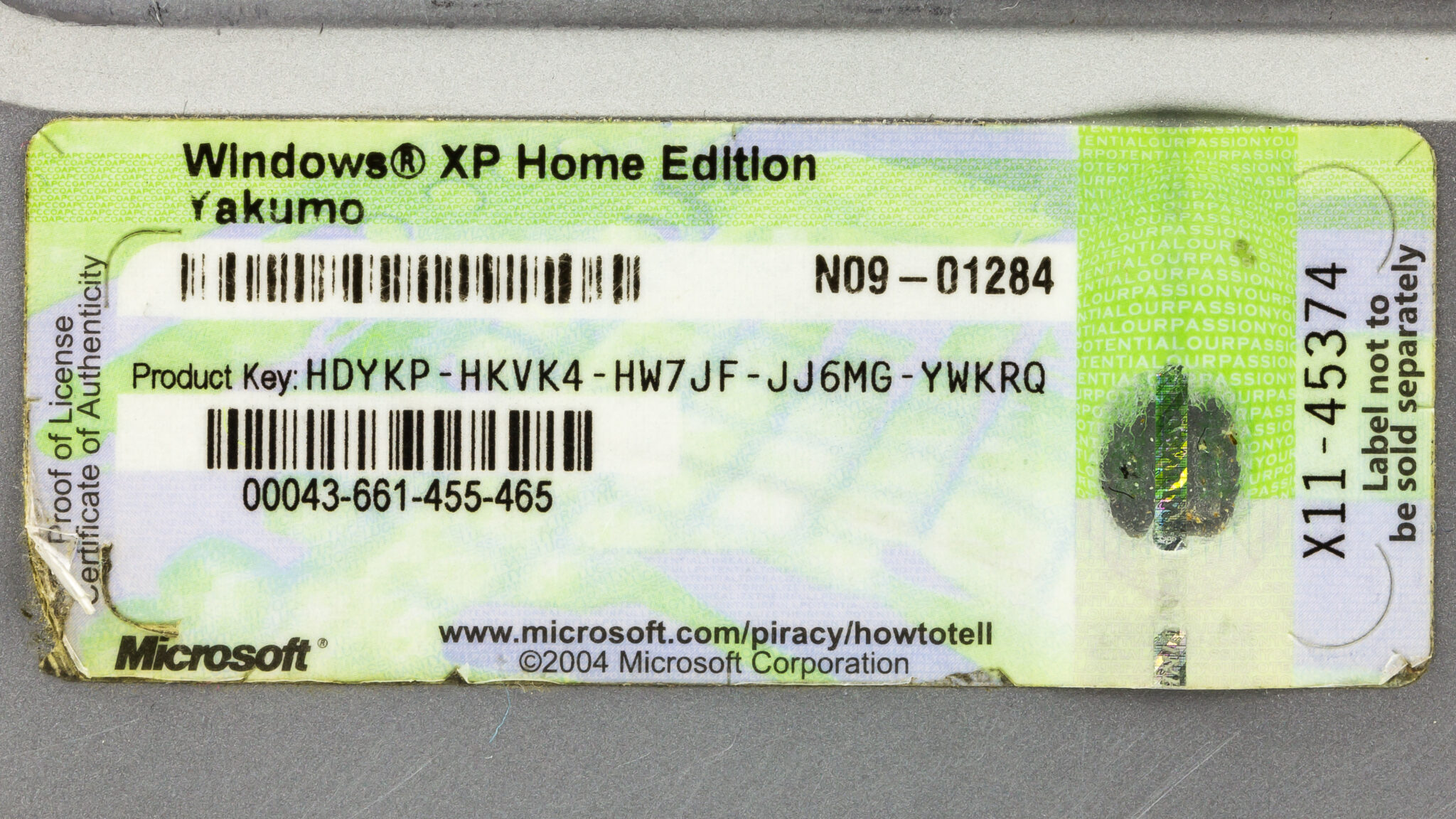
Solution: OEM firmware key command එක, ඔයාගේ purchase email/sticker, පාවිච්චි කරන්න, නැත්නම් එකම Microsoft account එකෙන් sign in වෙලා digital licence එක මත රඳා පවතින්න.
Conclusion
Product Key එකෙන් Windows activate කරන අතර Product ID එකෙන් ඔයාගේ installation එක identify කරනවා. Product ID එක Settings > About වල හොයන්න, සහ OEM key එකක් single command එකකින් read කරන්න — නැත්නම් key එකක් store වෙලා නැත්නම් ඔයාගේ digital licence එක මත රඳා පවතින්න.
About TechHub
මේ guide එක TechHub Knowledge Base එකේ කොටසක්. තව step-by-step IT guides සහ support වලට techhub.com.lk එකට යන්න.