Overview
Microsoft has shipped Windows Server in several editions, each aimed at a different scale of organisation and licensed in a different way. Choosing the right edition affects cost, the features you can use, and how many virtual machines you are entitled to run. This guide summarises the main editions, what they are designed for, and how to decide which one fits your needs.
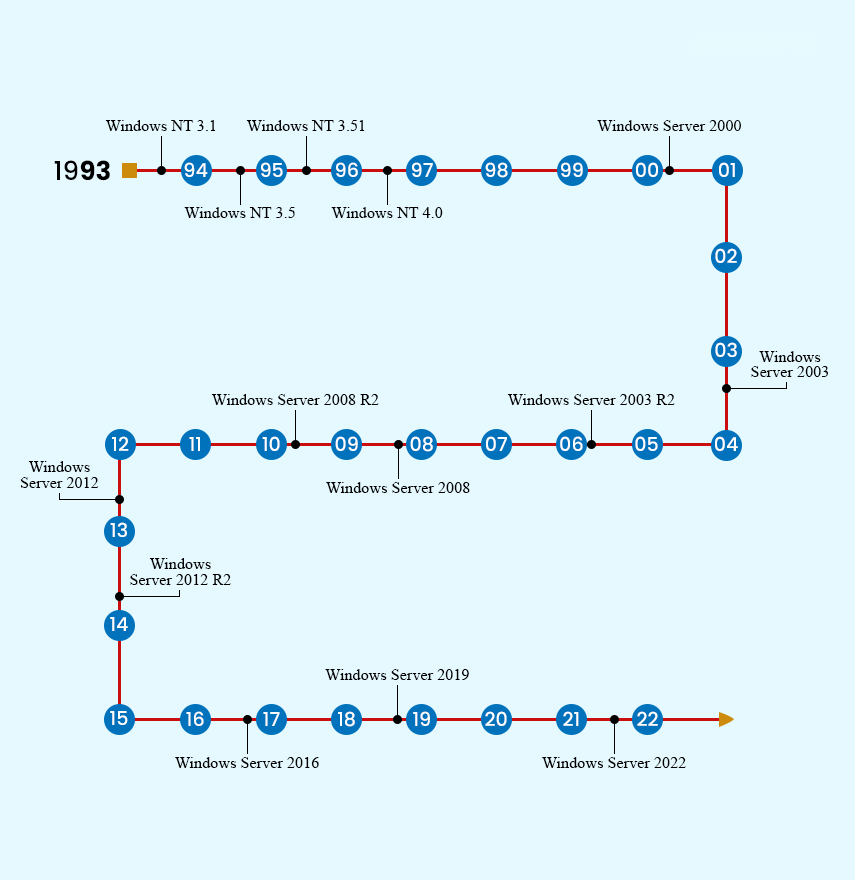
The main Windows Server editions and where each one fits.
Key Takeaways
- Standard and Datacenter are the two editions Microsoft actively sells today.
- The key difference between Standard and Datacenter is virtualization rights and advanced datacenter features.
- Essentials targets small businesses with a simple, single-server, lower-cost licence.
- Web, Foundation and Enterprise are legacy editions from older releases and are no longer sold.
- Licensing for modern editions is core-based, so the number of physical CPU cores matters.
Standard Edition
Windows Server Standard is the mainstream choice for physical or lightly virtualized environments. It includes the full server role set and, per licence, grants the right to run up to two virtual machines (plus the host used only for virtualization). It suits businesses that run a handful of workloads and do not need dense virtualization.
Datacenter Edition
Datacenter shares the same core feature set as Standard but adds unlimited virtualization rights and advanced capabilities aimed at large, highly virtualized or cloud environments. Features such as Storage Spaces Direct, Storage Replica, Software-Defined Networking and shielded virtual machines are reserved for Datacenter. It is the right choice for private clouds and heavily virtualized hosts.
Essentials Edition
Windows Server Essentials is a cost-effective edition for small organisations, typically capped at around 25 users and 50 devices. It offers a simplified setup and does not require separate Client Access Licences, making it attractive for a first server. It is limited to a single server per environment and lacks the virtualization rights of Standard and Datacenter.
Legacy Editions: Web, Foundation and Enterprise
Older Windows Server releases included additional editions. Web Edition was a stripped-down, low-cost edition intended purely for hosting websites and web applications. Foundation was an entry-level edition for very small businesses with a low user cap and a single-processor limit. Enterprise Edition sat between Standard and Datacenter in earlier versions, offering greater scalability and clustering before those capabilities were folded into Standard and Datacenter. None of these editions are part of current Windows Server releases.
<w:bottom w:val="single" w:color="DEEAF6" w:sz="2" w:space="4"/><w:left w:val="single" w:color="0B5394" w:sz="24" w:space="8"/><w:right w:val="single" w:color="DEEAF6" w:sz="2" w:space="4"/></w:pBdr><w:shd w:fill="DEEAF6" w:color="auto" w:val="clear"/><w:spacing w:before="80" w:after="160"/><w:ind w:left="120" w:right="120"/></w:pPr><w:r><w:rPr><w:b/><w:bCs/><w:color w:val="0B5394"/><w:sz w:val="21"/><w:szCs w:val="21"/><w:rFonts w:ascii="Calibri" w:cs="Calibri" w:eastAsia="Calibri" w:hAnsi="Calibri"/></w:rPr><w:t xml:space="preserve">Note: Modern Windows Server (2016 and later) is licensed per physical core, with a minimum number of cores per processor and per server. Confirm your core count before purchasing licences.
Which Edition Should You Choose?
- Small office, one server, few users: consider Essentials for simplicity and lower cost.
- General business workloads with minimal virtualization: choose Standard.
- Dense virtualization, private cloud, or software-defined datacenter features: choose Datacenter.
- Existing Web, Foundation or Enterprise deployments: plan a migration to a current Standard or Datacenter release.
<w:bottom w:val="single" w:color="E2F0E1" w:sz="2" w:space="4"/><w:left w:val="single" w:color="2E7D32" w:sz="24" w:space="8"/><w:right w:val="single" w:color="E2F0E1" w:sz="2" w:space="4"/></w:pBdr><w:shd w:fill="E2F0E1" w:color="auto" w:val="clear"/><w:spacing w:before="80" w:after="160"/><w:ind w:left="120" w:right="120"/></w:pPr><w:r><w:rPr><w:b/><w:bCs/><w:color w:val="2E7D32"/><w:sz w:val="21"/><w:szCs w:val="21"/><w:rFonts w:ascii="Calibri" w:cs="Calibri" w:eastAsia="Calibri" w:hAnsi="Calibri"/></w:rPr><w:t xml:space="preserve">Tip: If you expect to run many virtual machines, compare the total cost of multiple Standard licences against a single Datacenter licence — Datacenter often becomes cheaper past a certain VM density.
Frequently Asked Questions
Problem: Do Standard and Datacenter differ in performance?
Solution: No. They share the same core engine and role set. The differences are virtualization rights and a set of advanced datacenter-only features, not raw performance.
Problem: Can I upgrade from Standard to Datacenter later?
Solution: Yes. Windows Server supports an in-place edition upgrade from Standard to Datacenter using a Datacenter product key, without reinstalling.
Problem: Is Essentials still available in the latest release?
Solution: Microsoft has scaled back Essentials over time. Check the current release notes, and consider Standard if Essentials is unavailable or too limited for your user count.
Problem: Do I still need Client Access Licences (CALs)?
Solution: Standard and Datacenter require CALs for users or devices that access the server. Essentials does not require CALs within its supported limits.
Conclusion
Windows Server editions range from the small-business Essentials edition to the highly virtualized Datacenter edition, with Standard covering most general workloads. Legacy Web, Foundation and Enterprise editions have been retired. Match the edition to your virtualization needs and core count, and remember that Standard can be upgraded to Datacenter if your requirements grow.
About TechHub
This guide is part of the TechHub Knowledge Base. For more step-by-step IT guides and support, visit techhub.com.lk.