Overview
Microsoft Windows Server එක editions කිහිපයකින් නිකුත් කරලා තියෙනවා, ඒ හැම එකක්ම වෙනස් scale එකක organisation එකකට අරමුණු කරලා, වෙනස් විදිහට license කරලා තියෙනවා. හරි edition එක තෝරාගැනීම cost එකට, ඔයාට පාවිච්චි කරන්න පුළුවන් features වලට, සහ run කරන්න පුළුවන් virtual machines ගණනට බලපානවා. මේ guide එකෙන් ප්රධාන editions, ඒවා මොනවටද design කරලා තියෙන්නේ කියලා, සහ ඔයාගේ අවශ්යතාවට ගැළපෙන එක තෝරගන්නේ කොහොමද කියලා සාරාංශ කරනවා.
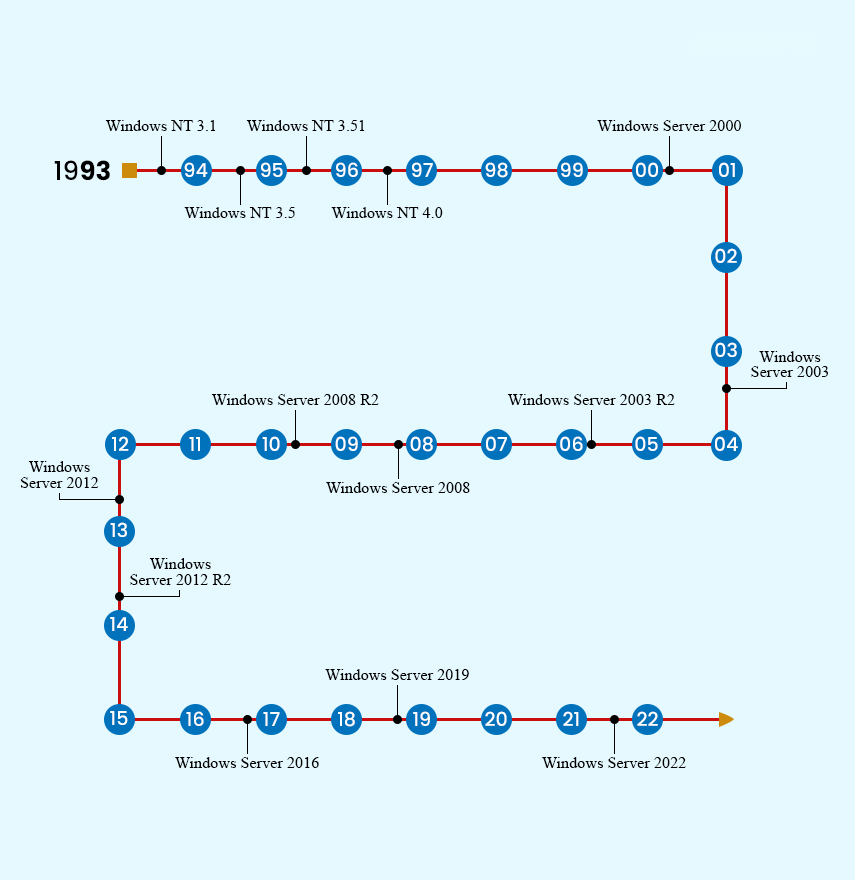
ප්රධාන Windows Server editions සහ ඒ හැම එකක්ම ගැළපෙන තැන.
Key Takeaways
- Standard සහ Datacenter තමයි Microsoft අද active විදිහට විකුණන editions දෙක.
- Standard සහ Datacenter අතර ප්රධාන වෙනස තමයි virtualization rights සහ advanced datacenter features.
- Essentials කියන්නේ පොඩි businesses වලට simple, single-server, අඩු-cost license එකක්.
- Web, Foundation සහ Enterprise කියන්නේ පරණ releases වල legacy editions, ඒවා දැන් විකුණන්නේ නෑ.
- Modern editions වලට licensing එක core-based, ඒ නිසා physical CPU cores ගණන වැදගත්.
Standard Edition
Windows Server Standard කියන්නේ physical හෝ සැහැල්ලුවට virtualized environments වලට mainstream තේරීම. මේකේ සම්පූර්ණ server role set එක තියෙනවා, සහ license එකකට virtual machines දෙකක් දක්වා run කරන්න අයිතිය දෙනවා (virtualization එකට විතරක් පාවිච්චි කරන host එකට අමතරව). මේක ගැළපෙන්නේ workloads කිහිපයක් run කරන, dense virtualization අවශ්ය නැති businesses වලට.
Datacenter Edition
Datacenter එකේ core feature set එක Standard එකට සමානයි, ඒත් මේකට unlimited virtualization rights සහ විශාල, ඉතා virtualized හෝ cloud environments වලට අරමුණු කරපු advanced capabilities එකතු කරලා තියෙනවා. Storage Spaces Direct, Storage Replica, Software-Defined Networking සහ shielded virtual machines වගේ features Datacenter එකට විතරයි වෙන් කරලා තියෙන්නේ. private clouds සහ බොහෝ විදිහට virtualized hosts වලට හරි තේරීම මේකයි.
Essentials Edition
Windows Server Essentials කියන්නේ පොඩි organisations වලට cost-effective edition එකක්, සාමාන්යයෙන් users 25ක් සහ devices 50ක් විතර දක්වා cap කරලා. මේකේ simplified setup එකක් තියෙනවා, වෙනම Client Access Licences අවශ්ය නෑ, ඒ නිසා පළවෙනි server එකකට මේක ආකර්ෂණීයයි. මේක environment එකකට single server එකකට සීමා වෙනවා, සහ Standard සහ Datacenter වල තියෙන virtualization rights මේකේ නෑ.
Legacy Editions: Web, Foundation and Enterprise
පරණ Windows Server releases වල අමතර editions තිබුණා. Web Edition කියන්නේ websites සහ web applications host කරන එකට විතරක් අරමුණු කරපු stripped-down, low-cost edition එකක්. Foundation කියන්නේ අඩු user cap එකක් සහ single-processor limit එකක් තියෙන ඉතා පොඩි businesses වලට entry-level edition එකක්. Enterprise Edition කලින් versions වල Standard සහ Datacenter අතර පිහිටලා, ඒ capabilities Standard සහ Datacenter වලට එකතු වෙන්න කලින් වැඩි scalability එකක් සහ clustering එකක් දුන්නා. මේ editions එකක්වත් දැන් Windows Server releases වල කොටසක් නෙවෙයි.
Note: Modern Windows Server (2016 සහ ඊට පසු) license කරන්නේ physical core එකකට, processor එකකට සහ server එකකට minimum cores ගණනක් සමඟ. license මිලදී ගන්න කලින් ඔයාගේ core count එක තහවුරු කරගන්න.
Which Edition Should You Choose?
- පොඩි office එකක්, එක server එකක්, users ටිකක්: simplicity සහ අඩු cost එකට Essentials සලකා බලන්න.
- අවම virtualization එකක් සහිත general business workloads: Standard තෝරන්න.
- Dense virtualization, private cloud, හෝ software-defined datacenter features: Datacenter තෝරන්න.
- දැනට තියෙන Web, Foundation හෝ Enterprise deployments: current Standard හෝ Datacenter release එකකට migration එකක් plan කරන්න.
Tip: ඔයා virtual machines ගොඩක් run කරන්න බලාපොරොත්තු වෙනවා නම්, Standard licenses කිහිපයක total cost එක single Datacenter license එකකට එරෙහිව compare කරලා බලන්න — VM density එකක් පහු කරාට පස්සේ Datacenter බොහෝ විට ලාභ වෙනවා.
Frequently Asked Questions
Problem: Standard සහ Datacenter performance එකෙන් වෙනස්ද?
Solution: නෑ. ඒ දෙකේම core engine එකයි role set එකයි එකයි. වෙනස්කම් තියෙන්නේ virtualization rights සහ advanced datacenter-only features කට්ටලයක, raw performance එකේ නෙවෙයි.
Problem: මට පස්සේ Standard එකෙන් Datacenter එකට upgrade කරන්න පුළුවන්ද?
Solution: ඔව්. Windows Server එකට reinstall කරන්නේ නැතුව Datacenter product key එකක් පාවිච්චි කරලා Standard එකෙන් Datacenter එකට in-place edition upgrade එකක් සඳහා support කරනවා.
Problem: Essentials තාම latest release එකේ තියෙනවද?
Solution: Microsoft කාලයත් එක්ක Essentials අඩු කරලා තියෙනවා. current release notes බලන්න, සහ Essentials නැත්නම් ඔයාගේ user count එකට වැඩිය සීමිත නම් Standard සලකා බලන්න.
Problem: මට තාම Client Access Licences (CALs) අවශ්යද?
Solution: Standard සහ Datacenter වලට server එකට access කරන users හෝ devices වලට CALs අවශ්යයි. Essentials එකට එහි supported limits ඇතුළත CALs අවශ්ය නෑ.
Conclusion
Windows Server editions පොඩි-business Essentials edition එකේ ඉඳන් ඉතා virtualized Datacenter edition එක දක්වා පරාසයක තියෙනවා, Standard එකෙන් වැඩිම general workloads cover කරනවා. Legacy Web, Foundation සහ Enterprise editions retire කරලා. edition එක ඔයාගේ virtualization අවශ්යතා සහ core count එකට ගළපන්න, සහ ඔයාගේ අවශ්යතා වැඩි වුණොත් Standard එක Datacenter එකට upgrade කරන්න පුළුවන් කියලා මතක තියාගන්න.
About TechHub
මේ guide එක TechHub Knowledge Base එකේ කොටසක්. තව step-by-step IT guides සහ support වලට techhub.com.lk එකට යන්න.