Overview
Microsoft Windows has gone through many versions since 1985. This guide lays out the major releases in order, what each introduced, and how to check which version you are running.
Windows has evolved from version 1.0 to Windows 11.
Key Takeaways
- Windows began in 1985 with version 1.0.
- The NT line (from Windows NT/2000/XP) became the modern Windows foundation.
- Windows 10 and 11 are the current consumer releases.
- Run winver to see your exact version and build.
Early Windows (1985–2000)
- Windows 1.0 (1985) and 2.0 (1987) — the first graphical shells over MS-DOS.
- Windows 3.0/3.1 (1990–92) — popularized Windows with a better UI and apps.
- Windows 95 (1995) — Start menu, taskbar, and 32-bit apps.
- Windows 98 / Me (1998–2000) — consumer updates building on 95.
The NT Line (1993–2009)
- Windows NT 3.1–4.0 (1993–96) — the business/enterprise kernel that underpins modern Windows.
- Windows 2000 (2000) — NT-based, introduced Active Directory.
- Windows XP (2001) — merged consumer and NT lines; hugely popular and long-lived.
- Windows Vista (2007) and 7 (2009) — new UI (Aero); Windows 7 was widely loved.
Modern Windows (2012–Present)
- Windows 8 / 8.1 (2012–13) — touch-focused Start screen (controversial).
- Windows 10 (2015) — returned the Start menu; delivered as "Windows as a service" with feature updates.
- Windows 11 (2021) — redesigned UI, stricter hardware requirements (TPM 2.0), and ongoing annual updates (22H2, 23H2, 24H2, 25H2).
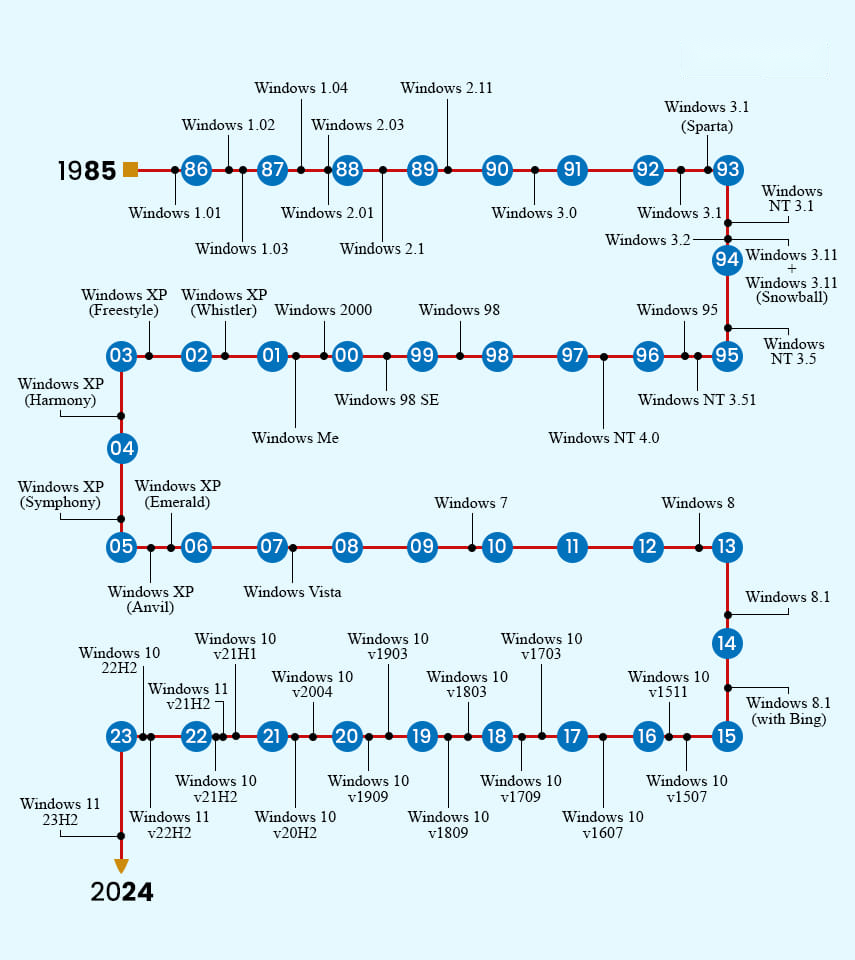
A timeline of the major Windows releases.
How to Check Your Windows Version
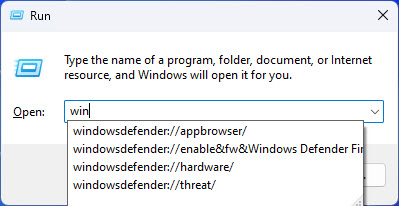
1. Press Windows key + R, type winver, and press Enter.
2. The About Windows box shows the edition, version, and build number.
3. For more detail, open Settings > System > About.
Frequently Asked Questions
Problem: Which Windows version should I run today?
Solution: Windows 11 for supported hardware. Windows 10 is supported only until 14 October 2025.
Problem: What is the difference between version and build?
Solution: The version (e.g. 23H2) is the feature-update name; the build number is the precise OS build within it.
Problem: Is Windows 10 still safe to use?
Solution: It receives security updates until October 2025; after that, upgrade or enroll in Extended Security Updates.
Problem: How do I know if I have 32-bit or 64-bit?
Solution: Check Settings > System > About under System type.
Conclusion
From 1.0 to Windows 11, each release reshaped how we use PCs. To see exactly what you are running, type winver — and for current support, Windows 11 is the version to be on.
</w:pBdr><w:spacing w:before="220" w:after="40"/></w:pPr><w:r><w:rPr><w:b/><w:bCs/><w:color w:val="0B5394"/><w:sz w:val="21"/><w:szCs w:val="21"/><w:rFonts w:ascii="Calibri" w:cs="Calibri" w:eastAsia="Calibri" w:hAnsi="Calibri"/></w:rPr><w:t xml:space="preserve">About TechHub
This guide is part of the TechHub Knowledge Base. For more step-by-step IT guides and support, visit techhub.com.lk.