Overview
When comparing CPUs you see terms like sockets, cores, threads, and logical processors. They describe how a processor is built and how much it can do at once. This guide explains each clearly and shows how to find your numbers.
Sockets, cores, threads, and logical processors describe a CPU’s capacity.
Key Takeaways
- A socket is the physical slot on the motherboard that holds a CPU.
- A core is an independent processing unit inside the CPU.
- A thread is a sequence of instructions; hyper-threading lets one core run two threads.
- Logical processors = cores × threads-per-core (what the OS sees and schedules).
CPU Sockets
A socket is the connector on the motherboard where the CPU sits. Most consumer PCs have one socket; servers may have multiple sockets, each holding a separate CPU. The socket type (e.g. LGA1700, AM5) must match the processor.
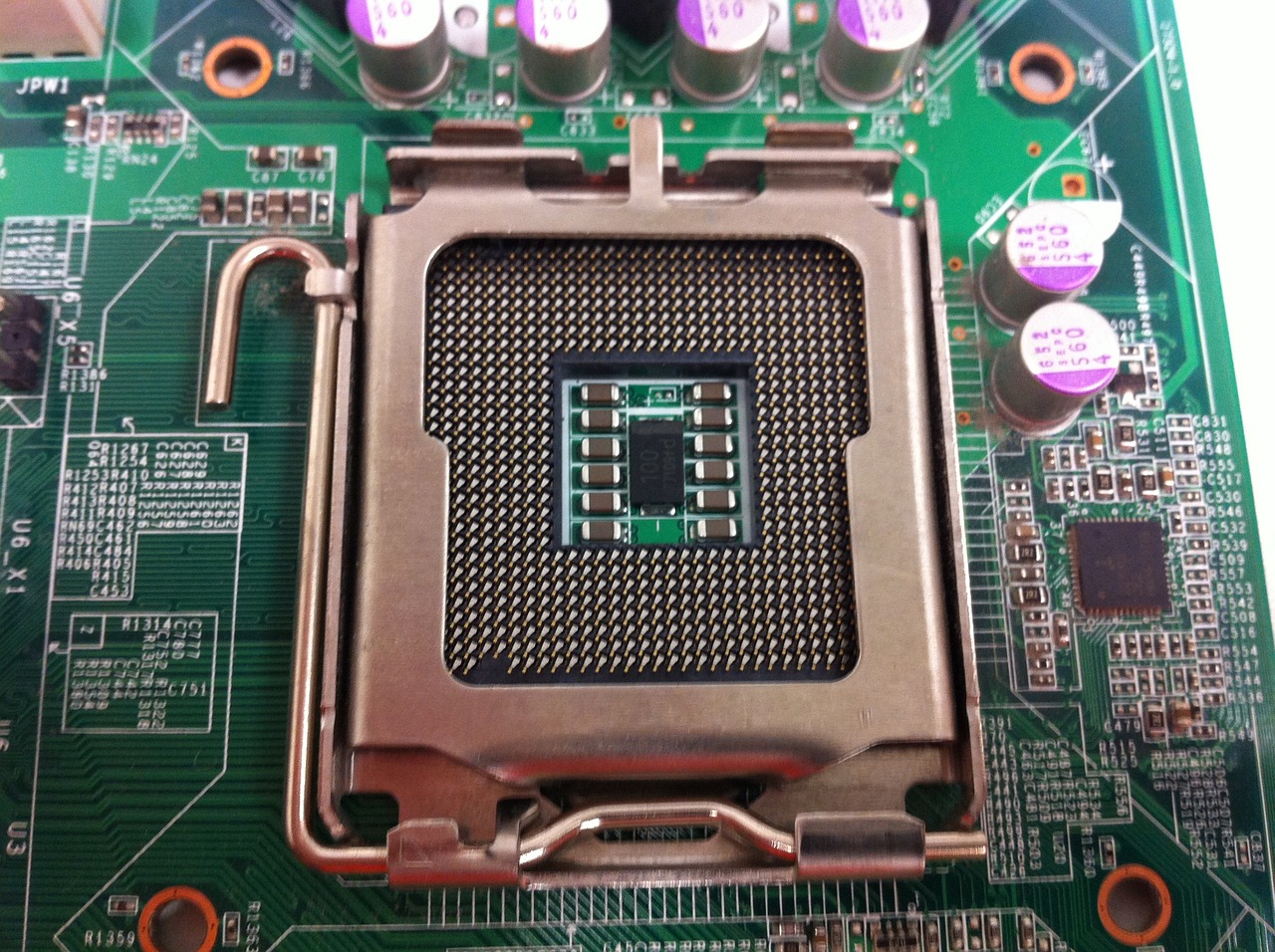
A CPU socket on the motherboard.
CPU Cores
A core is a complete processing unit that can execute instructions independently. More cores let the CPU do more tasks in parallel — a quad-core has four, an octa-core eight. Modern chips often mix performance and efficiency cores.
Threads and Hyper-Threading
- A thread is a stream of instructions the CPU executes.
- Hyper-Threading (Intel) / SMT (AMD) lets a single core handle two threads at once.
- So an 8-core CPU with hyper-threading provides 16 threads.
- More threads help heavily multi-threaded workloads.
Logical Processors
A logical processor is what the operating system sees and schedules work onto. With hyper-threading, logical processors = physical cores × 2. An 8-core/16-thread CPU shows 16 logical processors in Windows.
How to Count Yours
1. Open Task Manager (Ctrl + Shift + Esc) > Performance > CPU.
2. Read Cores and Logical processors at the bottom right.
3. Or in Command Prompt, run: wmic cpu get NumberOfCores,NumberOfLogicalProcessors (or the PowerShell CIM equivalent).
Frequently Asked Questions
Problem: Cores vs threads — which matters more?
Solution: Both. More cores help parallel tasks; threads (SMT/HT) boost multi-threaded efficiency. For gaming, strong per-core speed also matters.
Problem: My CPU shows more logical processors than cores.
Solution: That is hyper-threading/SMT — each core presents two logical processors.
Problem: Do I have multiple sockets?
Solution: Most PCs have one. Task Manager > Performance > CPU shows "Sockets"; servers/workstations may show more.
Problem: How many do I need?
Solution: 4–6 cores suit everyday use and gaming; 8+ cores/16+ threads benefit content creation and heavy multitasking.
Conclusion
Sockets hold the CPU, cores do the work, threads (via hyper-threading) increase parallelism, and logical processors are what Windows schedules. Knowing these helps you read CPU specs and pick the right processor.
</w:pBdr><w:spacing w:before="220" w:after="40"/></w:pPr><w:r><w:rPr><w:b/><w:bCs/><w:color w:val="0B5394"/><w:sz w:val="21"/><w:szCs w:val="21"/><w:rFonts w:ascii="Calibri" w:cs="Calibri" w:eastAsia="Calibri" w:hAnsi="Calibri"/></w:rPr><w:t xml:space="preserve">About TechHub
This guide is part of the TechHub Knowledge Base. For more step-by-step IT guides and support, visit techhub.com.lk.