Overview
A multi-core processor packs several independent cores onto one chip, letting it handle multiple tasks at once. Core counts have names — dual, quad, hexa, octa, and higher. This guide explains them and helps you decide how many cores you need.
Core counts range from dual-core to 16-core and beyond.
Key Takeaways
- More cores allow more parallel work and smoother multitasking.
- Common counts: dual (2), quad (4), hexa (6), octa (8), deca (10), and up to 16+.
- Beyond a point, extra cores help only heavily multi-threaded apps.
- For most users, 6–8 cores hit the sweet spot.
What Is a Multi-Core Processor?
A core is a complete processing unit. A multi-core CPU has several cores on one die, so it can run multiple instruction streams simultaneously — improving multitasking and performance in software that uses many cores.
Core-Count Names
- Dual-core (2) — basic tasks, light use.
- Quad-core (4) — mainstream computing and light gaming.
- Hexa-core (6) — strong all-round performance and gaming.
- Octa-core (8) — content creation, heavy multitasking, gaming.
- Deca (10), Dodeca (12), Tetradeca (14), Hexadeca (16) — workstation and server workloads.
What to Consider
- Type of work — multi-threaded tasks (rendering, compiling) benefit from more cores.
- Power and heat — more cores draw more power and need better cooling.
- Cost — higher core counts cost more; balance against your needs.
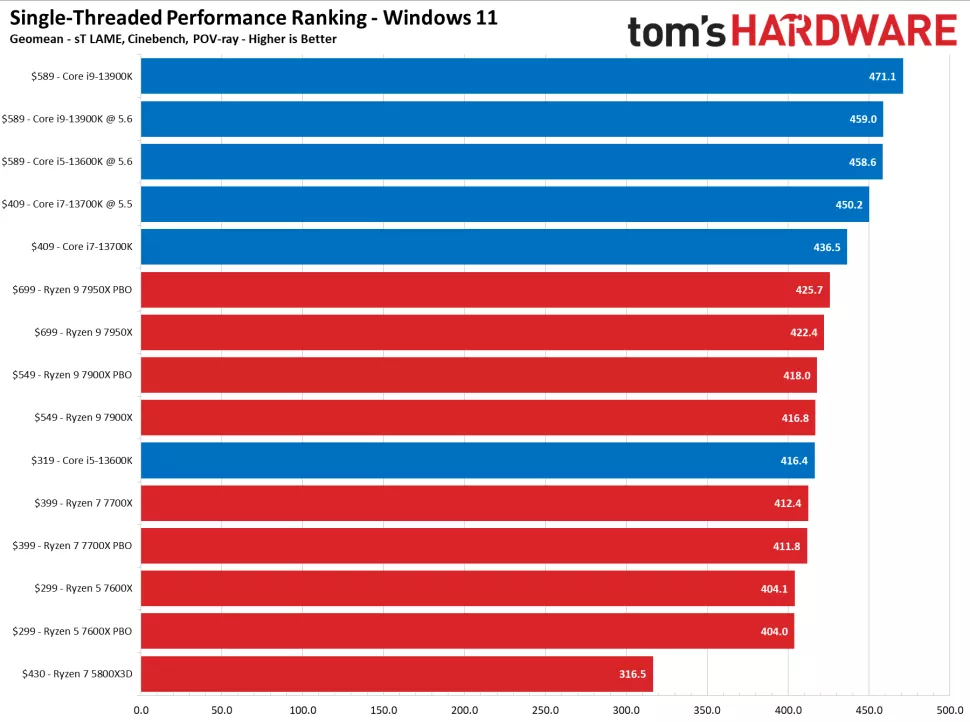
- Single-thread speed — still matters for gaming and everyday responsiveness.
Are More Cores Always Better?
Not always. Software must be written to use many cores; many everyday apps and games rely more on a few fast cores. Beyond 8–12 cores, the benefit is mainly for professional, highly parallel workloads.
How to Check Your Core Count
1. Open Task Manager (Ctrl + Shift + Esc) > Performance > CPU.
2. Read the Cores and Logical processors values.
3. Or run wmic cpu get NumberOfCores in Command Prompt (or Get-CimInstance Win32_Processor in PowerShell).
Frequently Asked Questions
Problem: Do I need a 10+ core CPU?
Solution: Only for heavy content creation, virtualization, or professional workloads. Most users do well with 6–8 cores.
Problem: Why is my many-core CPU not faster in a game?
Solution: Games favour high per-core speed and a handful of cores; extra cores sit idle.
Problem: More cores or higher clock speed?
Solution: For multitasking/creation, cores; for gaming and responsiveness, fast cores. Balance both.
Problem: How do cores differ from threads?
Solution: Cores are physical units; threads (via hyper-threading/SMT) let each core handle two instruction streams.
Conclusion
Core count determines how much a CPU can do in parallel. Pick based on your workload — 6–8 cores suit most people, while 12–16 cores serve professional, multi-threaded tasks. Remember per-core speed matters too.
</w:pBdr><w:spacing w:before="220" w:after="40"/></w:pPr><w:r><w:rPr><w:b/><w:bCs/><w:color w:val="0B5394"/><w:sz w:val="21"/><w:szCs w:val="21"/><w:rFonts w:ascii="Calibri" w:cs="Calibri" w:eastAsia="Calibri" w:hAnsi="Calibri"/></w:rPr><w:t xml:space="preserve">About TechHub
This guide is part of the TechHub Knowledge Base. For more step-by-step IT guides and support, visit techhub.com.lk.