Overview
CPUs compare කරනකොට sockets, cores, threads, සහ logical processors වගේ terms දකිනවා. ඒවා processor එකක් හදලා තියෙන්නේ කොහොමද, එකවර කොච්චර කරන්න පුළුවන්ද කියලා විස්තර කරනවා. මේ guide එකෙන් හැම එකක්ම පැහැදිලිව පැහැදිලි කරලා, ඔබේ numbers හොයන ආකාරය පෙන්නනවා.
Sockets, cores, threads, සහ logical processors වලින් CPU එකක capacity විස්තර කරනවා.
Key Takeaways
- Socket එකක් කියන්නේ CPU එකක් අල්ලගෙන ඉන්න motherboard එකේ physical slot එක.
- Core එකක් කියන්නේ CPU එක ඇතුළේ independent processing unit එකක්.
- Thread එකක් කියන්නේ instructions sequence එකක්; hyper-threading එකෙන් එක core එකකට threads දෙකක් run කරන්න දෙනවා.
- Logical processors = cores × threads-per-core (OS එක දකින, schedule කරන එක).
CPU Sockets
Socket එකක් කියන්නේ CPU එක වාඩිවෙන motherboard එකේ connector එක. ගොඩක් consumer PCs වල එක socket එකක්; servers වල sockets කිහිපයක් තියෙන්න පුළුවන්, එක එක එක වෙනම CPU එකක් අල්ලාගෙන. Socket type එක (බ. LGA1700, AM5) processor එකට match වෙන්න ඕන.
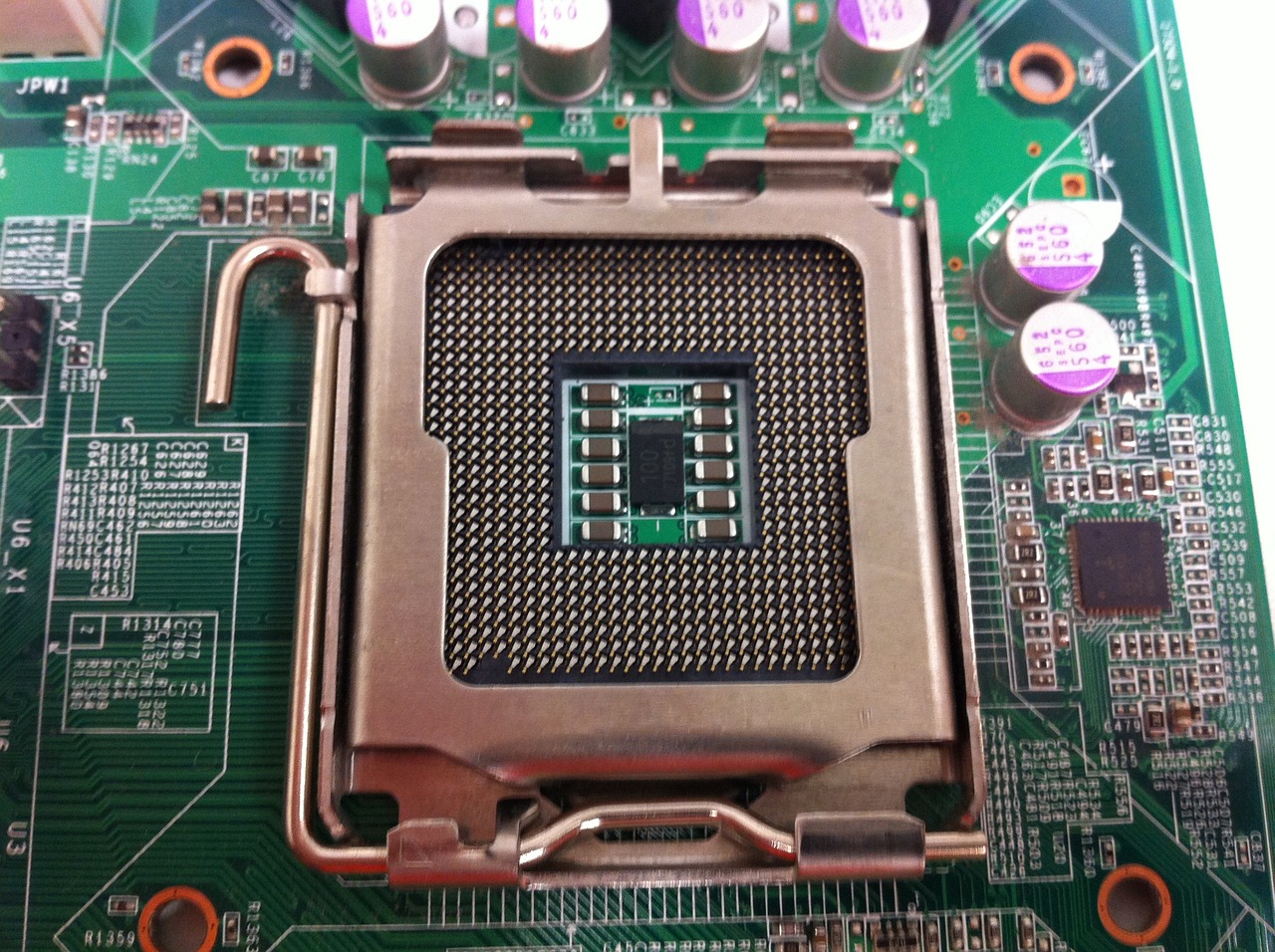
Motherboard එකේ CPU socket එකක්.
CPU Cores
Core එකක් කියන්නේ instructions independently execute කරන්න පුළුවන් complete processing unit එකක්. Cores වැඩිය CPU එකට parallel වැඩ වැඩිය කරන්න දෙනවා — quad-core එකක හතරක්, octa-core එකක අටක්. Modern chips බොහෝවිට performance සහ efficiency cores mix කරනවා.
Threads සහ Hyper-Threading
- Thread එකක් කියන්නේ CPU එක execute කරන instructions stream එකක්.
- Hyper-Threading (Intel) / SMT (AMD) එකෙන් එක core එකකට එකවර threads දෙකක් handle කරන්න දෙනවා.
- ඒ නිසා hyper-threading තියෙන 8-core CPU එකක් threads 16ක් දෙනවා.
- Threads වැඩිය heavily multi-threaded workloads වලට උදව්.
Logical Processors
Logical processor එකක් කියන්නේ operating system එක දකින, වැඩ schedule කරන එක. Hyper-threading එක්ක, logical processors = physical cores × 2. 8-core/16-thread CPU එකක් Windows එකේ logical processors 16ක් පෙන්නනවා.
ඔබේ ඒවා ගණන් කරන්නේ කොහොමද
1. Task Manager (Ctrl + Shift + Esc) > Performance > CPU open කරන්න.
2. පහළ දකුණේ Cores සහ Logical processors කියවන්න.
3. නැත්නම් Command Prompt එකේ, run කරන්න: wmic cpu get NumberOfCores,NumberOfLogicalProcessors (හෝ PowerShell CIM equivalent එක).
Frequently Asked Questions
Problem: Cores vs threads — කොයි එකද වැඩිය වැදගත්?
Solution: දෙකම. Cores වැඩිය parallel tasks වලට උදව්; threads (SMT/HT) multi-threaded efficiency boost කරනවා. Gaming වලට, strong per-core speed එකත් වැදගත්.
Problem: මගේ CPU එක cores වලට වඩා logical processors වැඩිය පෙන්නනවා.
Solution: ඒ hyper-threading/SMT — එක core එකක් logical processors දෙකක් present කරනවා.
Problem: මට sockets කිහිපයක් තියෙනවද?
Solution: ගොඩක් PCs වල එකක්. Task Manager > Performance > CPU එකෙන් "Sockets" පෙන්නනවා; servers/workstations වල වැඩිය පෙන්නන්න පුළුවන්.
Problem: කීයක් ඕනද?
Solution: 4–6 cores එදිනෙදා use සහ gaming වලට; 8+ cores/16+ threads content creation සහ heavy multitasking වලට benefit.
Conclusion
Sockets CPU එක අල්ලනවා, cores වැඩ කරනවා, threads (hyper-threading හරහා) parallelism වැඩි කරනවා, logical processors කියන්නේ Windows schedule කරන එක. මේවා දැනගත්තම CPU specs කියවන්නත් හරි processor එක තෝරන්නත් උදව්.
About TechHub
මේ guide එක TechHub Knowledge Base එකේ කොටසක්. තව step-by-step IT guides සහ support වලට techhub.com.lk එකට යන්න.