How to Download and Install the Opera Browser (Offline Installer)
Get Opera’s standalone installer and set up its built-in VPN, ad blocker, and battery saver.
Overview
Opera is a Chromium-based browser with a built-in ad blocker, free VPN, battery saver, and messenger integrations. This guide covers downloading the offline installer and its standout features.
Downloading the Opera browser.
Note: Download Opera only from the official opera.com website to avoid fake or bundled installers.
Key Takeaways
- Opera is Chromium-based, so it runs Chrome extensions.
- It includes a free built-in VPN and ad blocker.
- The offline installer works without downloading during setup.
- Battery saver and workspaces are handy extras.
Download the Offline Installer
1. Go to the official Opera website (opera.com).
2. Look for the offline/standalone installer option.
3. Download the version for your OS (Windows, macOS, Linux).
4. Run the installer on the target PC — no internet needed during install.
Key Features
- Free built-in VPN for basic privacy.
- Native ad and tracker blocking.
- Battery saver mode for laptops.
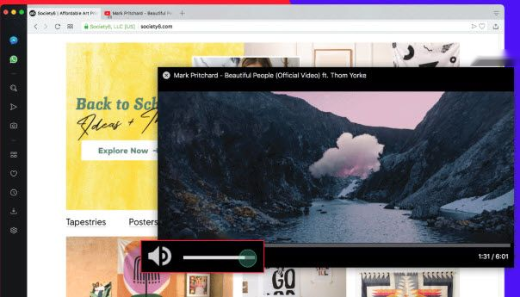
- Sidebar messengers, workspaces, and My Flow device sync.
- Chrome extension support via the Web Store.
First-Time Setup
1. Launch Opera and import bookmarks/passwords if prompted.
2. Enable the ad blocker and VPN in Settings if you want them on.
3. Sign in to Opera to sync across devices (optional).
Troubleshooting
Problem: Installer needs internet.
Solution: Use the offline/standalone installer from the official site.
Problem: VPN won’t connect.
Solution: Enable it in Settings > Privacy & security > VPN and choose a region; it’s a proxy-style VPN for browser traffic.
Problem: Extension won’t install.
Solution: Opera supports Chrome extensions — install the Opera add-on to enable the Chrome Web Store.
Problem: Update issues.
Solution: Reinstall with the latest offline installer or check opera://about for updates.
Conclusion
Opera offers a feature-rich, Chromium-based browsing experience with a free VPN, ad blocker, and battery saver. Download the offline installer from opera.com, run it, and enable the built-in privacy tools to get the most out of it.