Overview
Windows Home editions වල Remote Desktop client එක (connect out කරන්න) තියෙනවා, ඒත් server එක (incoming connections accept කරන්න) නෑ. මේ guide එකෙන් වෙනස පැහැදිලි කරලා, third-party tool එකකින් Home එකේ host එක enable කරන ආකාරය සහ safer official alternatives list කරනවා.
Windows Home connect out කරන්න පුළුවන් ඒත් default විදිහට Remote Desktop host කරන්නේ නෑ.
Key Takeaways
- Home එකට Remote Desktop client එක use කරන්න පුළුවන් ඒත් RDP sessions host කරන්න බෑ.
- RDP Wrapper කියන්නේ Home එකේ host එක enable කරන third-party tool එකක් (unofficial).
- Windows Pro එකට upgrade කරන එකෙන් official RDP hosting එකතු වෙනවා.
- Chrome Remote Desktop සහ ඒ වගේ tools safe, supported alternatives.
Server vs Client
- RDP client (mstsc) — වෙන PCs වලට connect වෙනවා; Home ඇතුළුව හැම edition එකකම available.
- RDP server/host — incoming connections accept කරනවා; Pro/Enterprise editions වල විතරයි.
- Home PC එකකට remote වෙන්න, host capability එකක් add කරන්න හෝ වෙන tool එකක් පාවිච්චි කරන්න ඕන.
Option 1 — RDP Wrapper එකෙන් Hosting Enable කරන්න (Unofficial)
Warning: RDP Wrapper කියන්නේ Windows behaviour එක modify කරන third-party tool එකක්. ඔබේ own risk එකෙන් පාවිච්චි කරලා, ඒක official source එකෙන් විතරයි download කරලා, PC එක secured තියාගන්න.
1. RDP Wrapper Library එක ඒකේ official GitHub project එකෙන් download කරන්න.
2. Installer එක (install.bat) administrator විදිහට run කරන්න.
3. RDPConf run කරලා wrapper state එක fully supported විදිහට පෙන්නනවද confirm කරන්න (ඕන නම් .ini එක update කරන්න).
4. Settings එකේ Remote Desktop enable කරලා වෙන PC එකකින් connect වෙන්න.
Option 2 — Windows Pro එකට Upgrade කරන්න
1. Settings > System > Activation open කරන්න.
2. Edition එක upgrade කරන්න තෝරලා Windows Pro key එකක් purchase/enter කරන්න.
3. Upgrade කළාට පස්සේ, Settings > System > Remote Desktop එකේ Remote Desktop enable කරන්න.
Option 3 — Remote-Access Alternative එකක් පාවිච්චි කරන්න
- Chrome Remote Desktop — free, simple, ඕනෑම edition එකක වැඩ කරනවා.
- Microsoft Quick Assist — assisted remote sessions වලට Windows එකේ built-in.
- TeamViewer / AnyDesk — personal use වලට full-featured remote access.
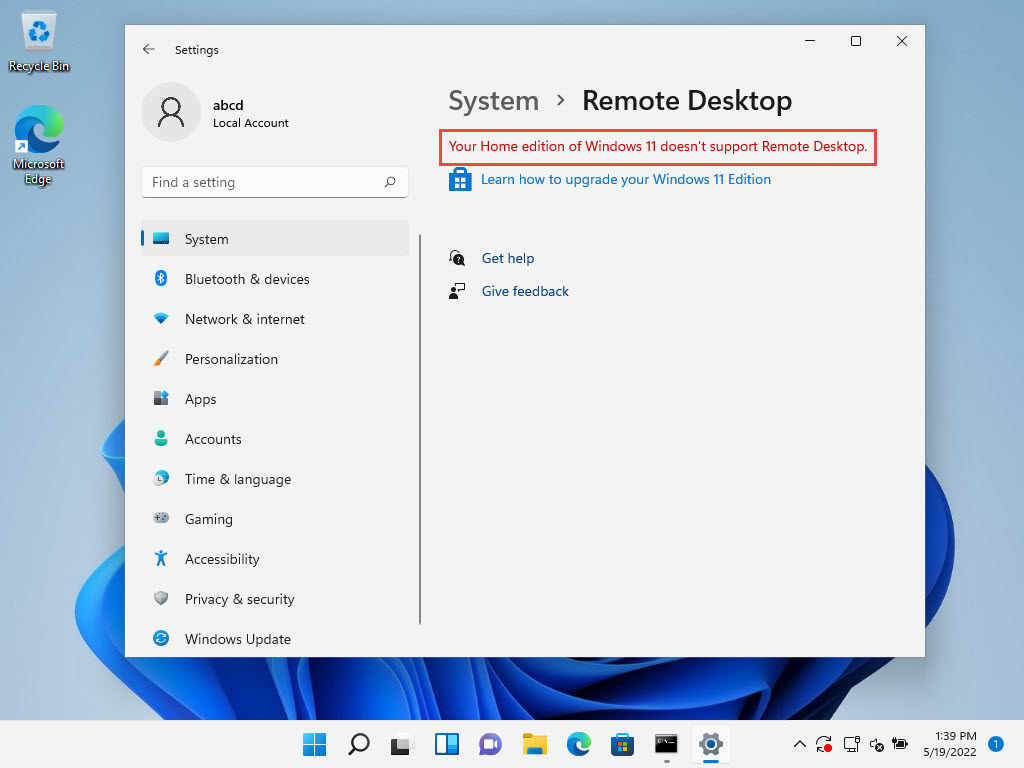
Windows Home officially RDP hosting support කරන්නේ නෑ.
Troubleshooting
Problem: RDP Wrapper "not supported" පෙන්නනවා.
Solution: ඒකේ rdpwrap.ini එක ඔබේ Windows build එකට match වෙන්න update කරලා, Remote Desktop Services restart කරන්න.
Problem: Enable කළාට පස්සේ connect වෙන්න බෑ.
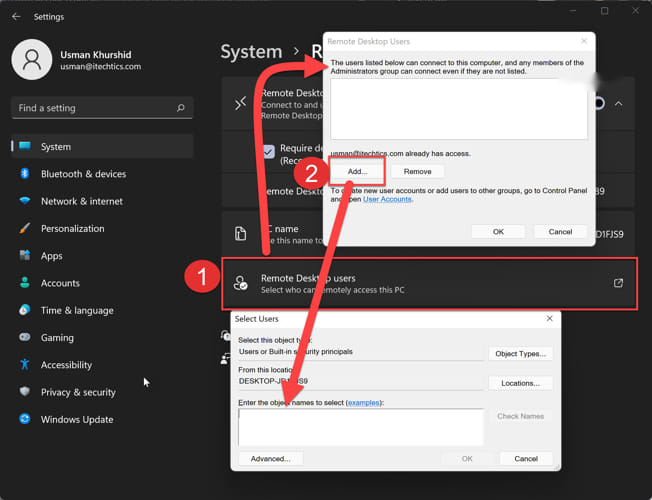
Solution: Firewall එකෙන් Remote Desktop allow කරලා, ඔබේ user එක Remote Desktop Users වලට add කරලා, account එකට password එකක් තියෙනවා කියලා බලන්න.
Problem: Third-party tools පාවිච්චි කරන්න කැමති නෑ.
Solution: Official feature එකට Windows Pro එකට upgrade කරන්න, නැත්නම් Chrome Remote Desktop/Quick Assist පාවිච්චි කරන්න.
Problem: Update එකකින් RDP Wrapper broke.
Solution: Host capability එක reset කරන්න පුළුවන් Windows feature updates වලට පස්සේ latest wrapper එකයි updated .ini එකයි reapply කරන්න.
Conclusion
Windows Home connect out කරන්න පුළුවන් ඒත් Remote Desktop host කරන්නේ නෑ. Incoming connections accept කරන්න, official feature එකට Pro එකට upgrade කරන්න, unofficial workaround එකක් විදිහට RDP Wrapper පාවිච්චි කරන්න, නැත්නම් Chrome Remote Desktop වගේ safe alternative එකක් තෝරන්න.
About TechHub
මේ guide එක TechHub Knowledge Base එකේ කොටසක්. තව step-by-step IT guides සහ support වලට techhub.com.lk එකට යන්න.