How to Enable Local Security Policy (secpol.msc) in Windows 11 Home and Pro
Add the Local Security Policy editor to Windows using built-in packages — no third-party tools.
Overview
Local Security Policy (secpol.msc) manages account, audit, and security options. Windows 11 Home lacks it by default, but the components ship with the OS. This guide shows how to enable it safely.
Enabling Local Security Policy in Windows 11.
Key Takeaways
- secpol.msc is built into Pro/Enterprise/Education.
- Windows Home can add it via a DISM/GPMC script.
- No third-party download is required.
- It manages password, lockout, audit, and security options.
Open It on Pro/Enterprise/Education
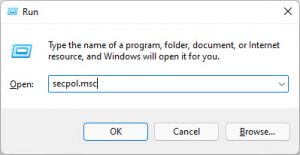
1. Press Windows + R, type secpol.msc, and press Enter.
2. The Local Security Policy console opens.
3. Browse Account Policies, Local Policies, and more.
Enable It on Windows 11 Home
1. Enable the Group Policy components first (secpol depends on them).
2. Create a .bat script that uses DISM to add the GroupPolicy ClientTools and ClientExtensions packages.
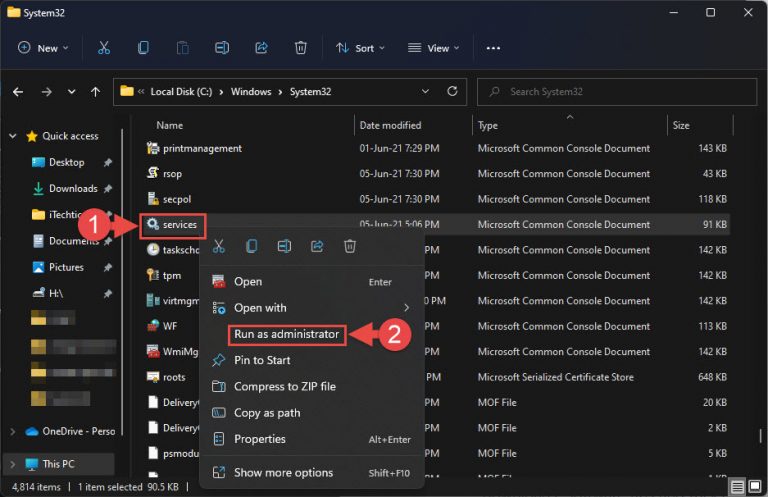
3. Right-click the script and Run as administrator.
4. Reboot, then run secpol.msc.
Note: This uses Microsoft’s in-box packages via DISM (no external files downloaded).
What You Can Configure
- Password Policy (length, complexity, age).
- Account Lockout Policy.
- User Rights Assignment.
- Security Options and Audit Policy.
Troubleshooting
Problem: secpol.msc still not found.
Solution: Enable the Group Policy packages first, run the script as administrator, and reboot.
Problem: Policies don’t apply on Home.
Solution: Home has limited enforcement; the equivalent Registry values may be more reliable.
Problem: Script errors out.
Solution: Ensure Windows is updated and the component store is healthy (run DISM /RestoreHealth).
Problem: Changes revert.
Solution: A managed/domain policy may override local settings — check with your administrator.
Conclusion
On Pro and up, secpol.msc is ready to use; on Windows 11 Home you can add it with Microsoft’s in-box Group Policy packages via DISM — no third-party tools needed. It then manages password, lockout, audit, and security options like any Pro machine.