













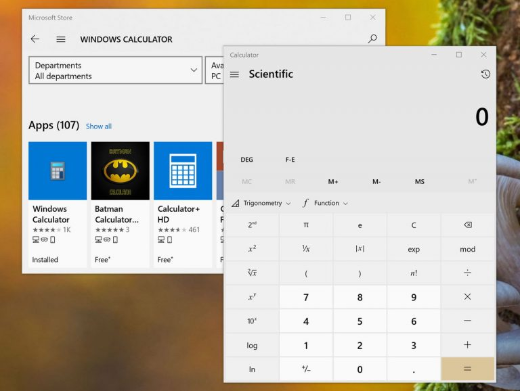
Windows Calculator එක Missing වුණාම හෝ වැඩ නොකරද්දී Fix කරන්නේ කොහොමද
Calculator app එක අතුරුදහන් වුණාම හෝ respond කරන එක නැවතුනාම reinstall, repair, හෝ reset කරන්න.
Overview
Update එකකට හෝ account change එකකට පස්සේ Windows Calculator එක missing වෙන්න පුළුවන්, නැත්නම් open වෙන එක නවතින්න පුළුවන්. මේ guide එකෙන් ඒක Store එකෙන් හෝ PowerShell එකෙන් reinstall කරන්නේ කොහොමද, repair හෝ reset කරන්නේ කොහොමද කියලා පෙන්නනවා.
Windows Calculator app එක.
Key Takeaways
- Microsoft Store එකෙන් Calculator එක free ව reinstall කරන්න.
- Store එක fail වුණාම PowerShell එකෙන් ඒක reinstall කරන්න පුළුවන්.
- Open නොවෙන Calculator එකක් Repair/Reset එකෙන් හදනවා.
- ගැඹුරු issues SFC සහ Windows updates වලින් resolve වෙනවා.
Reinstall from the Microsoft Store
1. Microsoft Store එක open කරන්න.
2. "Windows Calculator" කියලා search කරන්න.
3. Get/Install click කරලා install වෙනකම් ඉන්න.
4. Start menu එකෙන් ඒක launch කරන්න.
Reinstall with PowerShell
1. PowerShell එක administrator විදිහට open කරන්න.
2. Inbox apps reinstall කරන්න (Calculator ඇතුළත්): Get-AppxPackage -allusers Microsoft.WindowsCalculator | Foreach {Add-AppxPackage -DisableDevelopmentMode -Register "$($_.InstallLocation)\AppXManifest.xml"}
3. සම්පූර්ණයෙන්ම missing නම්, ඒක Store එකෙන් install කරන්න.
Repair or Reset the App
1. Settings > Apps > Installed apps open කරන්න.
2. "Calculator" > three dots > Advanced options හොයන්න.
3. Repair click කරන්න; තාම fail වෙනවා නම් Reset click කරන්න.
4. App එක ආයෙ open කරන්න.
Other Fixes
1. Windows Store Apps troubleshooter එක run කරන්න (Settings > System > Troubleshoot).
2. Elevated prompt එකක sfc /scannow run කරන්න.
3. Pending Windows updates install කරන්න.
4. Microsoft Store > Library > Get updates හරහා apps update කරන්න.
Troubleshooting
Problem: Repair/Reset options missing.
Solution: PowerShell re-register command එක use කරලා, reboot කරන්න.
Problem: Store එකෙන් ඒක install වෙන්නේ නැහැ.
Solution: Store Apps troubleshooter එක run කරන්න, Store එකට sign in වෙන්න, Windows updates check කරන්න.
Problem: Open වෙලා crash වෙනවා.
Solution: App එක Reset කරන්න; system files repair කරන්න SFC/DISM run කරන්න.
Problem: අලුත් user profile එකකට පස්සේ missing.
Solution: Store එකෙන් reinstall කරන්න හෝ all users වලට PowerShell re-register command එක run කරන්න.
Conclusion
Missing හෝ broken Calculator එකක් restore කරන්න ලේසියි: Microsoft Store එකෙන් (හෝ PowerShell හරහා) reinstall කරන්න, open නොවෙන එකකට Repair/Reset use කරන්න. SFC සහ Windows updates වලින් ඉතුරු වෙච්ච issues ඔක්කොම clear වෙනවා.





