Overview
Error code 0x80070666 usually appears while installing a Microsoft Visual C++ Redistributable package. It means a conflicting or newer version of the same package is already present, or the installation was interrupted. This guide explains what causes the error and walks through proven fixes so your Visual C++ install can complete.
Key Takeaways
- Error 0x80070666 typically means a conflicting Visual C++ version is already installed.
- Removing existing Visual C++ packages and reinstalling usually resolves it.
- Installing pending Windows updates and repairing the package are effective alternatives.
- Always download Visual C++ Redistributables from the official Microsoft website.
What Causes Error 0x80070666?
The most common cause is that the same or a newer Visual C++ Redistributable is already installed, so the installer refuses to proceed. Corrupted installation files, missing Windows updates, or an interrupted previous install can also trigger the error.
The 0x80070666 installation error.
Fix 1: Repair the Existing Installation
Before removing anything, try repairing the installed package — this often fixes the conflict without a full reinstall.
1. Press Windows + R, type appwiz.cpl, and press Enter to open Programs and Features.
2. Find the Microsoft Visual C++ Redistributable entry matching the version you are installing.
3. Select it and click Change, then choose Repair in the installer window.
4. Let the repair finish and restart your PC, then try the installation again.
Repairing the Visual C++ package.
Fix 2: Uninstall Conflicting Visual C++ Versions
Warning: Removing Visual C++ Redistributables can temporarily affect apps that depend on them. Reinstall the correct versions afterward so your programs keep working.
1. Open Programs and Features again with appwiz.cpl.
2. Locate the Visual C++ Redistributable version that conflicts with your installer (matching year and architecture, x86 or x64).
3. Select it and click Uninstall, then confirm.
4. Once removed, download the latest matching redistributable from the official Microsoft website and install it fresh.
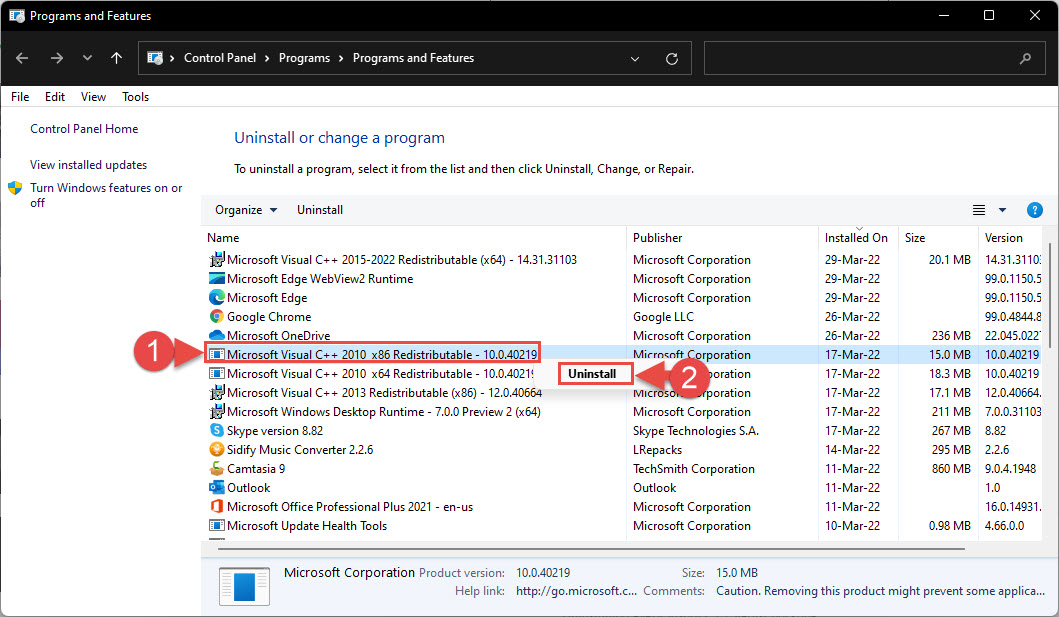
Uninstalling an existing Visual C++ installation.
Fix 3: Install Pending Windows Updates
Missing system updates can interfere with redistributable installations.
1. Open Settings > Windows Update.
2. Click Check for updates and install everything that is offered.
3. Restart the computer if prompted, then retry the Visual C++ installation.
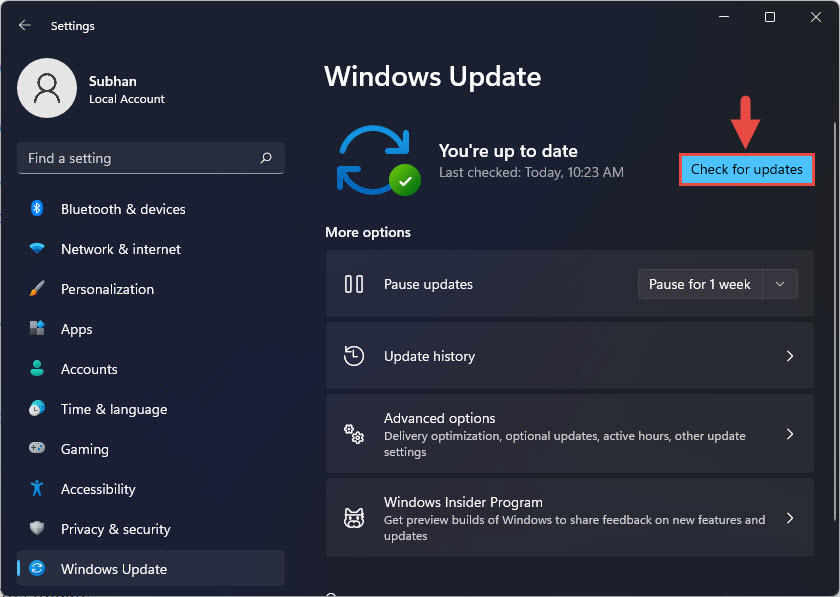
Checking for Windows updates.
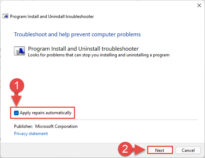
Fix 4: Run the Program Install and Uninstall Troubleshooter
Microsoft offers a free troubleshooter that clears leftover registry entries from broken installs.
1. Download the Program Install and Uninstall troubleshooter from the official Microsoft support site.
2. Run it and choose Uninstalling.
3. Select the problematic Visual C++ entry and let the tool remove its leftover data.
4. Restart and install the redistributable again.
Tip: Match the architecture to your program. A 64-bit application needs the x64 redistributable, while a 32-bit application needs the x86 version. Many systems require both.
Troubleshooting
Problem: The installer still fails after repairing.
Solution: Move on to uninstalling the conflicting version, then download and install the latest package from Microsoft.
Problem: I cannot find the conflicting version in Programs and Features.
Solution: Use the Program Install and Uninstall troubleshooter to detect and remove hidden or corrupted redistributable entries.
Problem: The error returns after reinstalling.
Solution: Make sure no other installer or the same setup is running in the background, and install pending Windows updates before trying again.
Problem: Apps report a missing Visual C++ DLL after uninstalling.
Solution: Reinstall both the x86 and x64 versions of the required Visual C++ Redistributable from the official Microsoft download page.
Conclusion
Error 0x80070666 almost always comes down to a version conflict. Repairing the existing package is the least disruptive fix; if that fails, uninstall the conflicting version, apply Windows updates, and reinstall the correct redistributable from Microsoft. These steps clear the conflict and let the installation finish successfully.
About TechHub
This guide is part of the TechHub Knowledge Base. For more step-by-step IT guides and support, visit techhub.com.lk.