How to Fix the "Unidentified Network" Error on Windows 11 and 10
Restore connectivity when Windows can’t identify your network, using adapter, IP, and driver fixes.
Overview
"Unidentified Network" (often with "No internet access") means Windows can’t properly configure the connection — usually an IP, driver, or adapter issue. This guide works through the fixes in order.
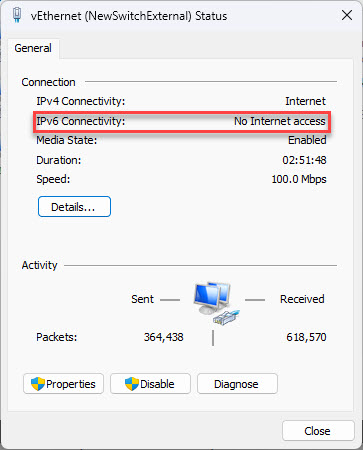
The Unidentified Network error.
Key Takeaways
- Often an IP configuration or driver problem.
- Restarting the adapter and router fixes many cases.
- Resetting the TCP/IP stack clears bad state.
- A static IP or driver update resolves stubborn cases.
Fix 1: Basics
1. Check cables (Ethernet) or turn off Airplane mode (Wi-Fi).
2. Restart your router/modem and the PC.
3. Run Settings > System > Troubleshoot > Other troubleshooters > Network and Internet.
Fix 2: Restart the Network Adapter
1. Press Windows + R, type ncpa.cpl, and press Enter.
2. Right-click your adapter > Disable, wait, then Enable.
3. Recheck the connection status.
Fix 3: Reset the TCP/IP Stack
1. Open Command Prompt as administrator.
2. Run: netsh winsock reset
3. Then: netsh int ip reset
4. Then: ipconfig /release, ipconfig /renew, ipconfig /flushdns
5. Restart the PC.
Fix 4: Set a Static IP / DNS
1. In ncpa.cpl, right-click the adapter > Properties > Internet Protocol Version 4 > Properties.
2. Enter a valid static IP, subnet, and gateway for your network.
3. Set DNS to a reliable resolver (e.g., 8.8.8.8 / 1.1.1.1).
4. Apply and test; switch back to automatic if it doesn’t help.
Fix 5: Driver, Antivirus, Fast Startup
1. Update the network driver from the PC/adapter maker’s official site (or roll back a recent one).
2. Temporarily disable third-party antivirus/firewall to test.
3. Disable Fast Startup (Power Options) and virtual adapters (VPN/VMware) that can hijack the connection.
Troubleshooting
Problem: Only one PC is affected.
Solution: The issue is local — reset TCP/IP, renew the IP, and update the network driver.
Problem: All devices affected.
Solution: The router/ISP is likely the cause — restart the router and check the internet line.
Problem: Returns after sleep.
Solution: Disable Fast Startup and adapter power-saving in Device Manager.
Problem: VPN/virtual adapter interferes.
Solution: Disable unused virtual adapters in ncpa.cpl and reconnect.
Conclusion
The Unidentified Network error is usually a local IP/driver issue. Restart the adapter and router, reset the TCP/IP stack, and try a static IP or driver update — disabling Fast Startup and virtual adapters if the problem keeps returning.