Overview
manage-bde command එකෙන් BitLocker එක command line එකෙන් සම්පූර්ණයෙන් control කරන්න පුළුවන් — scripting, remote administration සහ ඉක්මන් status checks වලට මේක ගොඩක් වැදගත්. මේ guide එකෙන් drive encryption manage කිරීමේ වැදගත්ම operations ආවරණය කරනවා.
Key Takeaways
- manage-bde එකෙන් elevated command prompt එකකින් BitLocker control කරනවා.
- -status එකෙන් drive එකක encryption state එක පෙන්නනවා.
- -on සහ -off වලින් encryption on හෝ off කරනවා.
- -unlock සහ -protectors වලින් access සහ recovery keys manage කරනවා.
Check Status and Enable
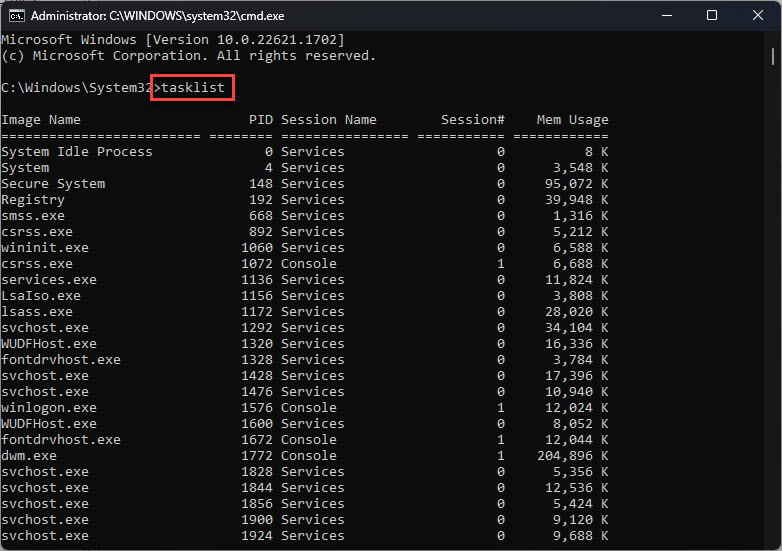
1. Command Prompt එක administrator විදිහට open කරන්න.
2. Drive එකක් check කරන්න: manage-bde -status C:
3. Encryption එක turn on කරන්න: manage-bde -on C:
4. Recovery password protector එකක් add කරන්න: manage-bde -protectors -add C: -RecoveryPassword
Unlock and Turn Off
1. Recovery password එකකින් drive එකක් unlock කරන්න: manage-bde -unlock D: -RecoveryPassword <key>
2. Protectors සහ keys බලන්න: manage-bde -protectors -get C:
3. Encryption එක turn off (decrypt) කරන්න: manage-bde -off C:
4. Decryption progress එක monitor කරන්න -status එක ආයෙත් run කරන්න.
Warning: BitLocker enable කරනකොට recovery password එක සටහන් කරගන්න. ඒක නැති වුණොත් සහ protector එකක් fail වුණොත්, encrypt කරපු data recover කරන්න බෑ.
Troubleshooting
Problem: manage-bde කියනවා access denied කියලා.
Solution: command prompt එක administrator විදිහට run කරන්න, මොකද BitLocker operations වලට elevation ඕන.
Problem: Encryption එක turn on වෙන්නේ නෑ.
Solution: compatible TPM එකක් තියෙනවද කියලා තහවුරු කරගන්න, නැත්නම් TPM එකක් නැතුව BitLocker allow කරන policy එක enable කරන්න.
Problem: Unlock කරාට පස්සෙත් drive එක locked වෙලා තියෙනවා.
Solution: command එකේ හරි recovery password එකයි හරි drive letter එකයි පාවිච්චි කරාද කියලා තහවුරු කරගන්න.
Problem: Decryption එක stuck වෙලා වගේ.
Solution: progress එක බලන්න manage-bde -status එක පාවිච්චි කරන්න; ලොකු drive එකක full decryption එකට වෙලාව ගොඩක් යන්න පුළුවන්.
Conclusion
manage-bde එකෙන් සෑම BitLocker operation එකක්ම scripting සහ administration වලට ඔබේ ඇඟිලි තුඩුවලට ගේනවා. recovery passwords ආරක්ෂිතව තියාගන්න, එතකොට command line එකෙන් encryption management එක වේගවත් සහ නැවත නැවත කරන්න පුළුවන් වෙනවා.
About TechHub
මේ guide එක TechHub Knowledge Base එකේ කොටසක්. තව step-by-step IT guides සහ support වලට techhub.com.lk එකට යන්න.