Windows Editions Explained: Home, Pro, Enterprise, VL, N, and KN
Understand the differences between Windows editions and which one fits your needs.
Overview
Windows comes in several editions and variants — Home, Pro, Enterprise, Education, plus VL, N, and KN designations. This reference explains what each offers so you can choose the right one.
Comparing Windows editions.
Key Takeaways
- Home is for consumers; Pro adds business/management features.
- Enterprise/Education target organizations.
- VL = Volume Licensing (for bulk deployment).
- N/KN editions omit media features for regulatory reasons.
Windows Home
The consumer edition with all core features for everyday use. Lacks business tools like BitLocker (full), Group Policy Editor, Remote Desktop host, and domain join.
Windows Pro
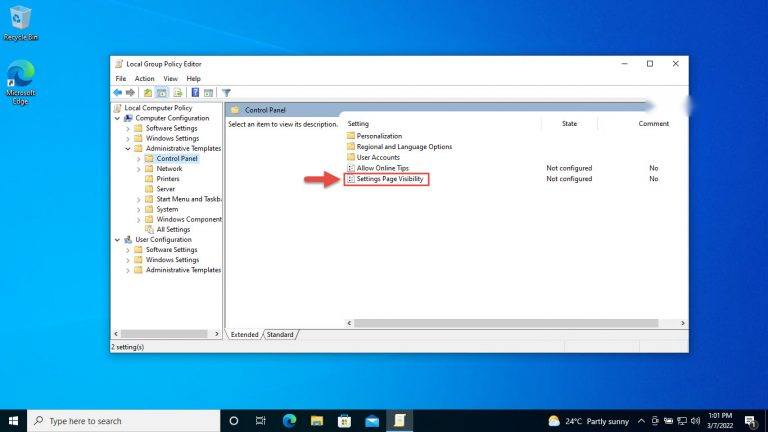
Adds business features: BitLocker, Group Policy, Hyper-V, Remote Desktop host, domain/Azure AD join, and Assigned Access. The usual choice for professionals and power users.
Windows Enterprise
Aimed at larger organizations via Volume Licensing, adding advanced security (e.g., AppLocker, advanced Defender features), management, and deployment options.
Windows Education
Essentially Enterprise features licensed for academic institutions (schools and universities).
VL (Volume Licensing)
"VL" indicates a Volume License edition activated via KMS/MAK for deploying many machines in an organization — not a separate feature set, but a licensing method.
N and KN Editions
- N editions (Europe) omit Windows Media Player and related media tech; add them with the Media Feature Pack.
- KN editions (South Korea) similarly exclude certain media/messaging components.
- Functionally identical otherwise — you can add the media features.
Which Should You Choose?
- Home users: Windows Home.
- Professionals/power users: Windows Pro (BitLocker, RDP, Group Policy).
- Organizations: Enterprise/Education via Volume Licensing.
- Only pick N/KN if you specifically need those regional editions.
Conclusion
Home covers everyday use, Pro adds business and security features, and Enterprise/Education serve organizations. VL denotes volume licensing, while N/KN are regional editions missing media features. Choose based on whether you need BitLocker, Group Policy, domain join, and remote/management tools.