Overview
Running several commands one after another is tedious when done individually. Command Prompt and PowerShell support operators that let you chain commands so they run together, either unconditionally or based on whether the previous one succeeded. This guide covers the key operators.
Key Takeaways
- The & operator runs commands one after another regardless of success.
- The && operator runs the next command only if the previous one succeeded.
- The || operator runs the next command only if the previous one failed.
- These operators are ideal for quick scripts and one-line workflows.
Use Chaining Operators
1. To run commands in sequence: command1 & command2
2. To run the second only if the first succeeds: command1 && command2
3. To run a fallback only if the first fails: command1 || command2
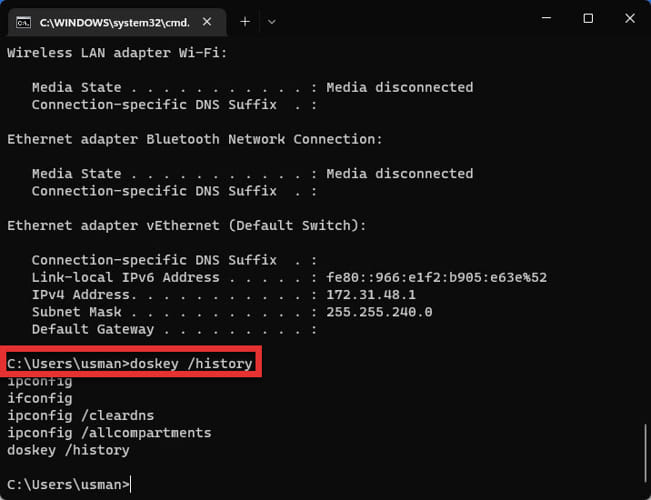
4. Combine them, for example: ipconfig /release && ipconfig /renew
Notes for PowerShell
1. In older PowerShell, separate commands with a semicolon: command1; command2
2. PowerShell 7 also supports the && and || operators like Command Prompt.
3. Wrap complex commands in parentheses to control the order of execution.
Tip: Use && for dependent steps so a later command never runs on the failure of an earlier one, avoiding half-finished operations.
Troubleshooting
Problem: The second command runs even though the first failed.
Solution: Use && instead of & so execution stops when a command returns an error.
Problem: && is not recognized in PowerShell.
Solution: Use a semicolon in Windows PowerShell 5, or upgrade to PowerShell 7 which supports &&.
Problem: A command with spaces breaks the chain.
Solution: Wrap paths and arguments containing spaces in quotation marks.
Problem: Output from one command interferes with the next.
Solution: Redirect or suppress output where needed, or run the commands as a saved batch script.
Conclusion
Chaining operators turn repetitive command entry into efficient one-liners. Choose &, &&, or || depending on whether you want sequential, success-dependent, or fallback behavior.
About TechHub
This guide is part of the TechHub Knowledge Base. For more step-by-step IT guides and support, visit techhub.com.lk.